Hi guys, today I would like to share one guideline about Integrated with social communication like SLACK, OUTLOOK 365, MS Team
In integration suite, we have adapters like Mail receiver adapter, Slack Receiver Adapter, Http Receiver adapter.
In Integration Suite we also have Open Connectors.
By using adapter above, we can send message to social like SLACK, OUTLOOK, MS Team
PREREQUISITES
Role access to Open Connectors of Integration Suite
Account office 365 with Role admin
Slack
Outlook Email
MS Team
CONFIGURATIONS
Working with Slack in Open Connector
Access to Open Connector
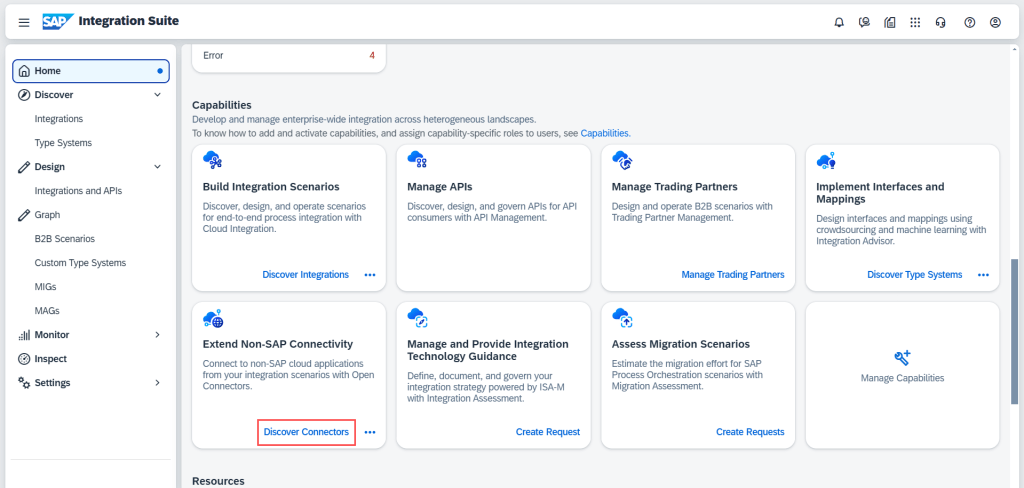
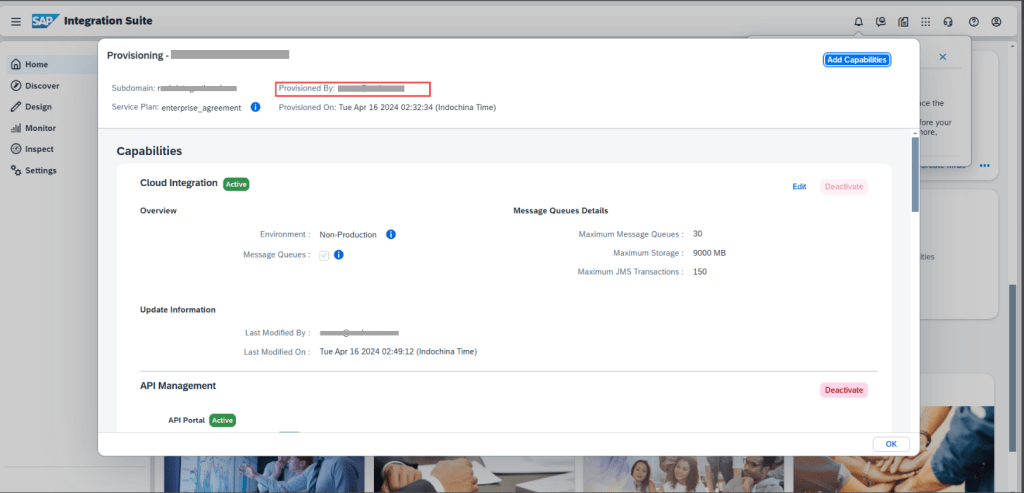
If you get issue can not access open connectors, you should be use account provision capabilities of Integration Suite to access open connectors and add SID or PID into ovethere with Role Admin
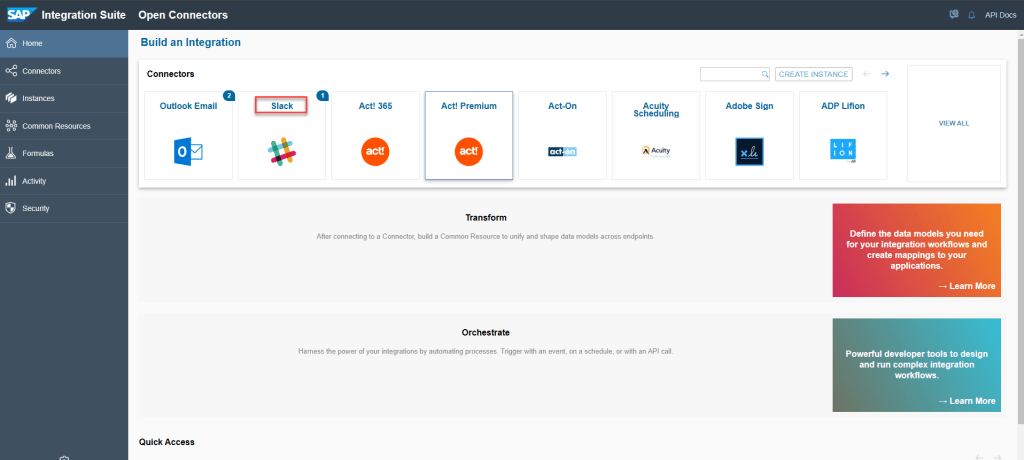
Create intance of SLACK
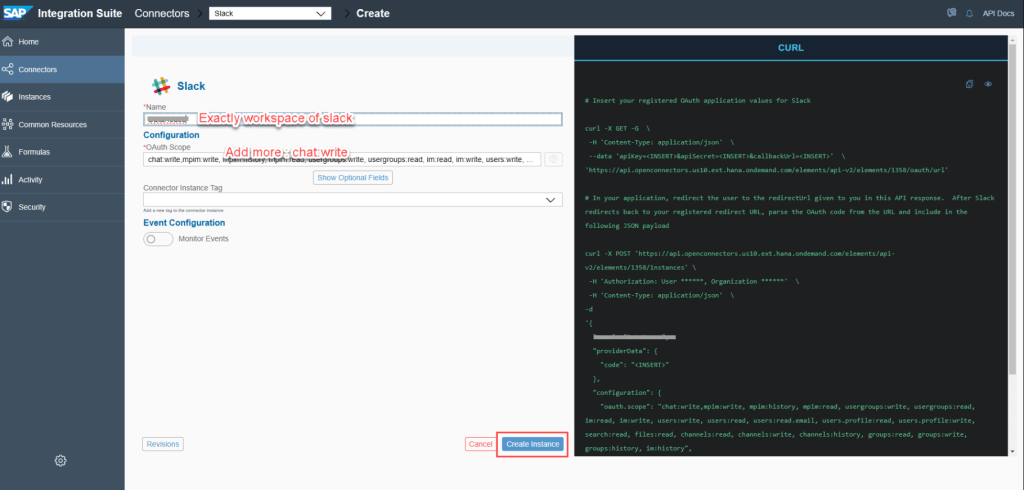
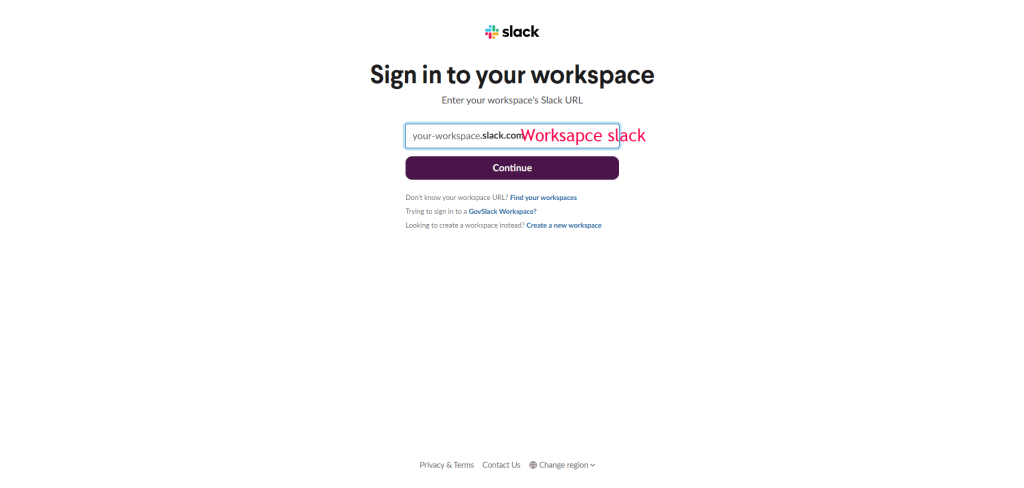
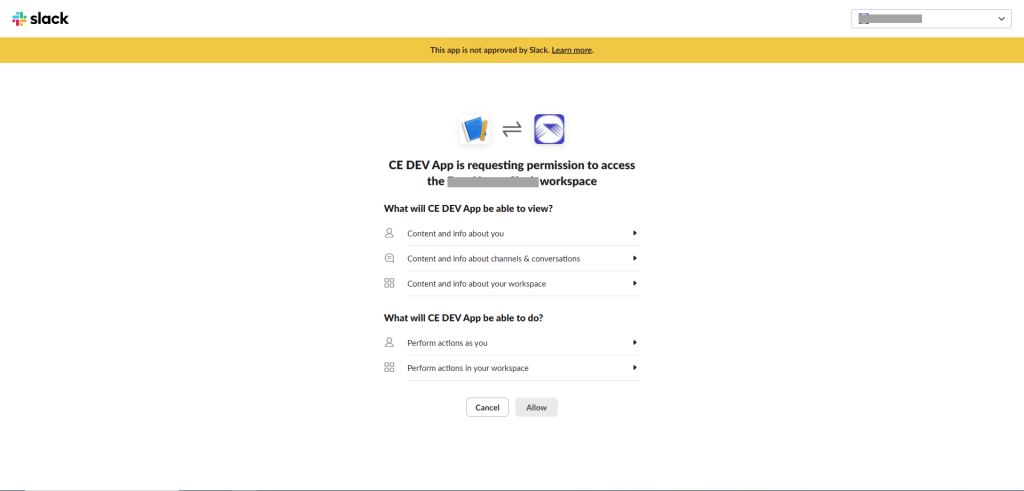
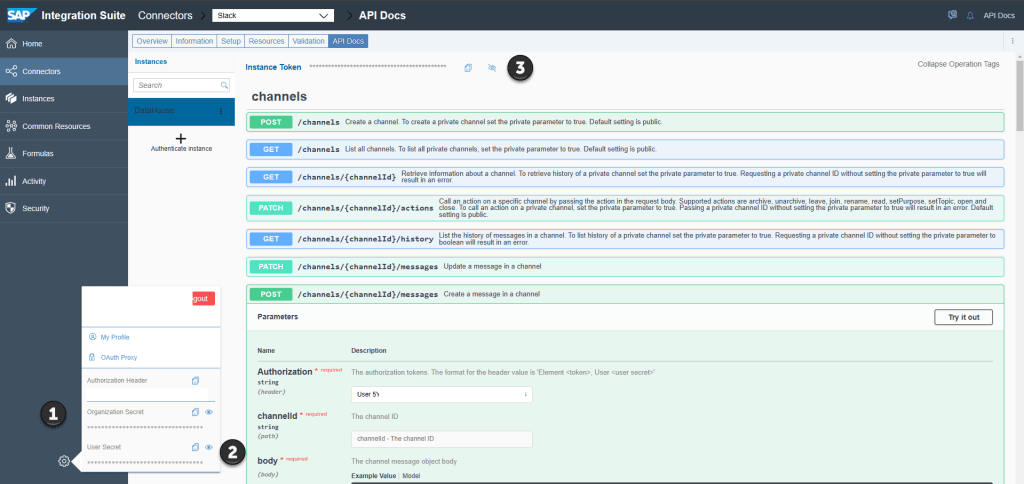
Save Organization Secret – User Secret – Element Secret
Get host of instance
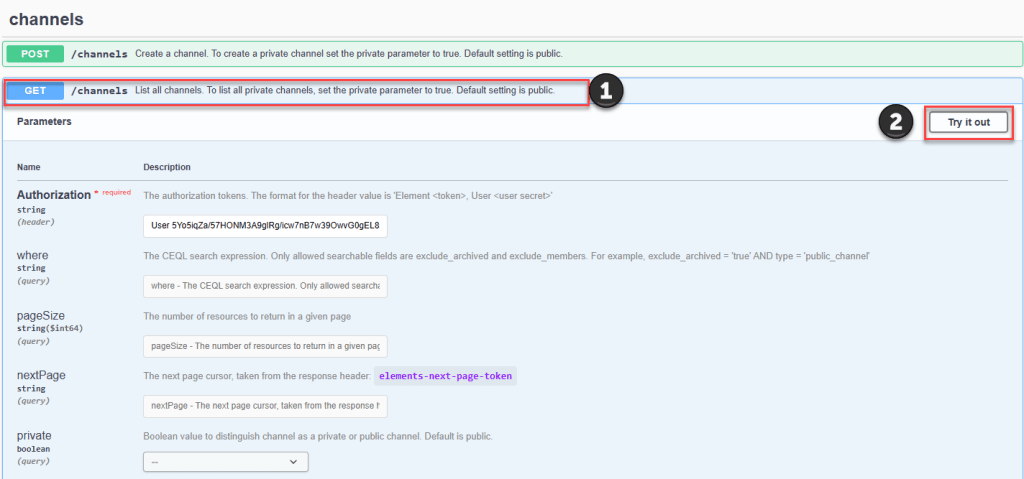
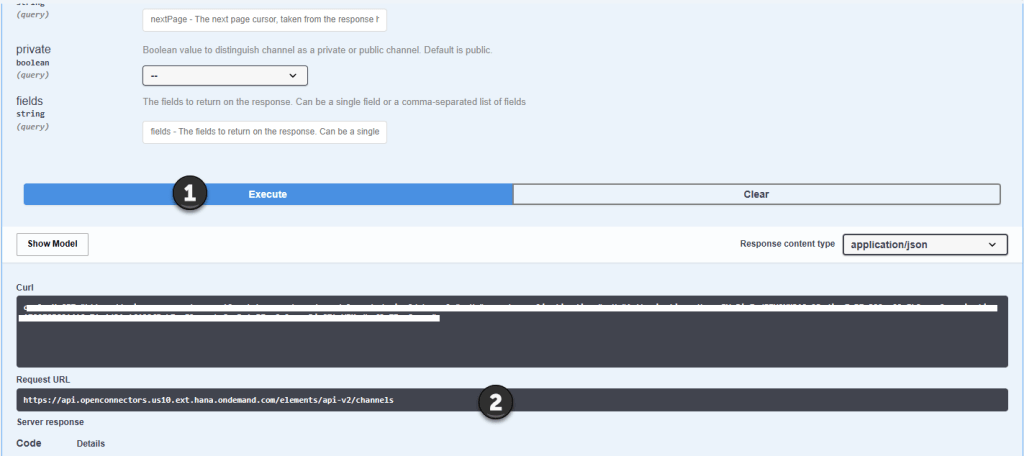
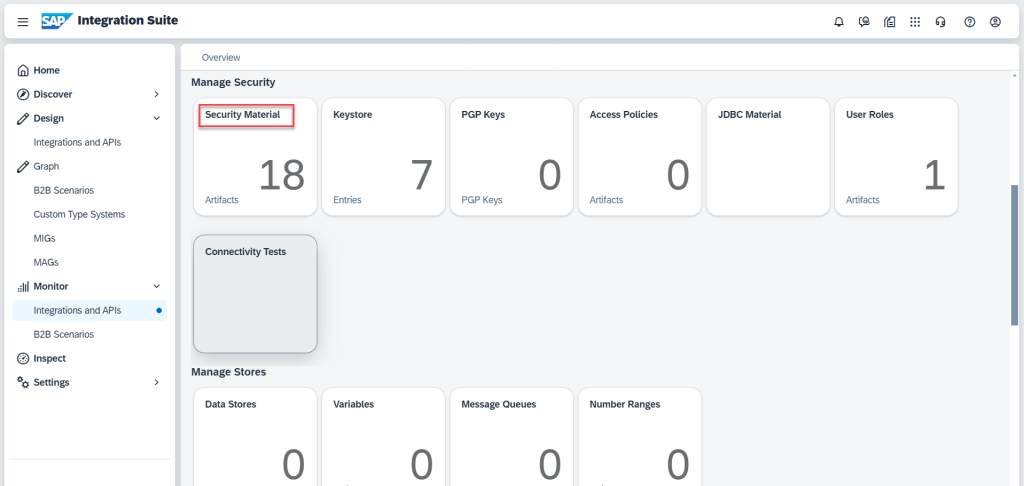
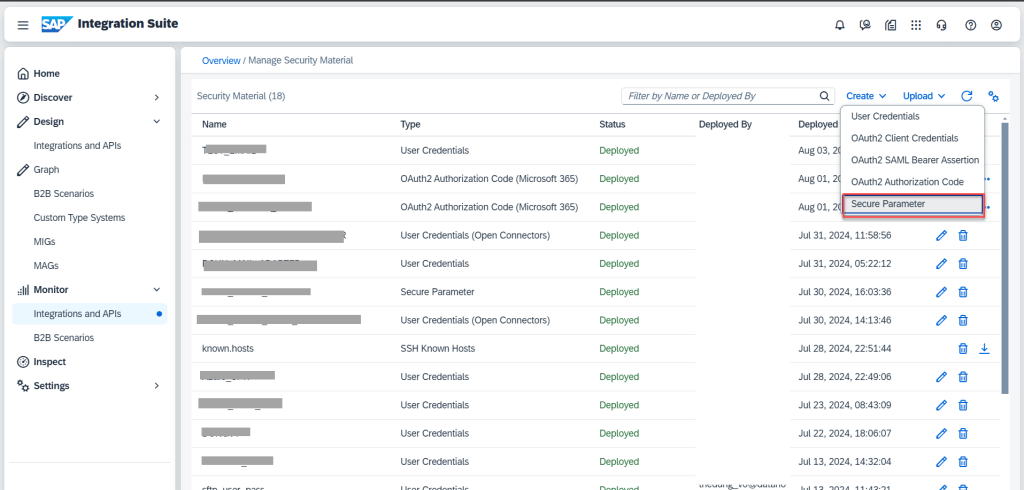
Create material security in Integration Suite
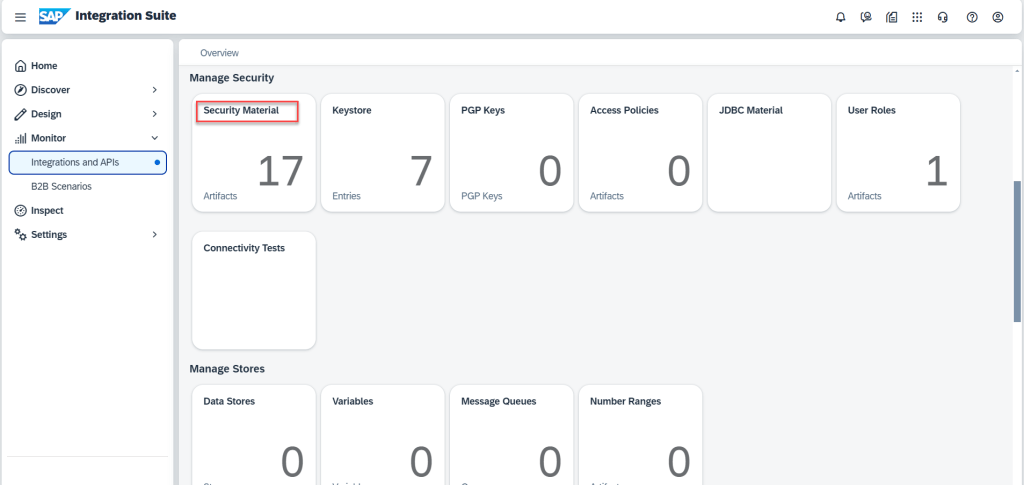
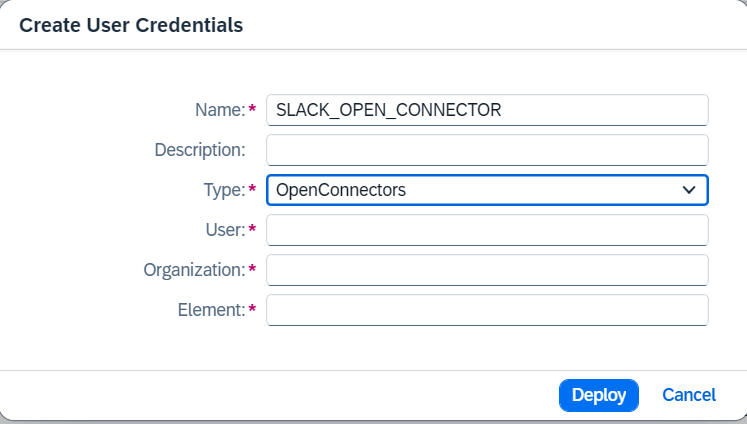
Using Open Connectors Receiver Adapter and call API POST
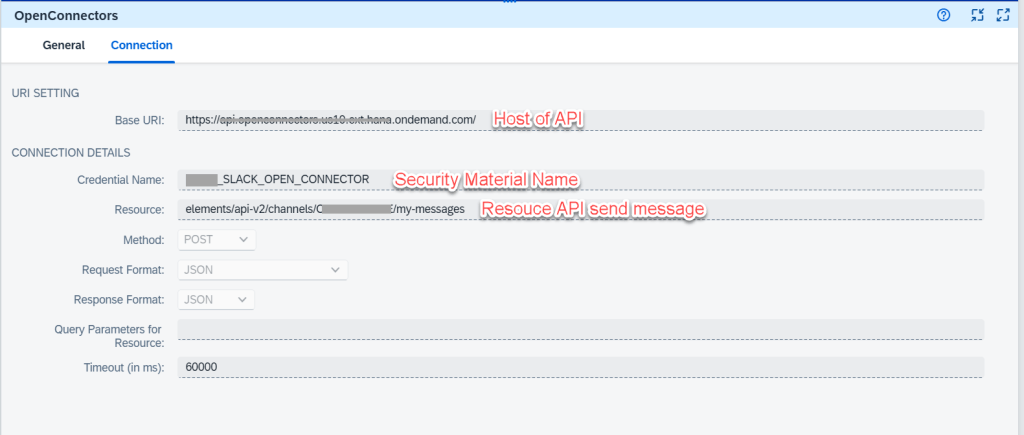
Working with Slack Adapter Receiver
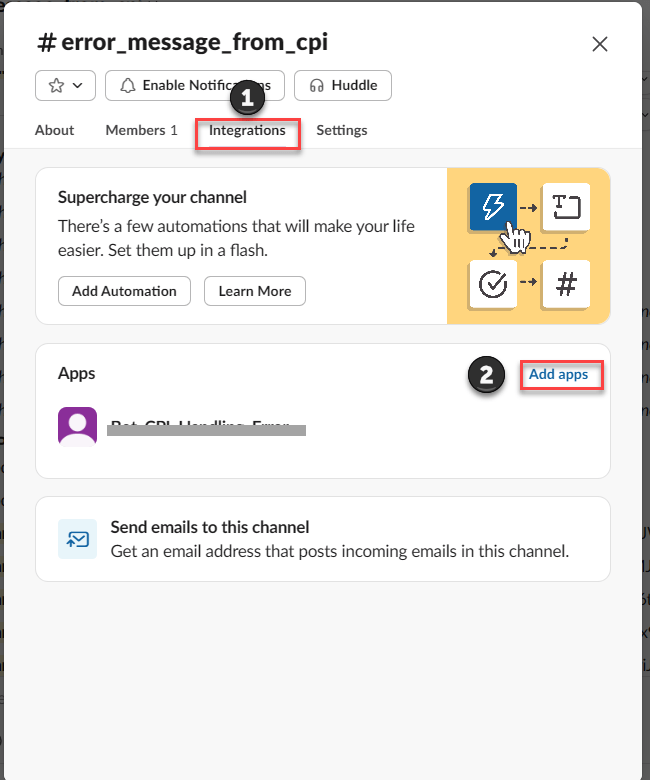
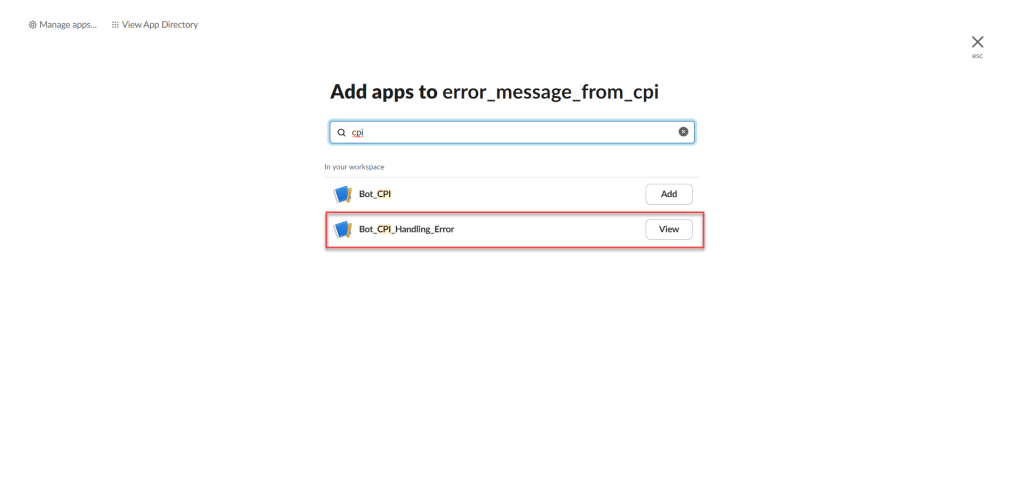
Create BOT app on Slack
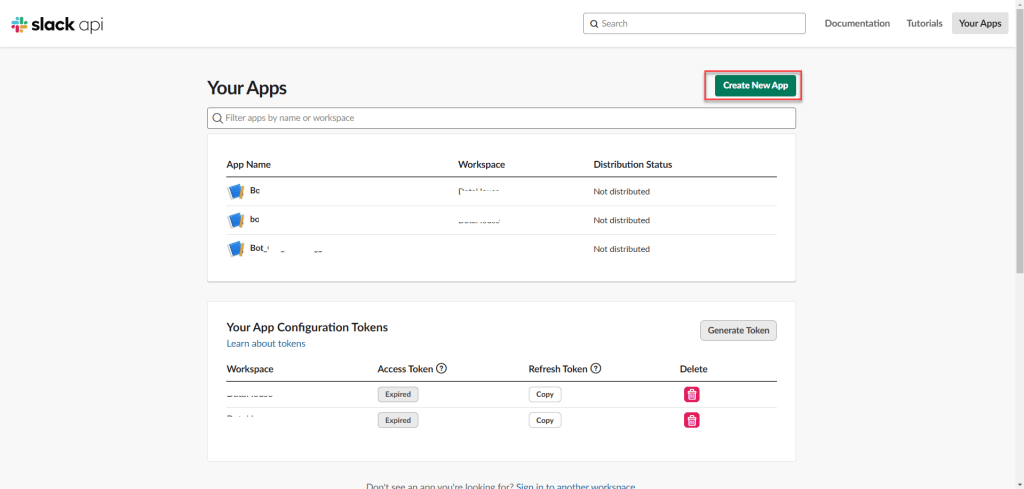
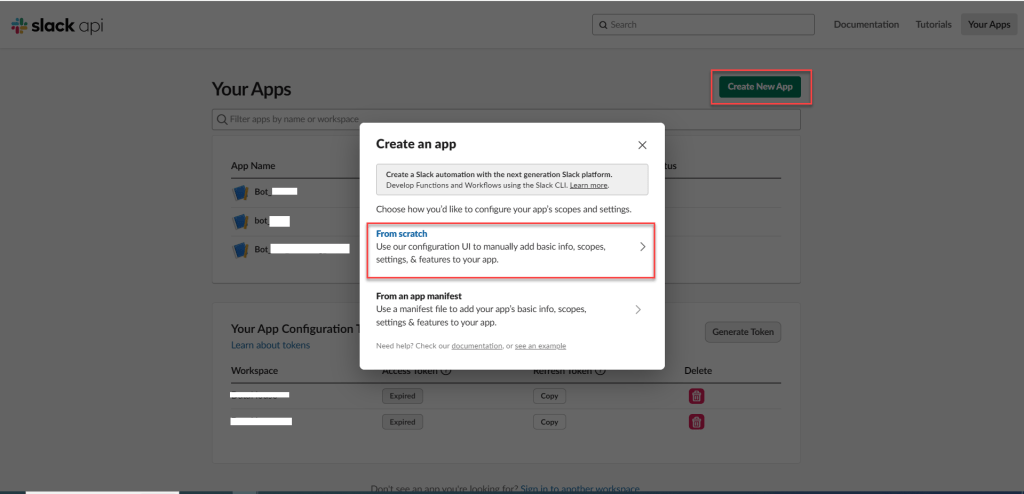
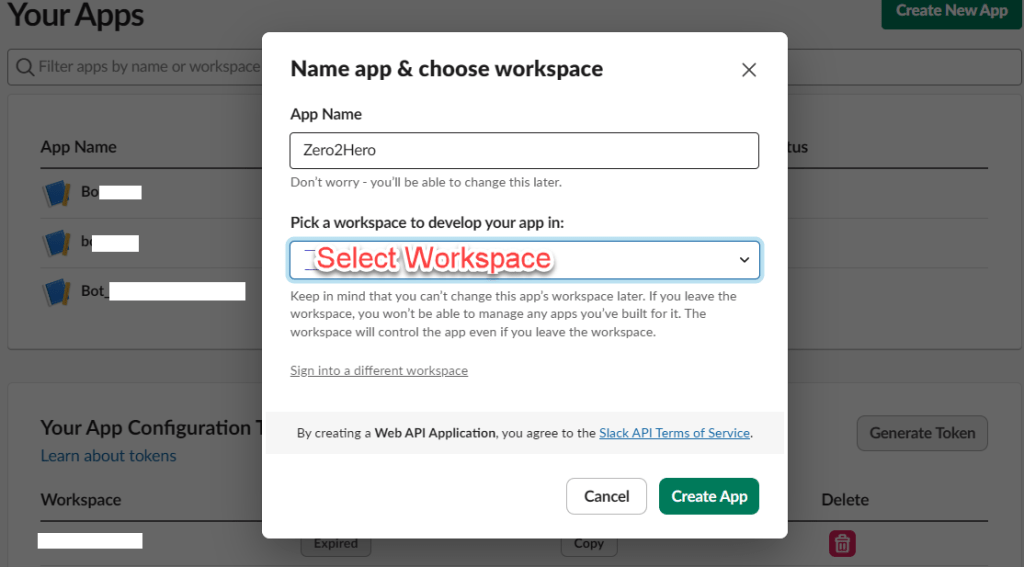
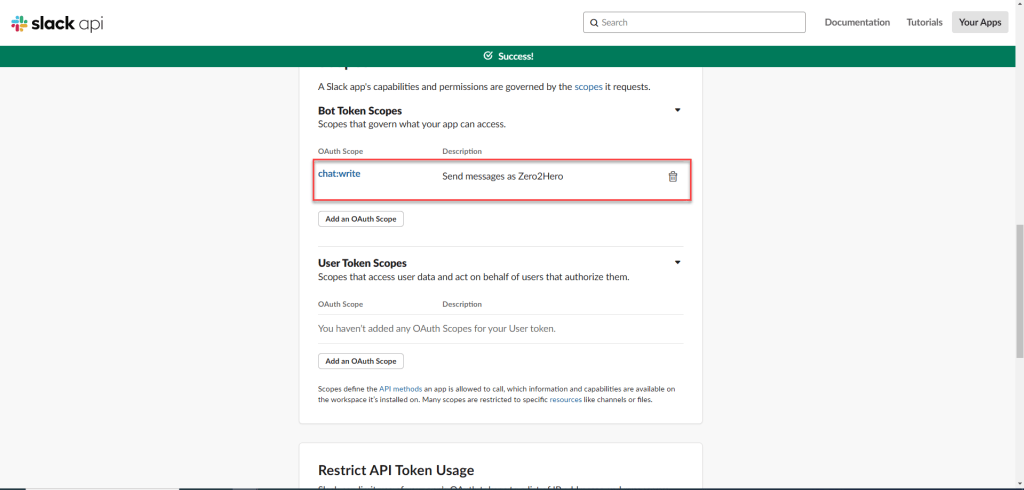
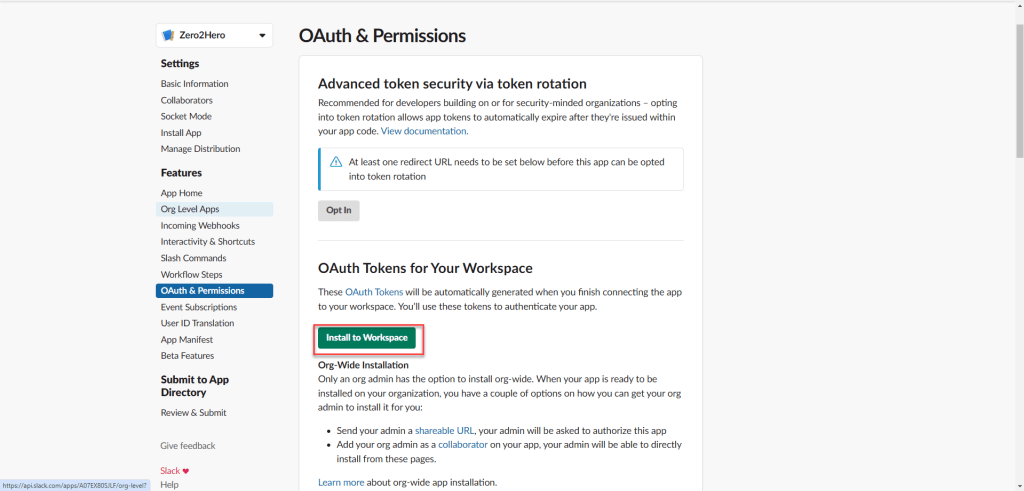
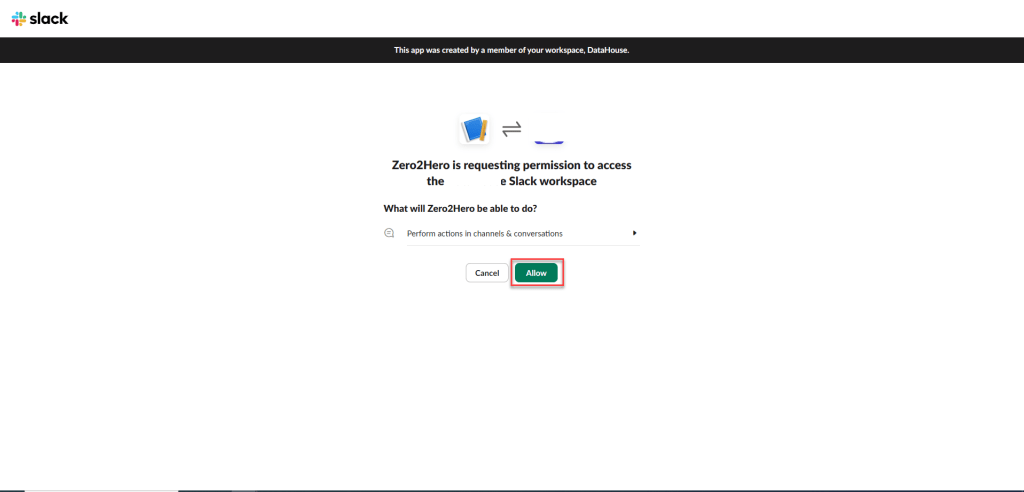
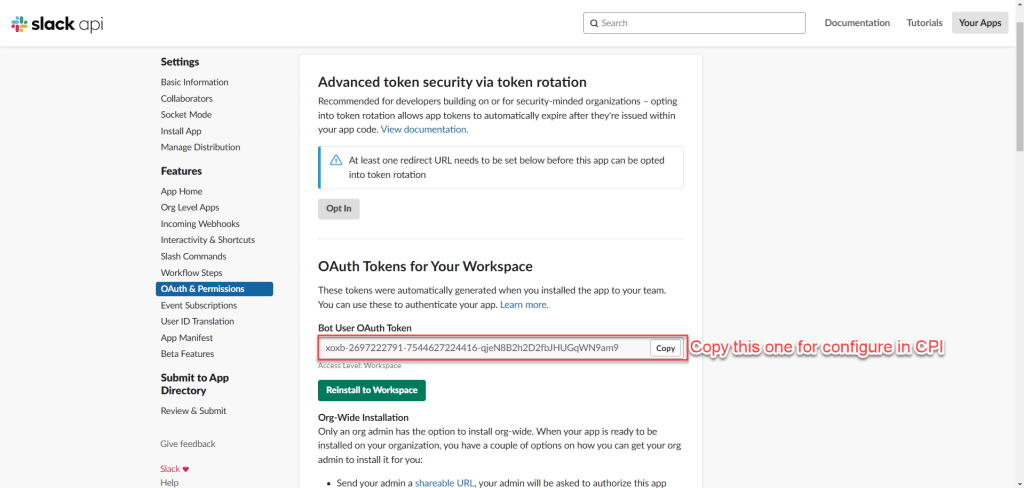
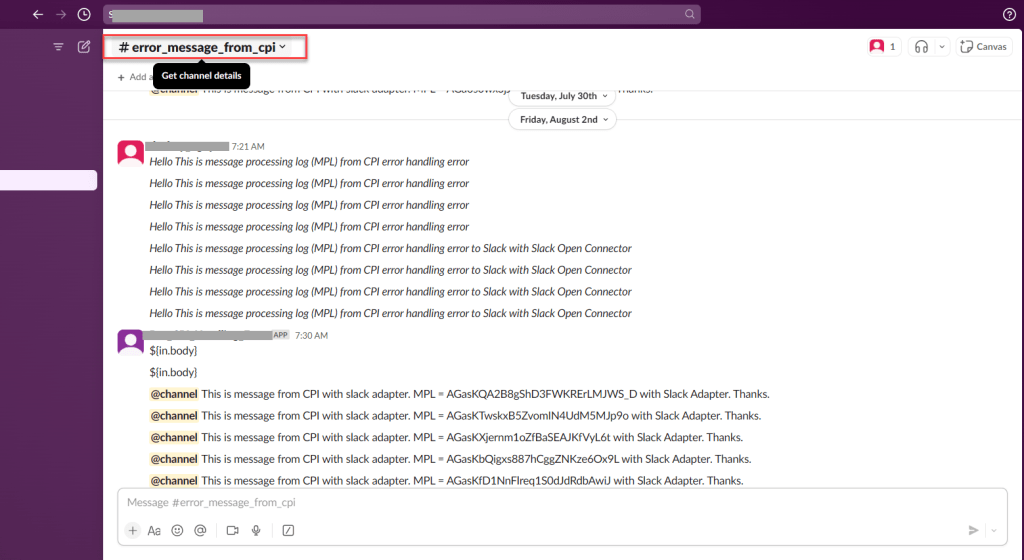
Add app into slack integration
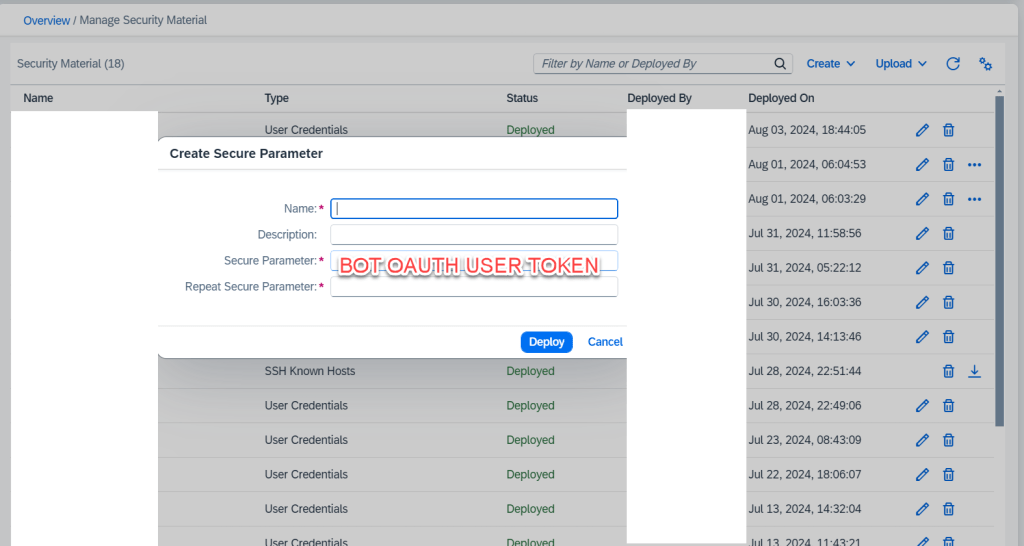
Create Sercurity Material in CPI
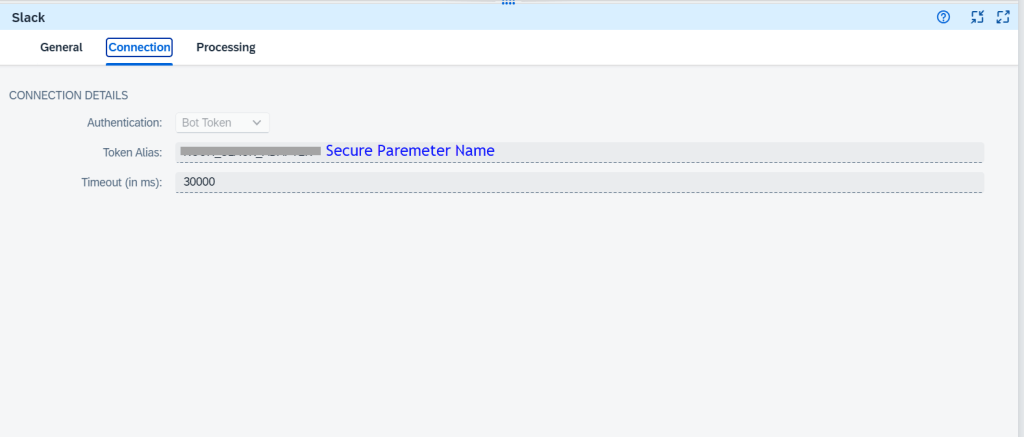
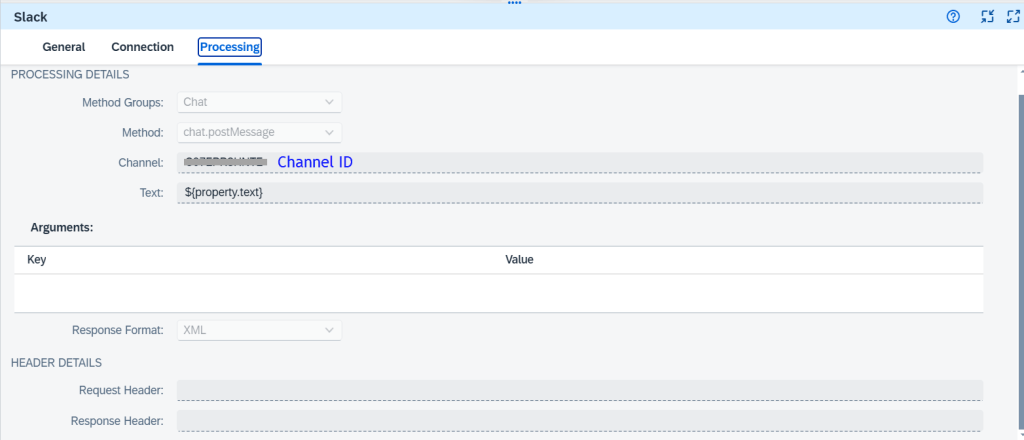
Configuration Slack Adapter in CPI
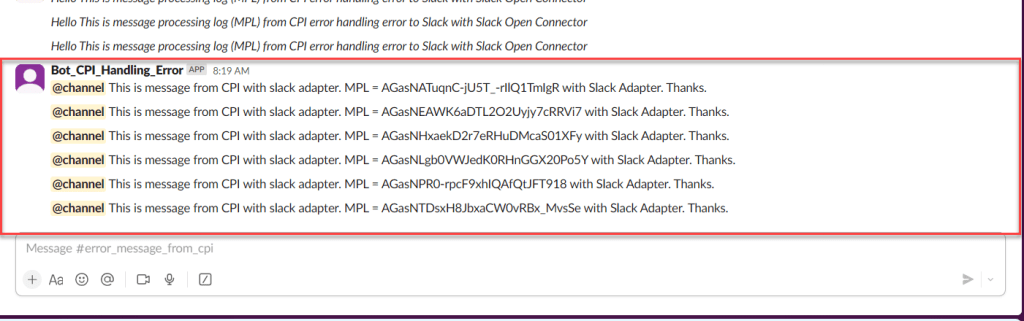
Demo
Working with Outlook 365 in Open Connector to send message via email
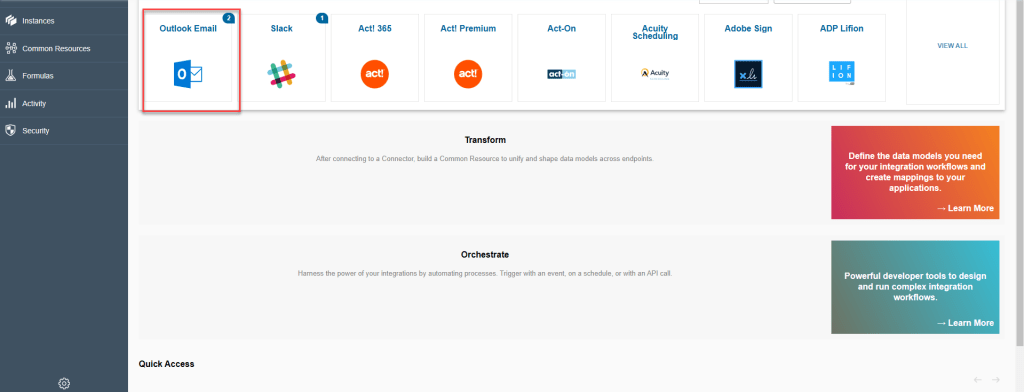
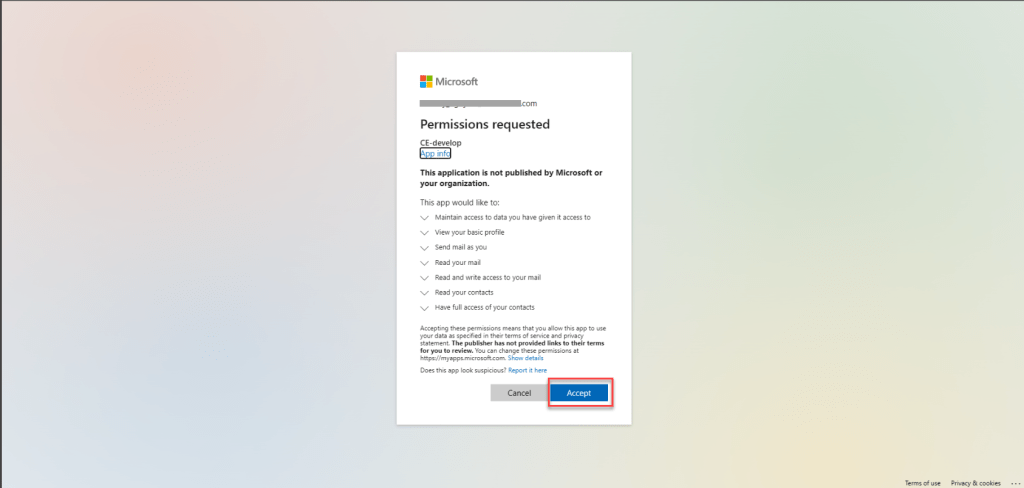
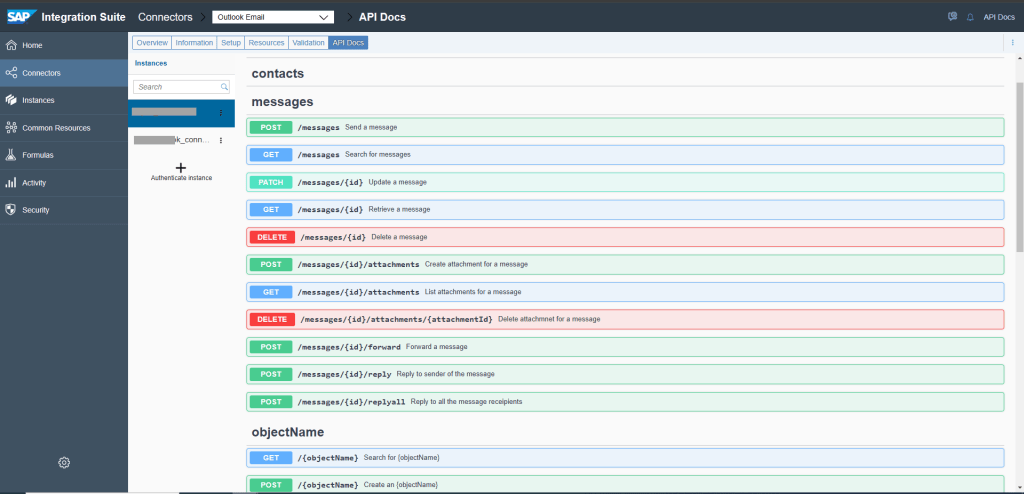
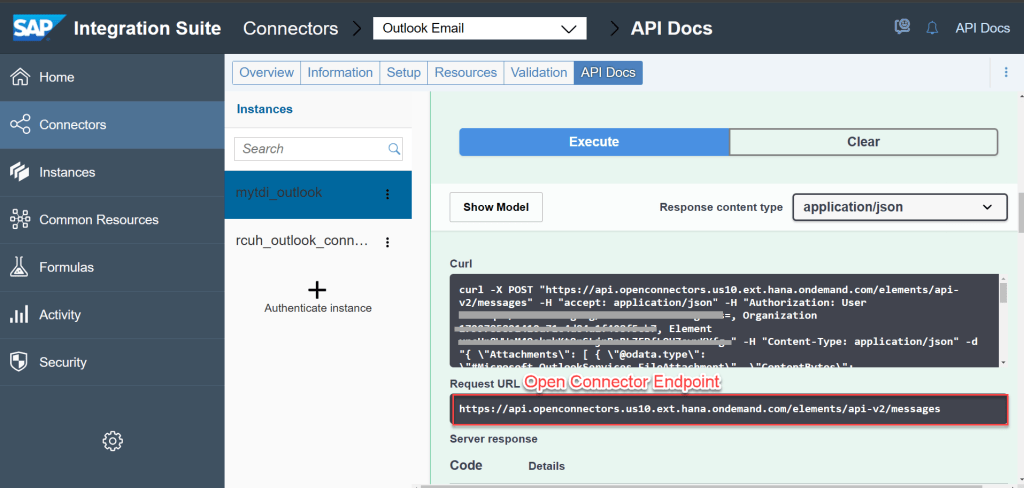
Configuration in Open Connector
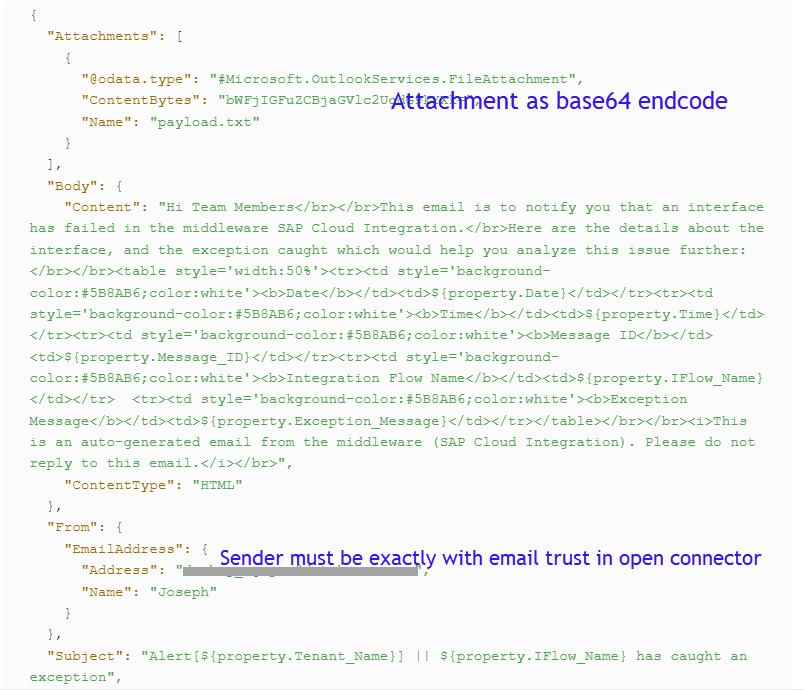
With Open Connector email, no need configure on admin 365 page. But must be use exactly email sender, from accordingly with email trust with open connector.
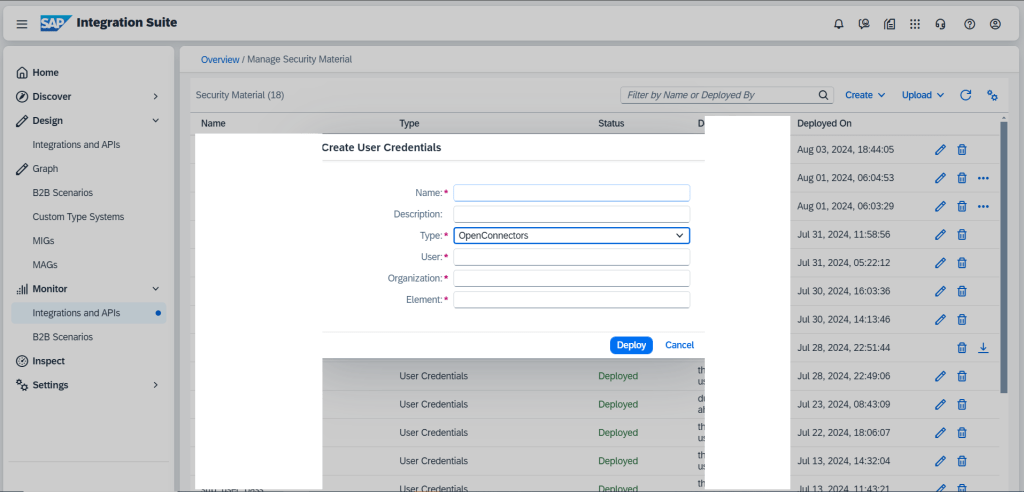
Create security material in CPI
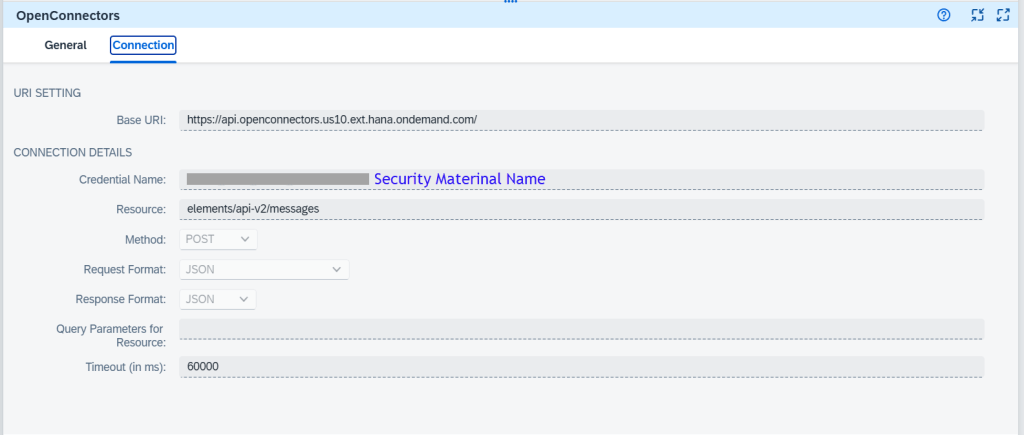
Using Open connector receiver adapter in IFLOW
Demo
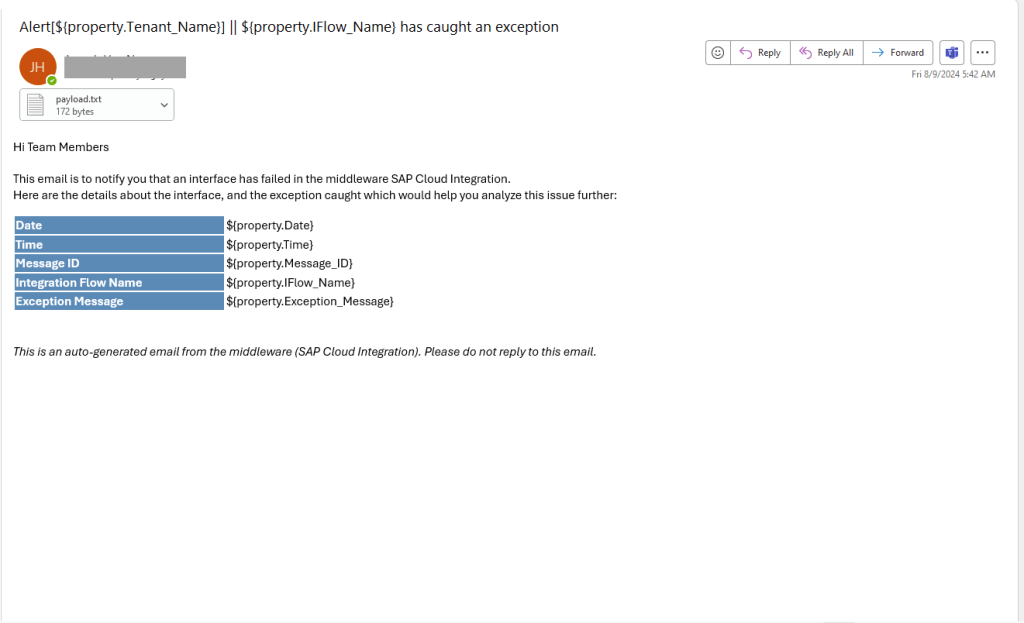
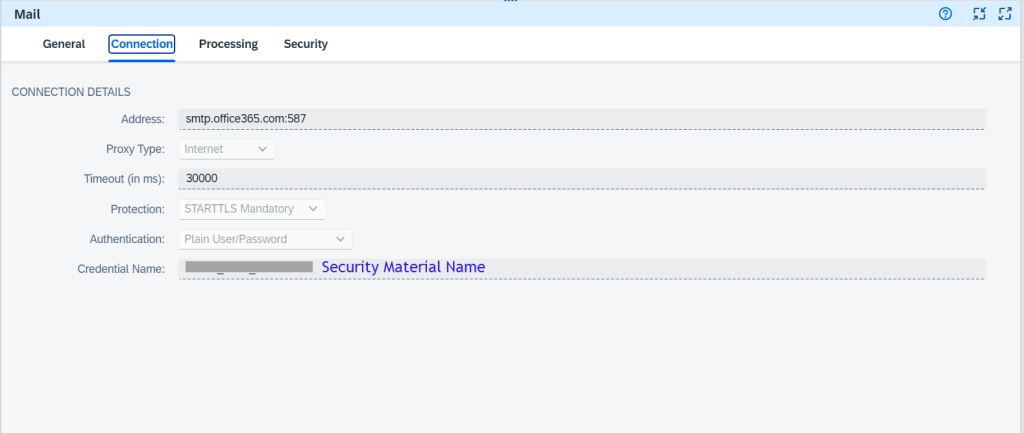
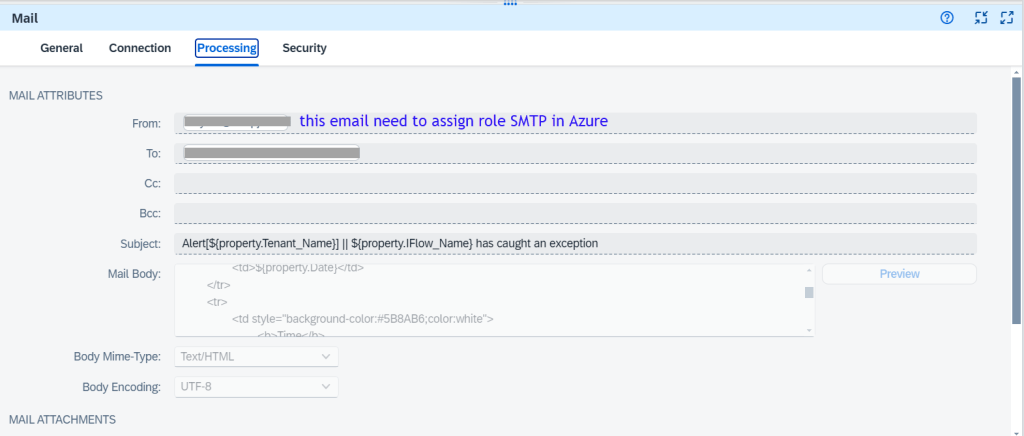
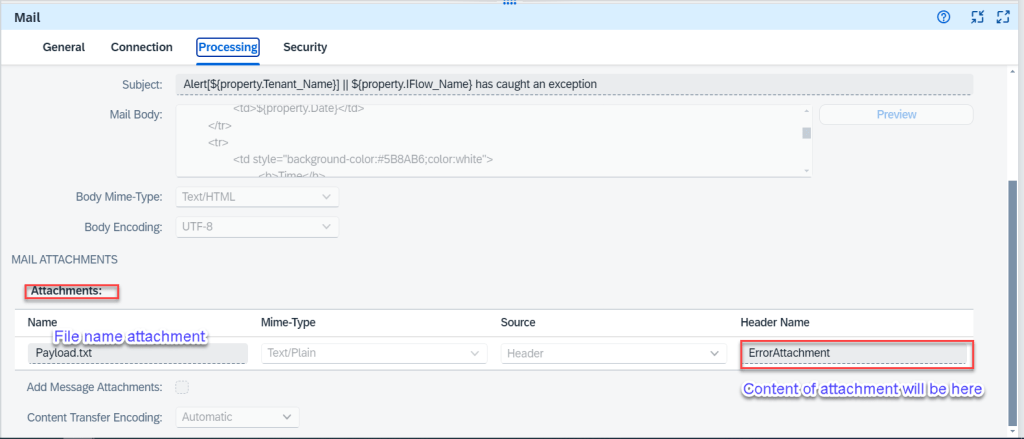
Working with Mail Adapter to send message via email
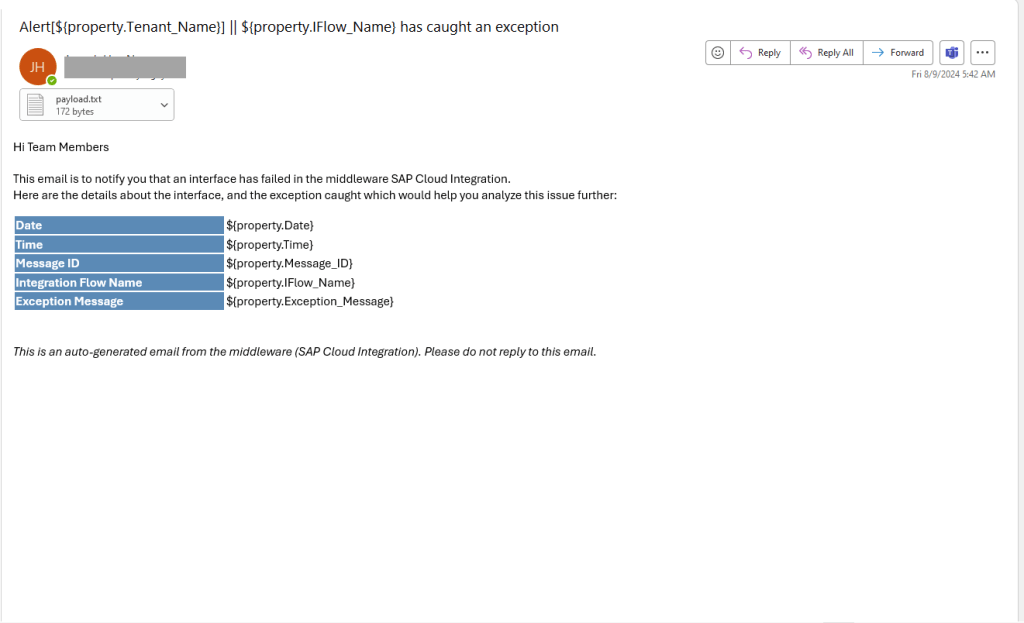
Demo
Working with Microsoft Graph API to send message via MS Team
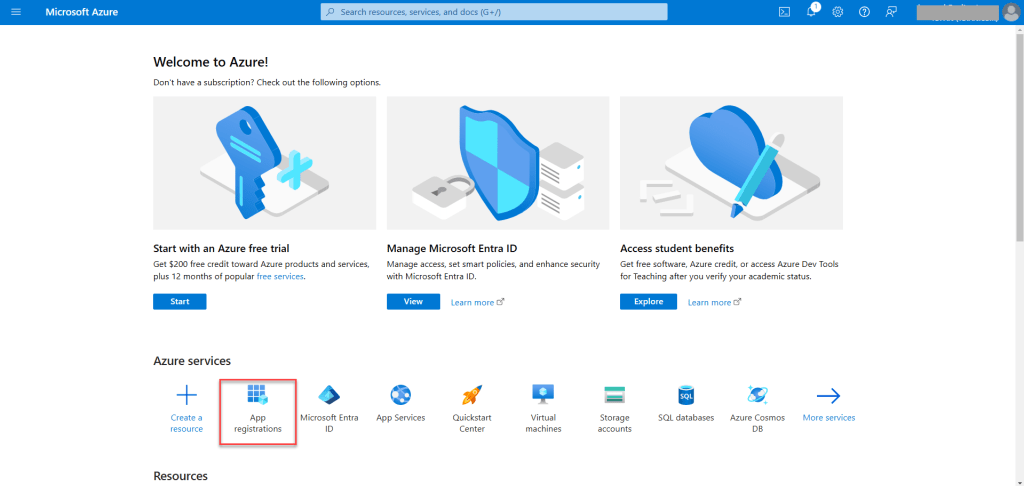
Create OAuth Client/App in Microsoft Azure Active Directory
Go to https://portal.azure.com/
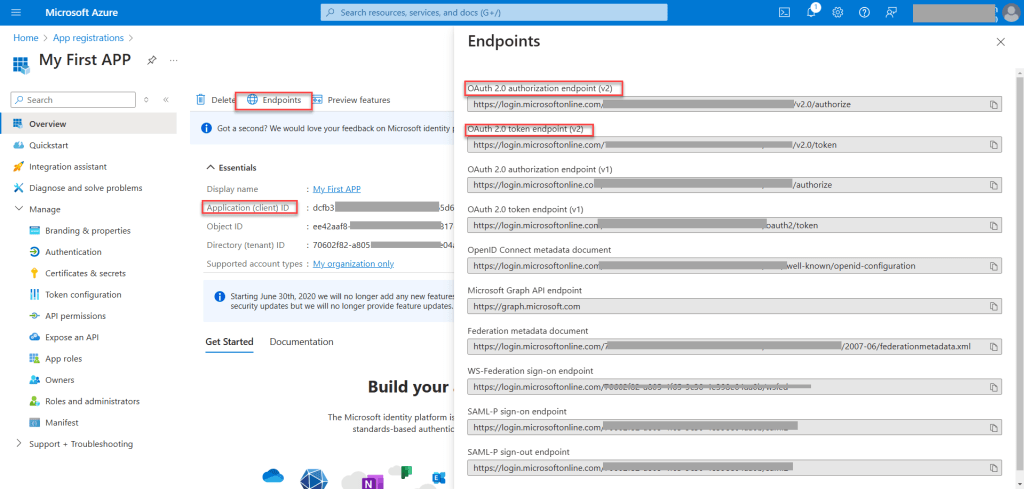
You need to save these information to use for next step
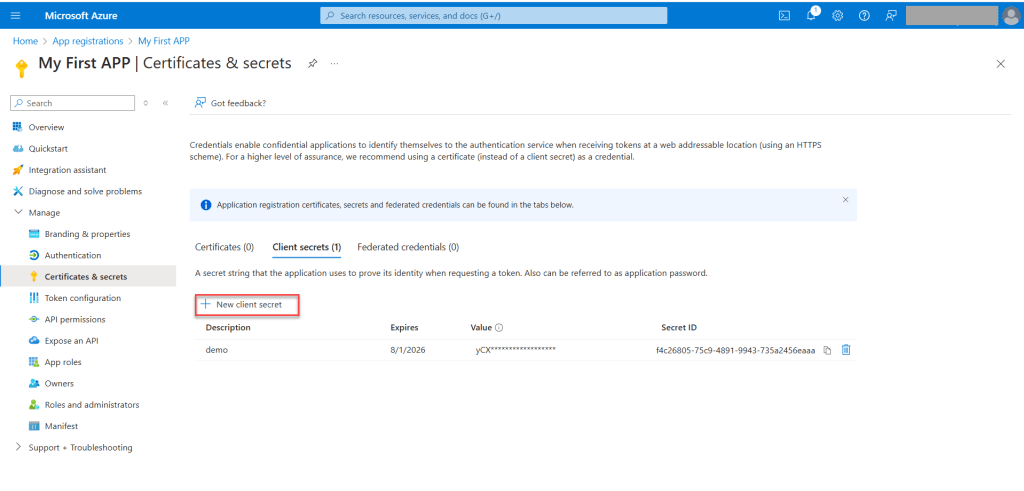
Create secret ID
Create OAuth2 Authorization Code Credential in your SAP Cloud Integration Tenant
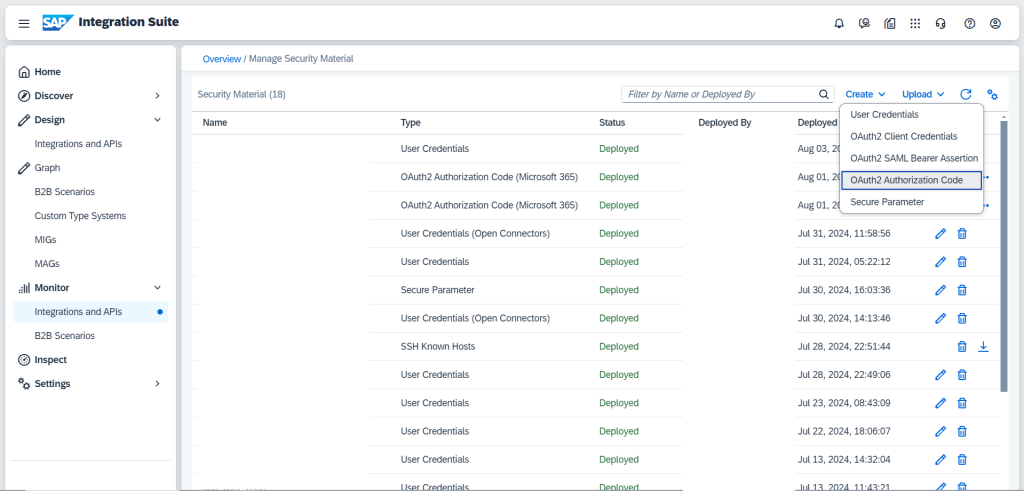
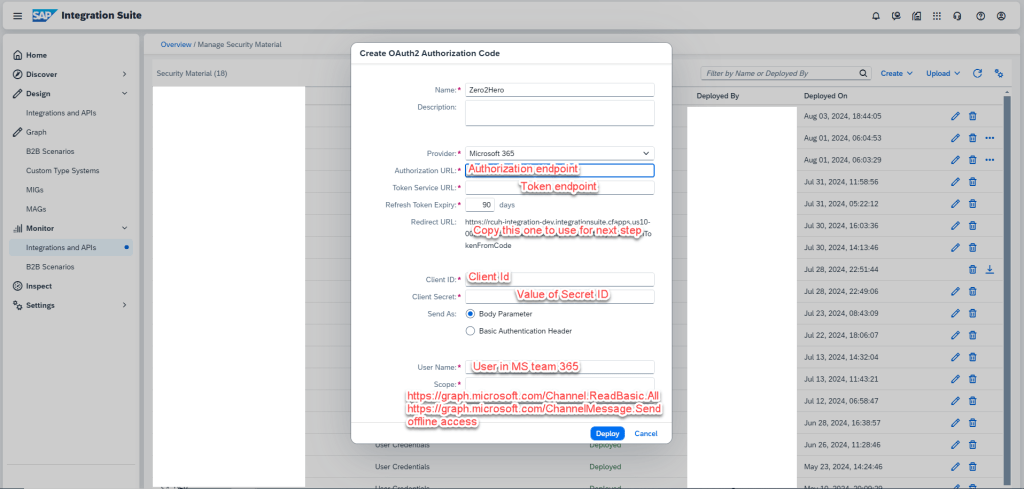
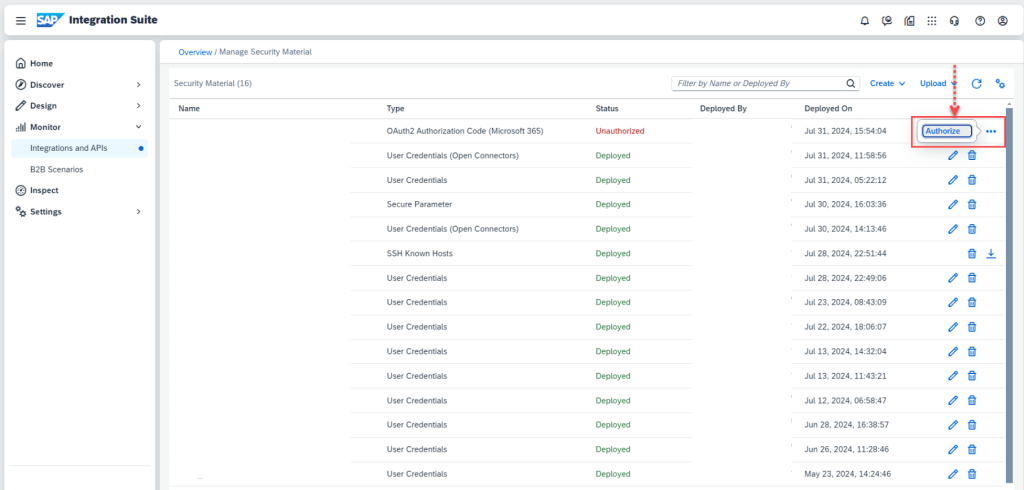
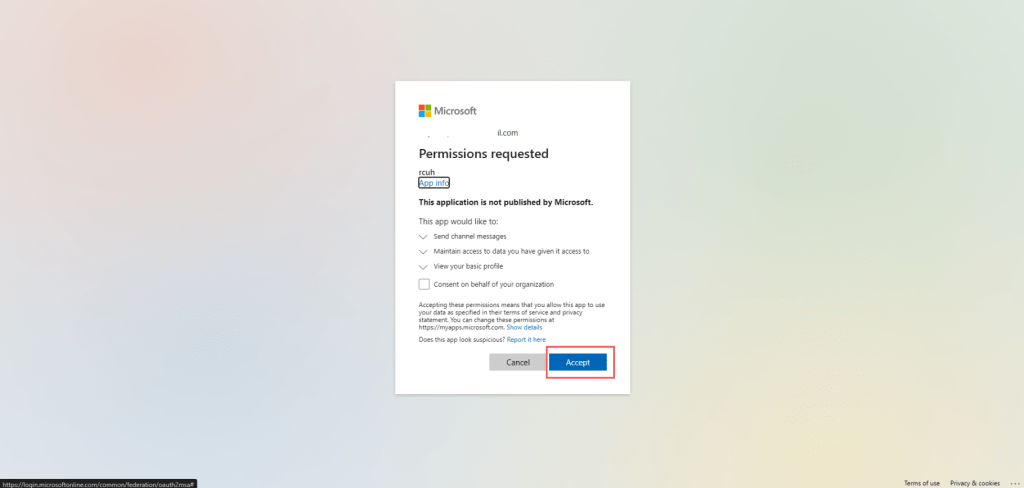
After this one, You will receive issue but do not worries about that
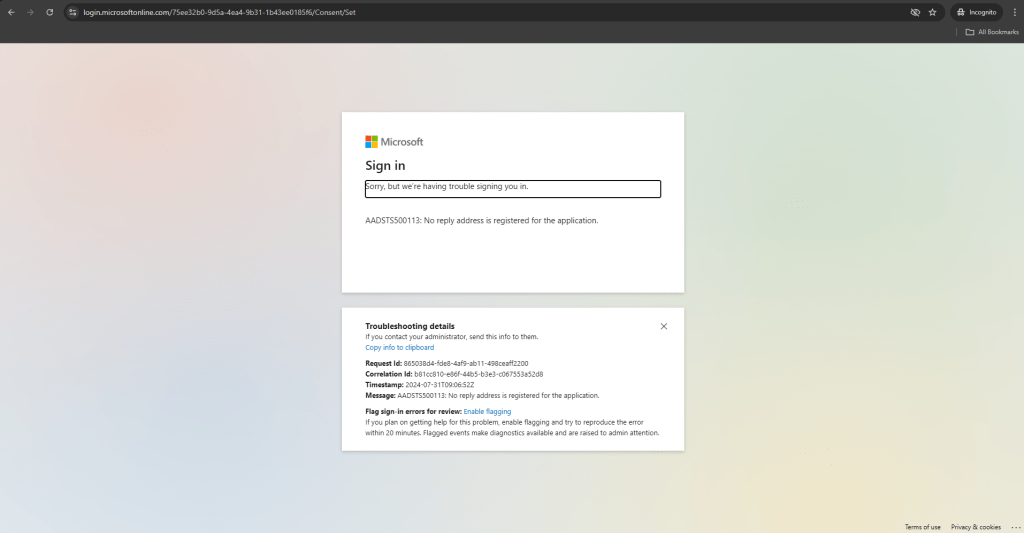
Add Web Redirect UrRIs for app
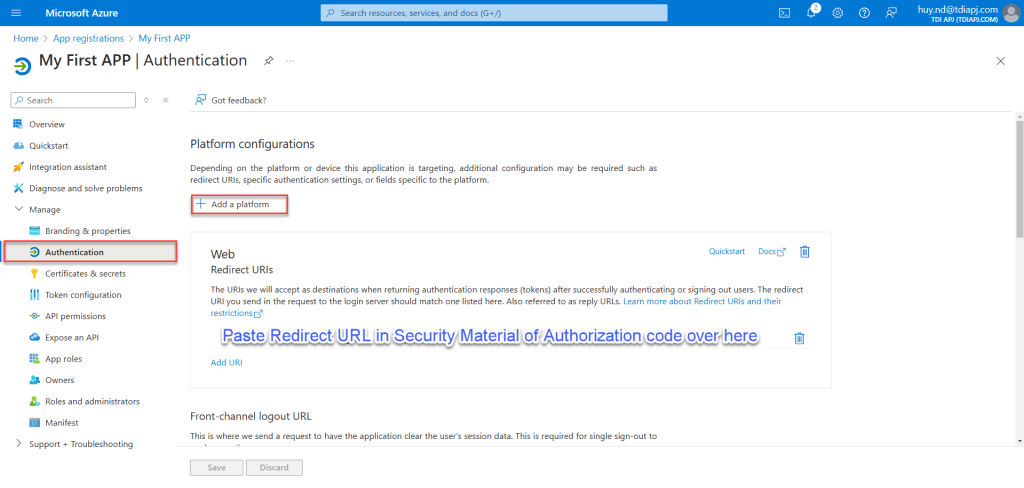
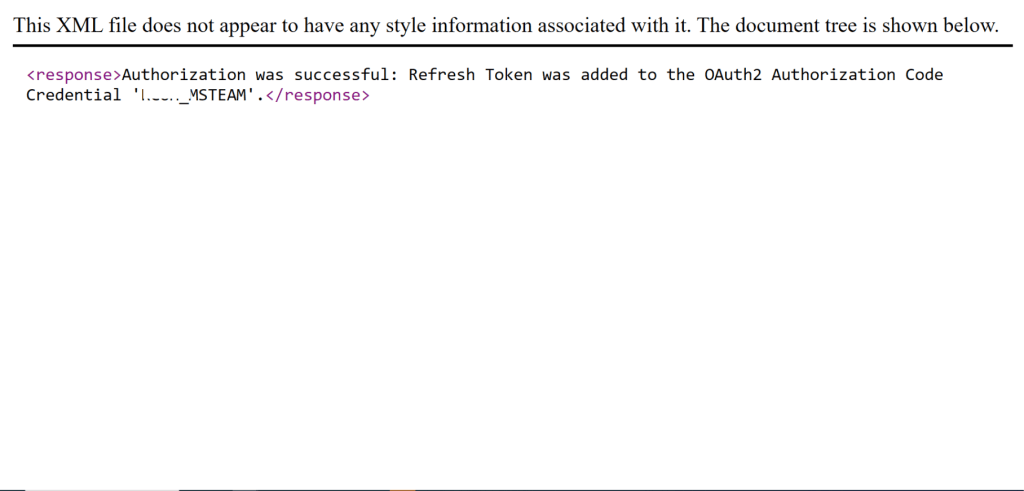
Authorize again
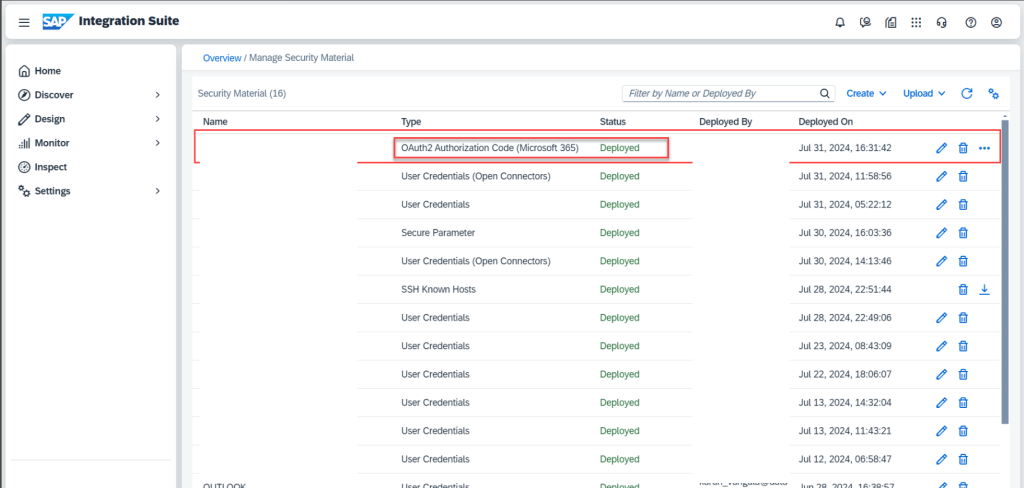
Check in security material
Create groovy script to get access token from security material and assign into header
/* Refer the link below to learn more about the use cases of script.
https://help.sap.com/viewer/368c481cd6954bdfa5d0435479fd4eaf/Cloud/en-US/148851bf8192412cba1f9d2c17f4bd25.html

If you want to know more about the SCRIPT APIs, refer the link below
https://help.sap.com/doc/a56f52e1a58e4e2bac7f7adbf45b2e26/Cloud/en-US/index.html */
import com.sap.gateway.ip.core.customdev.util.Message
import java.util.HashMap
import com.sap.gateway.ip.core.customdev.util.Message
import com.sap.it.api.securestore.SecureStoreService
import com.sap.it.api.securestore.AccessTokenAndUser
import com.sap.it.api.securestore.exception.SecureStoreException
import com.sap.it.api.ITApiFactory
import java.nio.charset.StandardCharsets
import groovy.json.JsonOutput
import java.util.Base64
import java.util.LinkedHashMap
def Message processData(Message message) {
     SecureStoreService secureStoreService = ITApiFactory.getService(SecureStoreService.class, null);
      // fetch access token
    AccessTokenAndUser accessTokenAndUser = secureStoreService.getAccesTokenForOauth2AuthorizationCodeCredential("<< SECURITY MATERIAL NAME >>");
    String token = accessTokenAndUser.getAccessToken();

    // set the Authorization header with the access token
    message.setHeader("Authorization", "Bearer "+token);
    message.setHeader("Content-Type","application/json");
    return message;
}
Determine MS Team ID and Channel ID
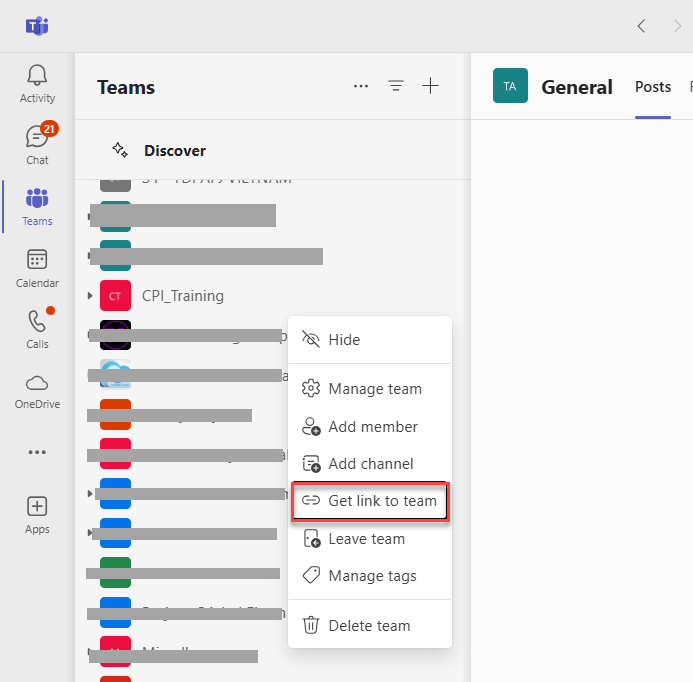
OK, now we will determine MS team ID and channel ID to send message

Using http receiver adapter to send message to team with Microsoft graph API
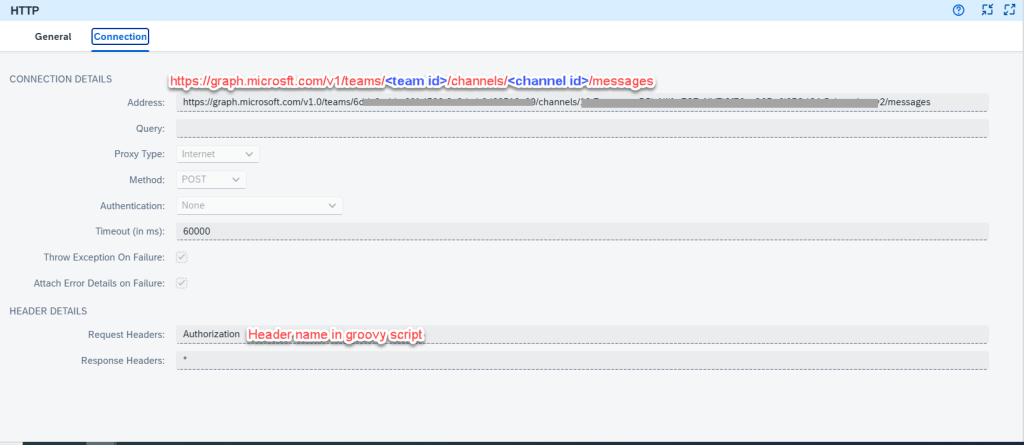
Payload to send message
{
  "body": {
    "contentType": "html",
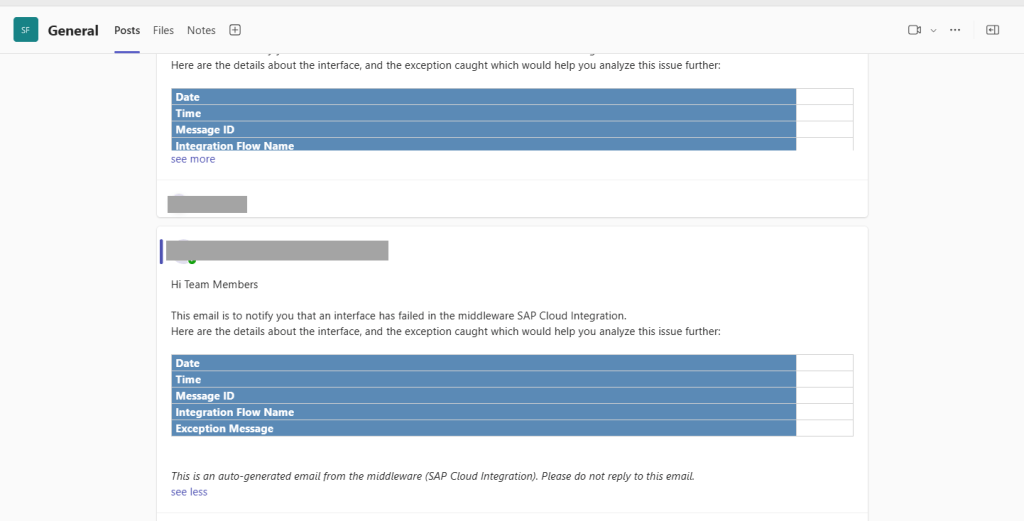
    "content": "Hi Team Members</br></br>This email is to notify you that an interface has failed in the middleware SAP Cloud Integration.</br>Here are the details about the interface, and the exception caught which would help you analyze this issue further:</br></br><table style='width:50%'><tr><td style='background-color:#5B8AB6;color:white'><b>Date</b></td><td>${property.Date}</td></tr><tr><td style='background-color:#5B8AB6;color:white'><b>Time</b></td><td>${property.Time}</td></tr><tr><td style='background-color:#5B8AB6;color:white'><b>Message ID</b></td><td>${property.Message_ID}</td></tr><tr><td style='background-color:#5B8AB6;color:white'><b>Integration Flow Name</b></td><td>${property.IFlow_Name}</td></tr>  <tr><td style='background-color:#5B8AB6;color:white'><b>Exception Message</b></td><td>${property.Exception_Message}</td></tr></table></br></br><i>This is an auto-generated email from the middleware (SAP Cloud Integration). Please do not reply to this email.</i></br>"
  }

}
Demo
SUMMARY
In this blog, I shared How to communicate with social platform like Slack, Outlook 365 and MS Team. This one will be useful in cases we need to push notification from CPI to operation team for handle error
Thanks for your time to read and any question or advise, kindly leave your comment on this.
Thanks
Joseph.
 SAP Zero to Hero