
Hi guys, today I would like to talk about Custom CDS view in S/4HANA public cloud.
1 – INTRODUTION
Custom CDS (Core Data Services) Views in SAP S/4HANA Cloud, public edition allow key users and developers to create analytical or transactional data models without writing ABAP code. These views provide a virtual data model (VDM) layer on top of existing business data, enabling data consumption for analytics, Fiori apps, OData services, or integration scenarios.
SAP provides a Custom CDS View app as part of the Key User Extensibility tools in the public cloud environment, enabling rapid, cloud-compliant data modeling aligned with the “fit-to-standard” approach.

2 – KEY FEATURES
- No ABAP coding required – created via a guided UI
- Join multiple standard tables or views
- Expose data via OData and analytical services
- Define associations and value helps
- Reusable in Custom Analytical Queries, KPI tiles, and embedded analytics
3 – COMMON SCENARIOS
| Scenario Type | Purpose |
| Standard | General-purpose view for UI or API |
| Analytical Cube | Used in reporting, with aggregation logic |
| Analytical Dimension | Lookup or attribute views for cubes |
| External API | Views meant to be exposed via OData service |
| Data Extraction | Designed for exporting data (e.g., to BW or Datasphere) |
| Value Help | Create value help in |
4 – NAMING CONVENTION IN VIRTUAL DATA MODEL
Include 4 components
- Prefix – Indicates the view type (here: consumption view) and is separated from the core name with an underscore.
- Semantic Name– Based on business semantics and indicates what the CDS view is about
- Suffix– Defines the purpose of the view further.
- Version Number – If there’s more than one version of a view, subsequent versions receive a version number. The number is separated from the semantic name or suffix with an underscore.
Example
C_GoodsMovementQuery_2
| Prefix | View Type |
| I | Basic interface view Composite interface view |
| C | Consumption view |
| R | Basic restricted reuse views Composite restricted reuse views |
| P | Private view |
| A | Remote API view |
| X | View extend |
| E | Extension include view |
| F | Derivation function |
| D | Abstract entity |
| Suffix | View Type |
| Query, Qry, or Q | Analytical query view |
| Cube or C | Analytical cube view |
| Text, Txt, T | Provider for language-dependent text |
| TP | Transactional processing view |
| VH or StdVH | (Standard) value help view |
5 – CREATE CUSTOM CDS VIEW AND USE FROM SAP DATAPHERE FROM SAP BTP
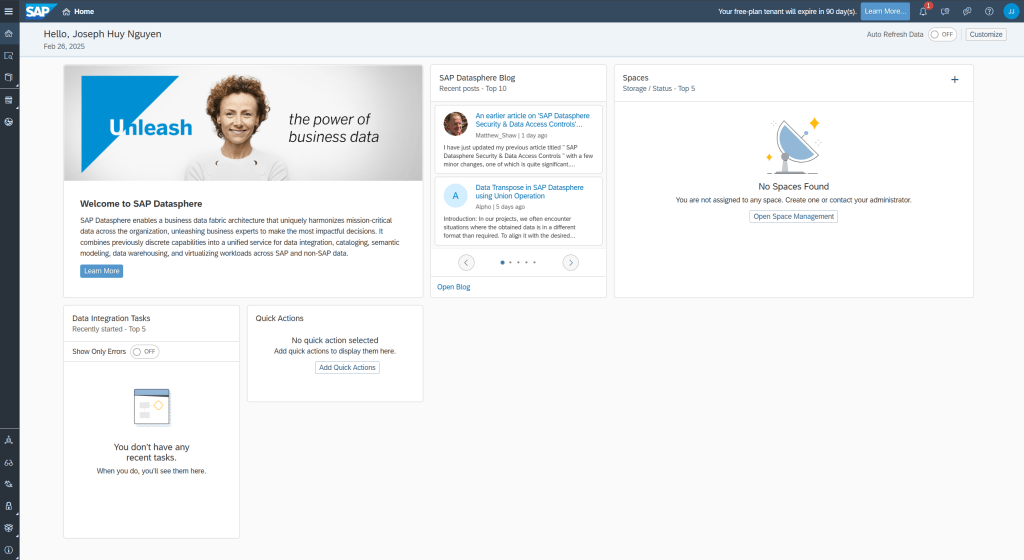
Subscription Datasphere on SAP BTP


Configuration on S/4HANA public cloud for integrated with Datasphere
Create communication user – This technical user will be created on S/4HANA public cloud and used by SAP Datasphere to consume Custom CDS view (Data Extraction Scenario)
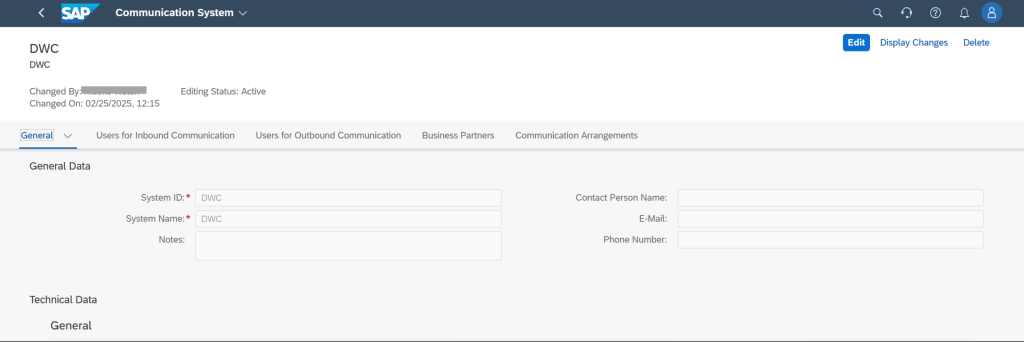
Create communication system – This configuration is define system Datasphere in S/4HANA public cloud


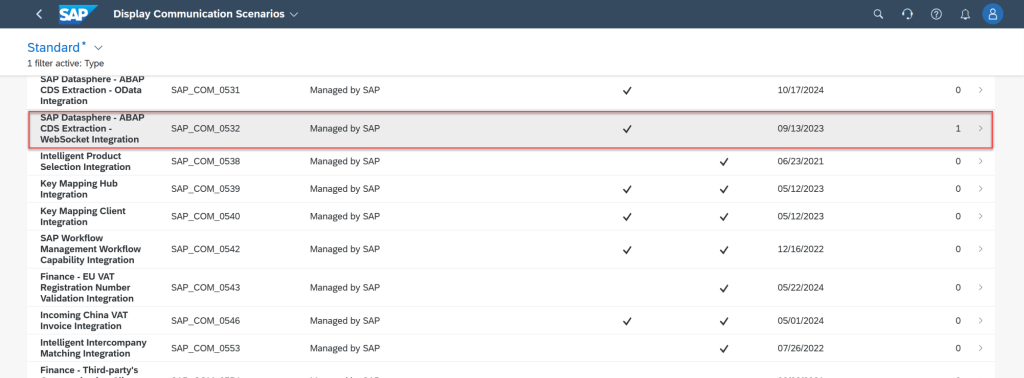
Check communication scenario for integrated with Datasphere – In S/4HANA public cloud, existing one standard scenario used for integrated with BTP Datasphere. We will use this one to create communication arrangement.
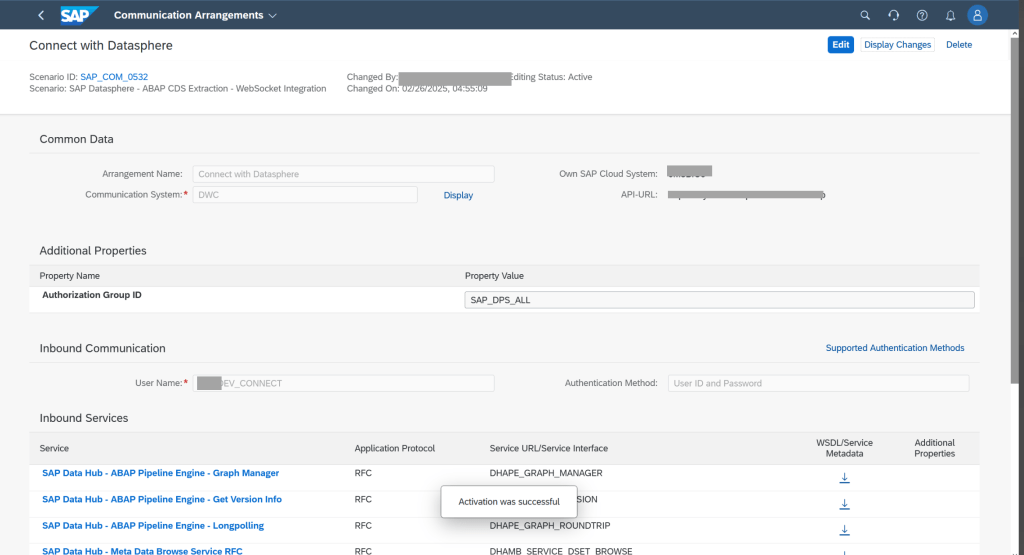
Create communication arrangement – Creating arrangement base on system and scenario
Create connection from SAP BTP Datasphere to S/4HANA public cloud

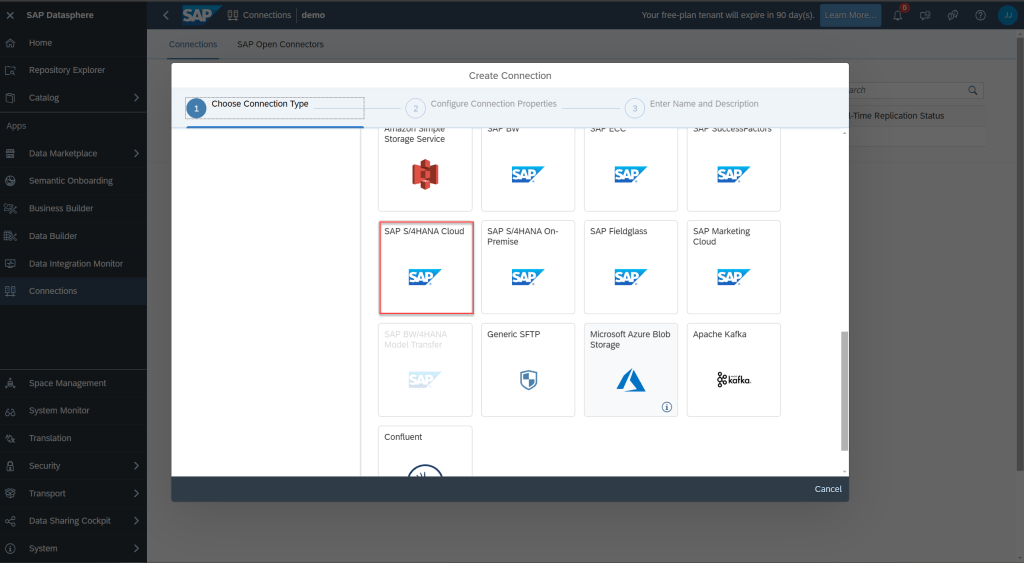

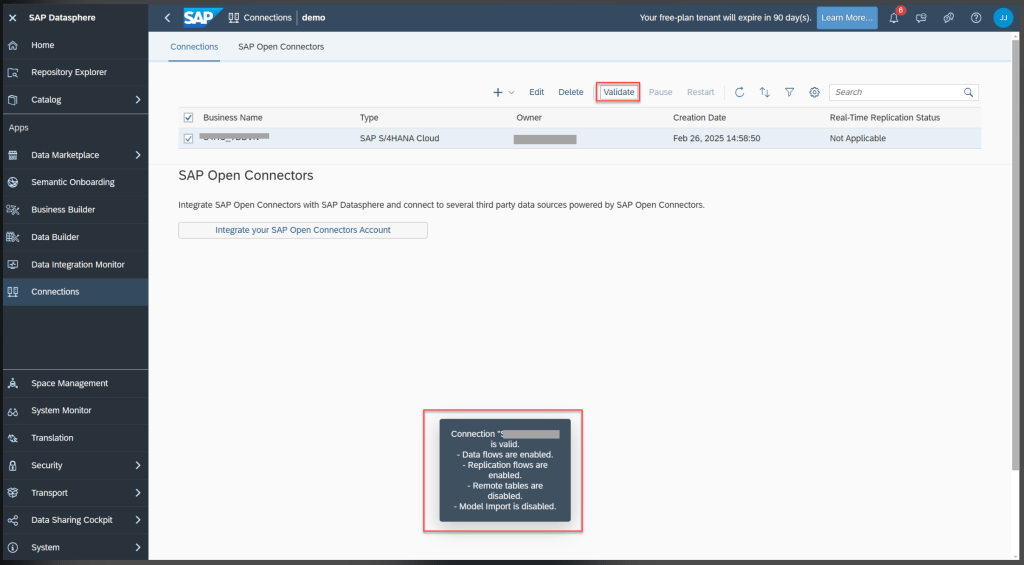
Create example custom CDS view in S/4HANA public cloud
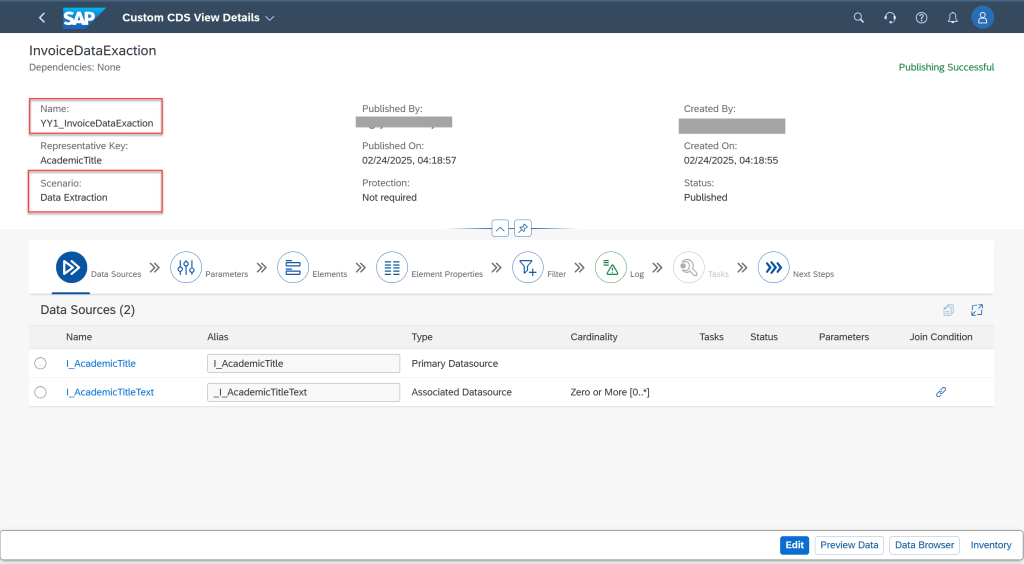

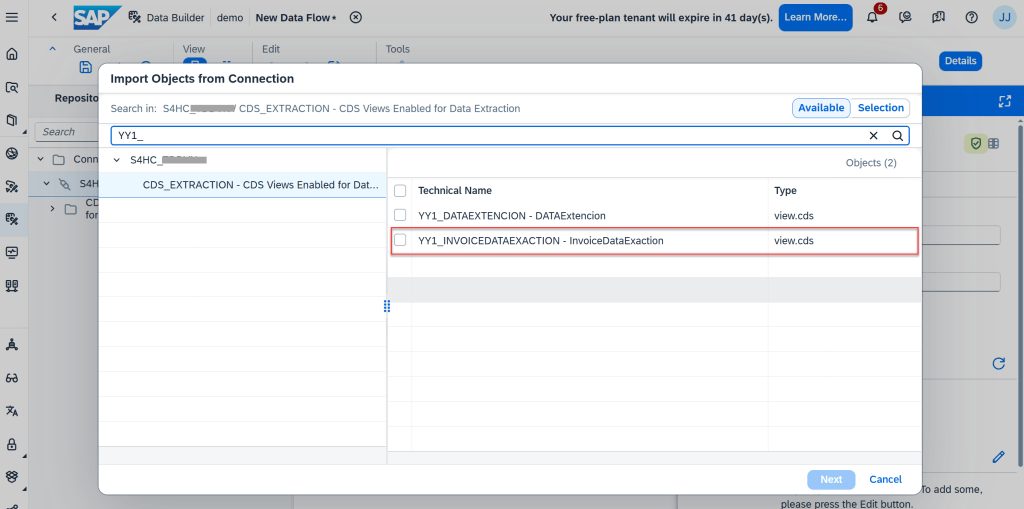
Create Data Flow in SAP BTP Datasphere
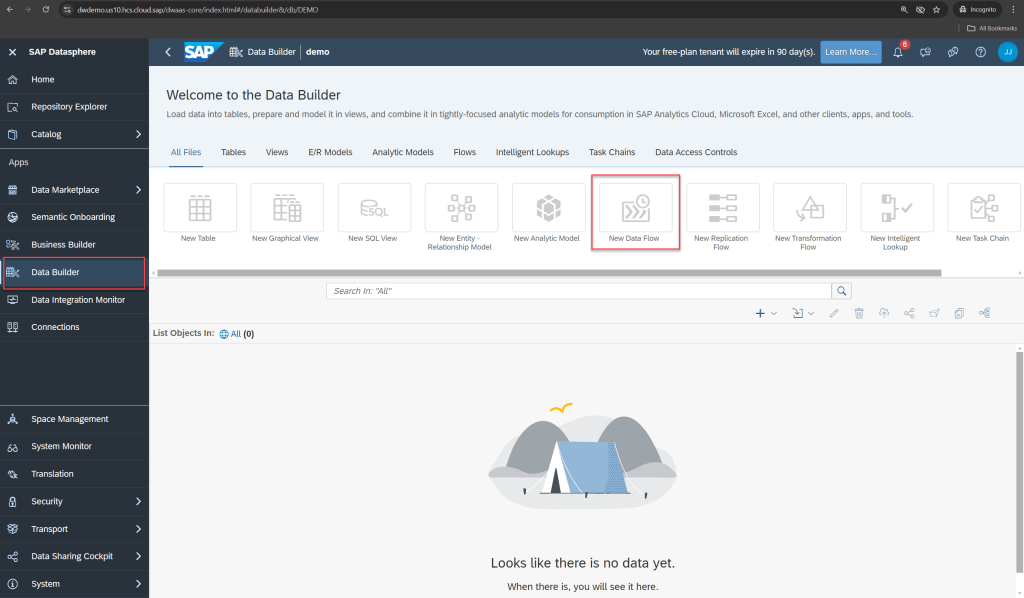


CONCLUSION
In this blog, I provide an overview of Custom CDS Views in SAP S/4HANA Cloud, public edition — including key features, naming conventions, and a step-by-step guide to creating a Custom CDS View using the “Data Extraction” scenario. This is one of the core features of Key User Extensibility in the public cloud environment.
Thank you for taking the time to read this blog. If you have any feedback or suggestions, feel free to leave a comment!
Thanks.
Joseph.
 SAP Zero to Hero