Hi Guys,
In this topic i will show you how to fix issue with outbound IDOC from SAP S/4HANA, SAP CAR, SAP ERP to SAP PO.
You are facing issue when send outbound IDOC in SM58 with error message “IDOC_ERROR_METADATA_UNAVAILABLE”.
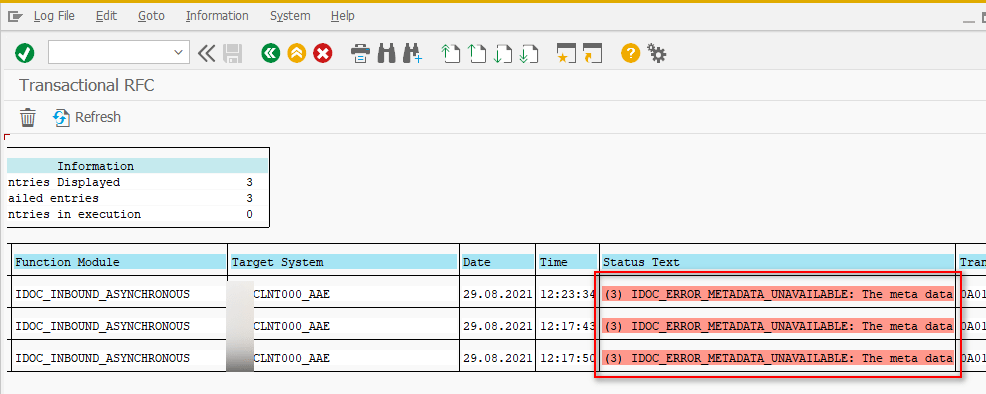
There are two places we need to check.
- Metadata in SAP PO.
- SAP PO Application Resources
STEP-1: RELOAD IDOC METADATA
| STEPS | VALUE |
|---|---|
| Access to SAP PO Netweaver Administrator | http(s)://hostname:[port]/nwa |
| Link to function | SOA -> Monitoring -> IDoc Adapter Monitor -> Metadata Monitor |

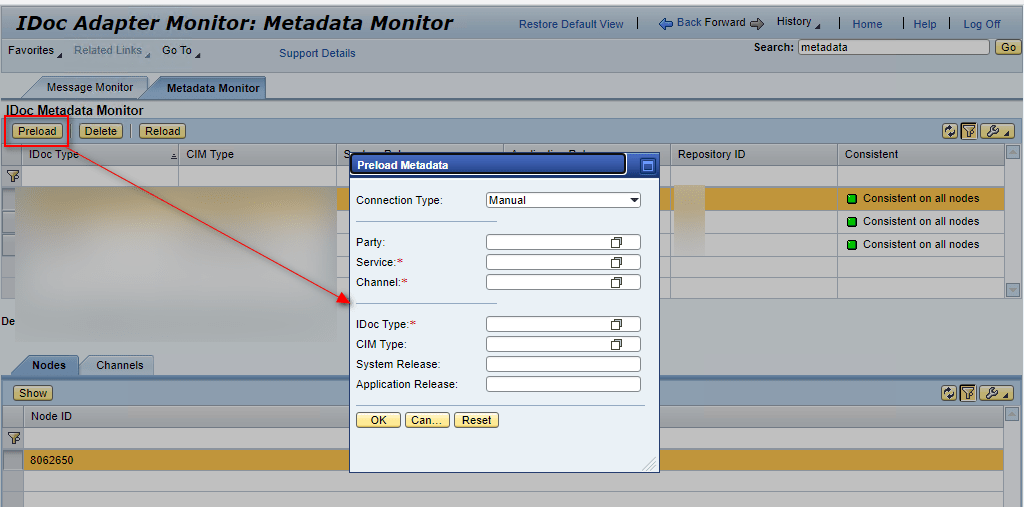
if preload metadata faced issue as below then check in step 2
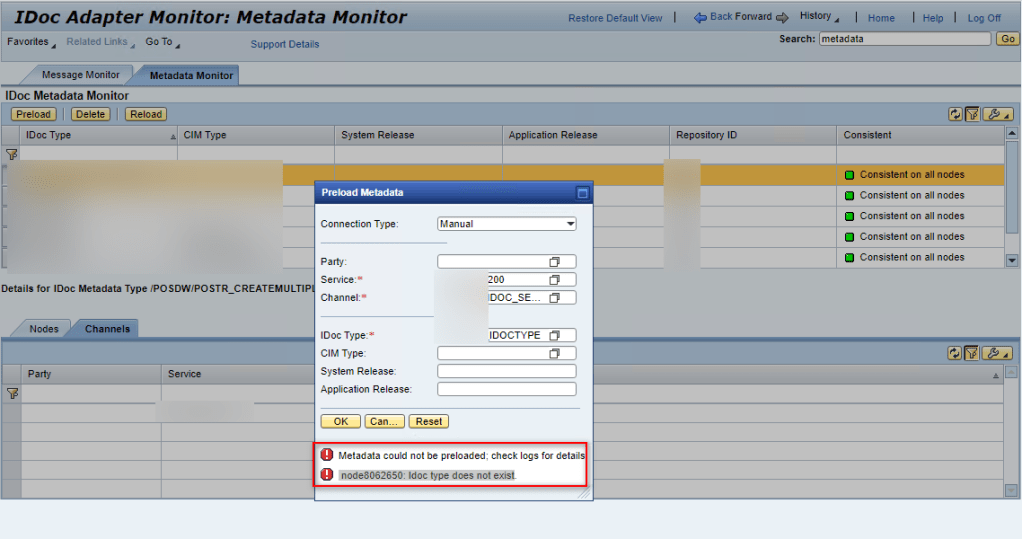
STEP-2: CONFIG MULTI REPOSITORY
| STEPS | VALUE |
|---|---|
| Access to SAP PO Netweaver Administrator | http(s)://hostname:[port]/nwa |
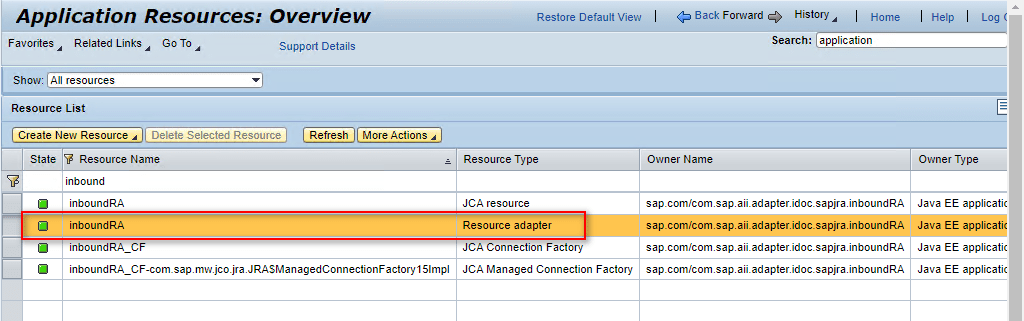
| Link to function | Configuration -> Infrastructure -> Application Resources |
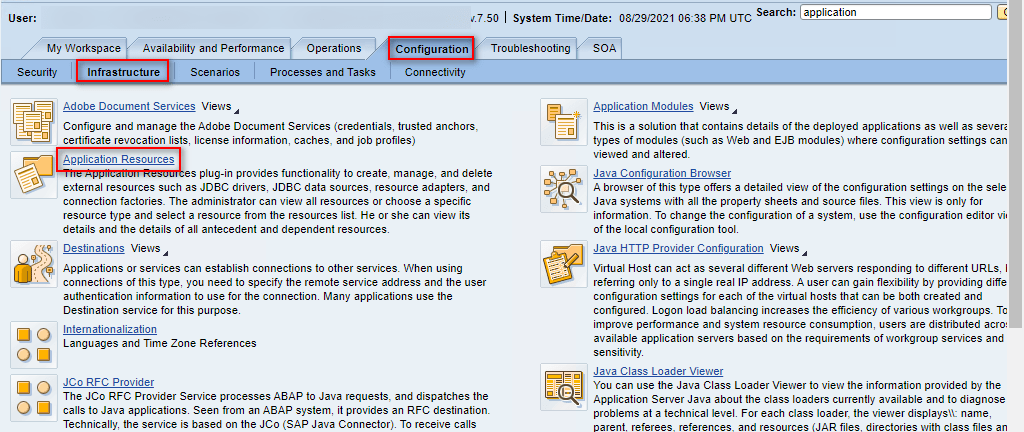
Search “inboundRA”, type = “Resource Adapter”
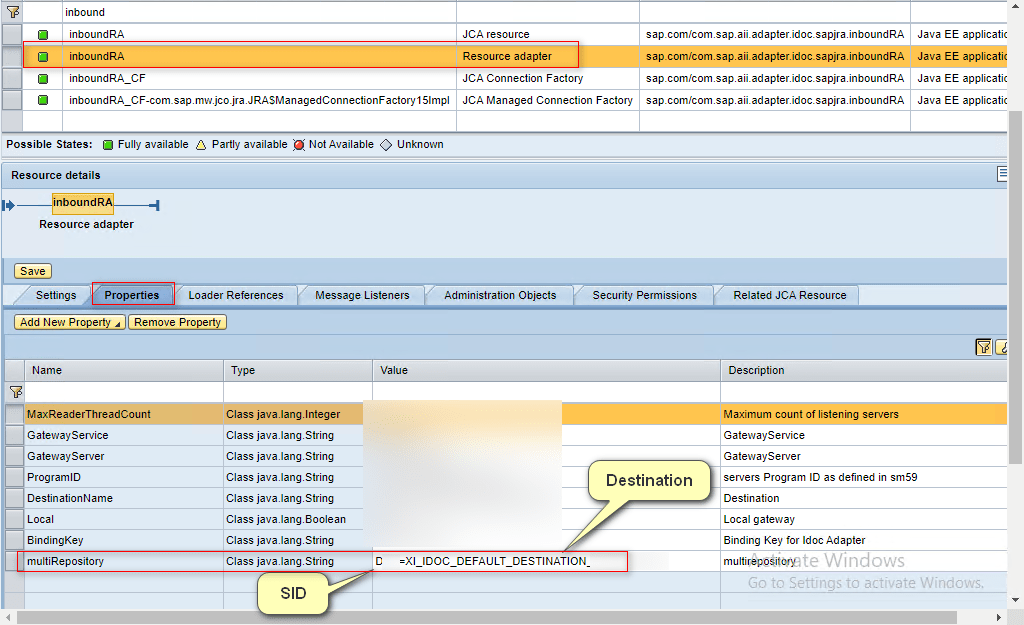
Enter value for “multiRepository” property.
Here you can enter multi repository for SAP System, the syntax will be:
| Object | Value |
|---|---|
| Single Repository | {SID}={DESTINATION} Example: DEV=DEV=XI_IDOC_DEFAULT_DESTINATION_DEV |
| Multi Repository | {SID}={DESTINATION}; {SID}={DESTINATION} Example: DEV=DEV=XI_IDOC_DEFAULT_DESTINATION_DEV ; QAS=DEV=XI_IDOC_DEFAULT_DESTINATION_QAS |
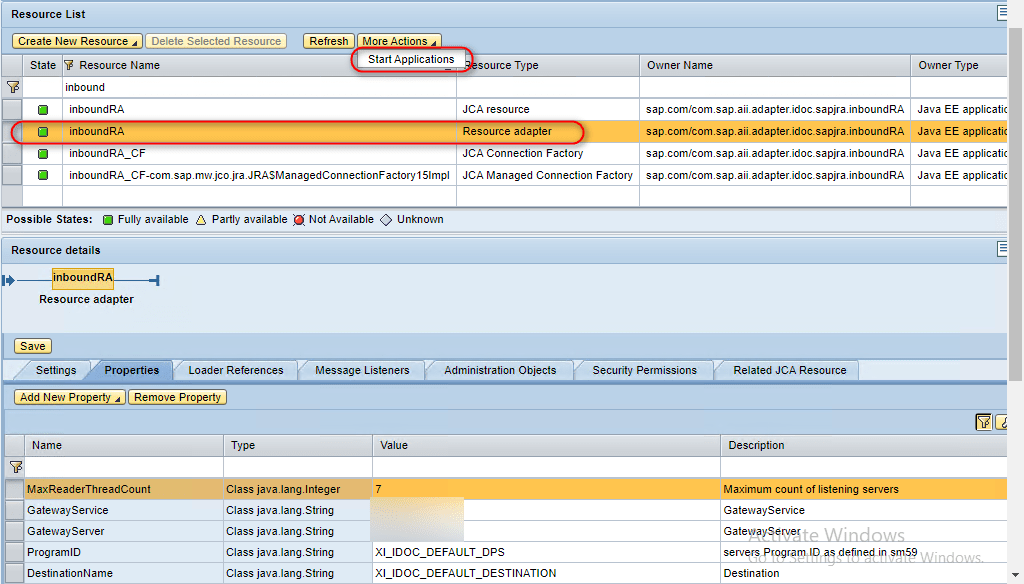
Restart Adapter
Thank you and hope can help you fix the issue.
Cuong Dang (Cody)
 SAP Zero to Hero
Very Good content
LikeLike
Hi, Cuong Dang
I’m facing the same issue while triggering Idoc from SAP, I manually reloaded Idoc metadata successfully in PO system and configured the and restarted inboundRA as well in NWA and made the dummy changes in Idoc sender channel and refreshed complete CPA cache
But Still I’m getting same error message in SM58
(3) IDOC_ERROR_METADATA_UNAVAILABLE
Regards,
Anil Kumar
LikeLike