
Hi guys, in this first blog in serires SAP CAP – Cloud application programming, I want to share overview something about CAP. I think that When we begin to learn anything we need to get overview about it. From there we will get learning path which suiitable for our times, right ? OK! let’s go.
WHAT’S CAP ?
The SAP Cloud Application Programming Model (CAP) is a framework of languages, libraries, and tools for building enterprise-grade services and applications. It guides developers along a ‘golden path’ of proven best practices and a great wealth of out-of-the-box solutions to recurring tasks.
CAP-based projects benefit from a primary focus on domain. Instead of delving into overly technical disciplines, CAP focuses on accelerated development and safeguarding investments in a world of rapidly changing cloud technologies.
The CAP framework features a mix of proven and broadly adopted open-source and SAP technologies, as highlighted in the following figure.
about CAP


CAP is one item in list portfolios BTP Application development and Integration.
To create application on SAP BTP exspecial “Side by Side extension”, we can use different types of development tools and services on the SAP Business Technology Platform (SAP BTP). There are several options and runtime environments available:
● ABAP Environment
● Cloud Foundry Runtime
Before choosing a runtime, it is essential to familiarize yourself with the level of knowledge in your development department. If the developers only have ABAP knowledge, the decision for an extension written in ABAP – example RAP-based, which in the end runs on the ABAP environment in the cloud, is obvious. Else, development team consists mainly of developers with Node.js knowledge then we will use Cloud Foundry Runtime and applications extension will be developed with CAP-based
PREPAIR YOUR DEVELOPMENT ENVIRONTMENT FOR CAP
INSTALL GIT / GIT BASH

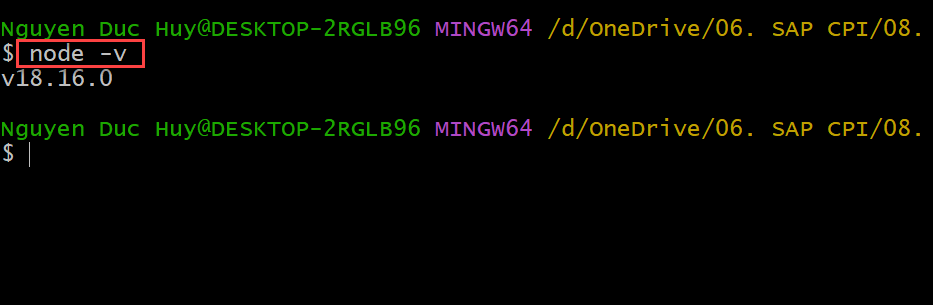
INSTALL NODE.JS
INSTALL SAPUI5 CLI
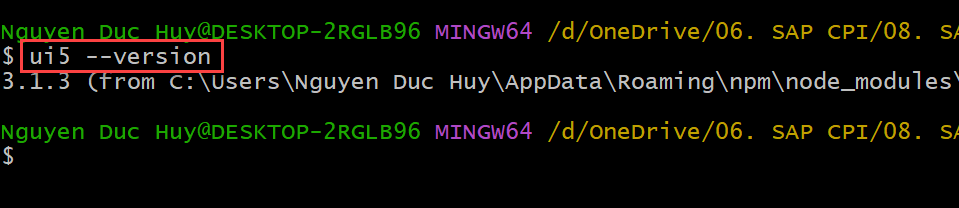
npm install –global @ui5/cli
ui5 –version

DOWNLOAD CLOUD FOUNDRY CLI

DOWNLOAD CAP TOOL
npm install –global @sap/cds-dk
cds –version

INSTALL VISUAL CODE
We can use Business Application Studio on SAP BTP trial account. But in this series, I want to use VSCode for develop CAP-based application in my local and after that I will share how to deploy application into BTP Cloud Foundry. For BAS, I will share in last of this series.

INSTALL VSCODE EXTENSIONS.

INSTALL SAP FIORI TOOLS EXTENSION PACK

SAP CAP LEARNING PATH AND GET CERTIFICATE
CAP is one of item in SAP BTP application development extension suite.
E-book to study is CLD200
SAP Learning path for this in https://learning.sap.com/learning-journey/build-side-by-side-extensions-on-sap-btp
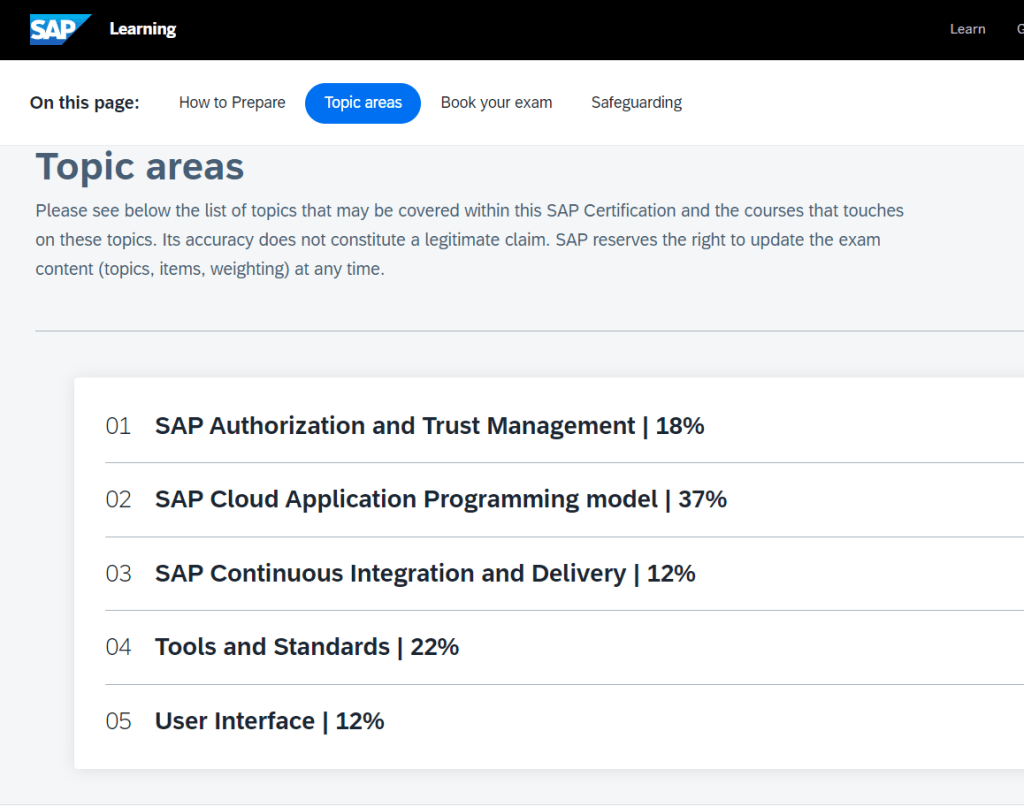
SAP Certification : SAP Certified Development Associate – SAP BTP Extension Developer

SUMMARY
OK. In this first blog in series CAP-based application development, I share my understand about CAP, environment for development Tools, services… I also share SAP learning path and overview about certification SAP BTP extension developer. After we finish this course we can develop applications extension which will assosiate with SAP backend S/4 HANA and create many values, flexible for our customer/user. Next article we will create CAP based application and how to deploy it into SAP BTP Cloud foundry.
Thanks for your reading and any advise kindly leave your comment on this.
Thanks.
Joseph.
 SAP Zero to Hero
2 comments