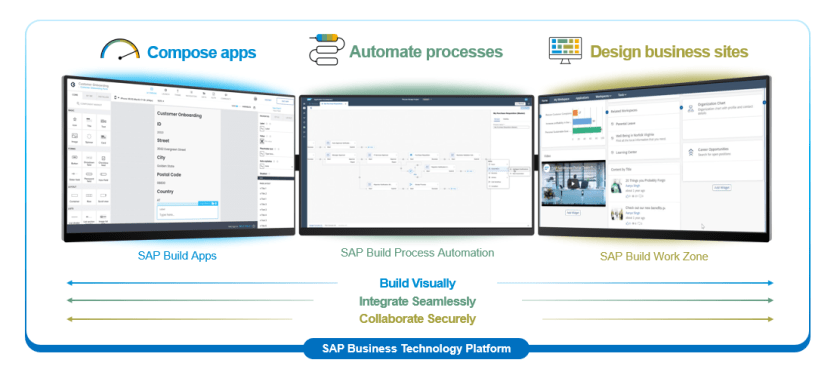
Hi guys, next in series about SAP Work Zone with SAP Nocode and Lowcode, in this article I want to share tutorial for beginer How to create business site and add FIORI APP into it. We will add something like this
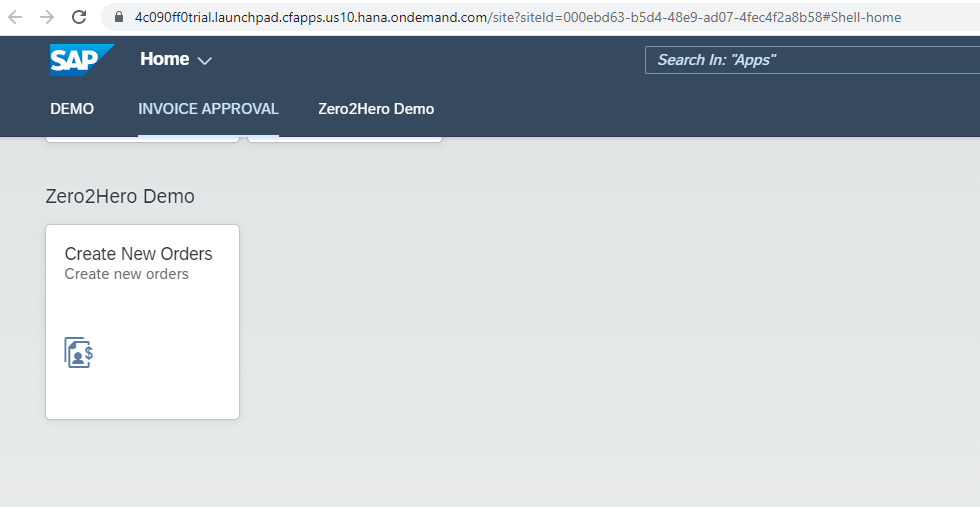
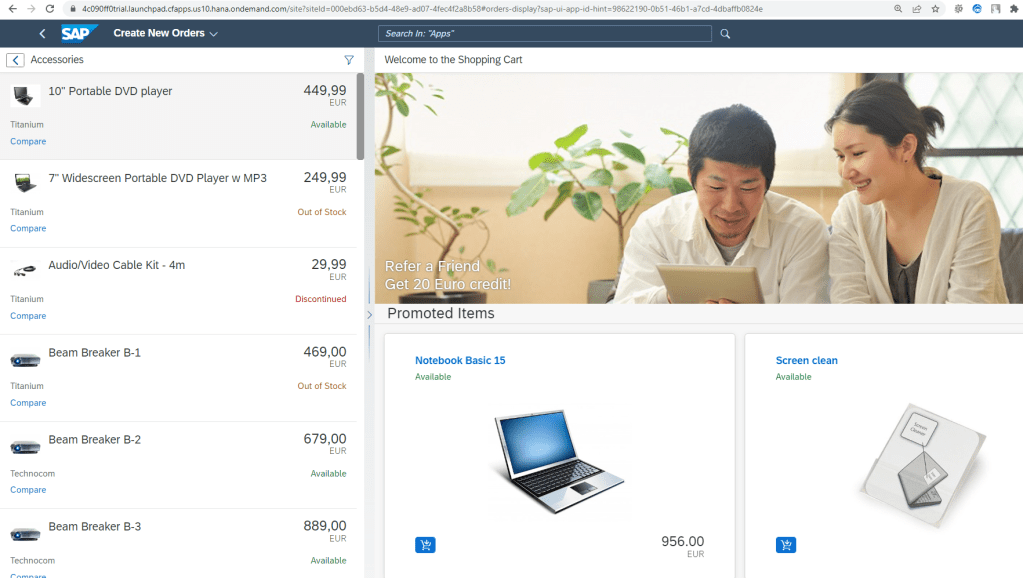
- Add FIORI APP UI5 with URL in SAP ES5 Demo system
- Add Webdynpro ABAP App
- Build custom FIORI UI5 APP by SAP BAS
PREREQUISITES
To finish this tutorial, we need
- SAP BTP Trial account
- Connection to SAP ES5 Demo System.
SETUP ENVIRONMENT FOR TUTORIAL
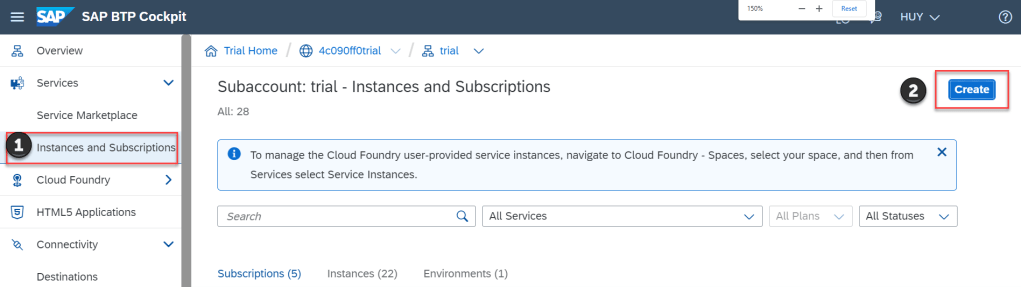
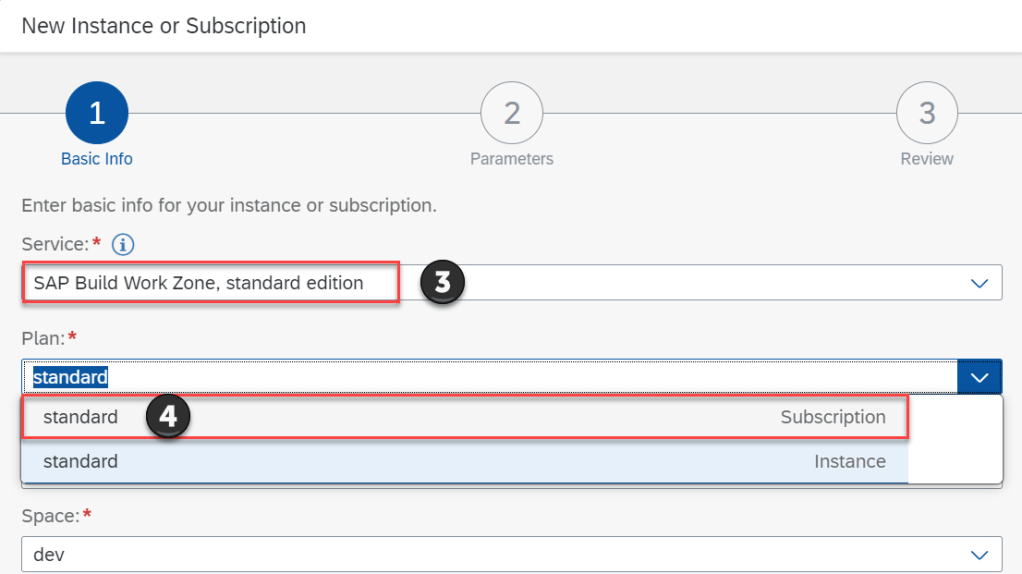
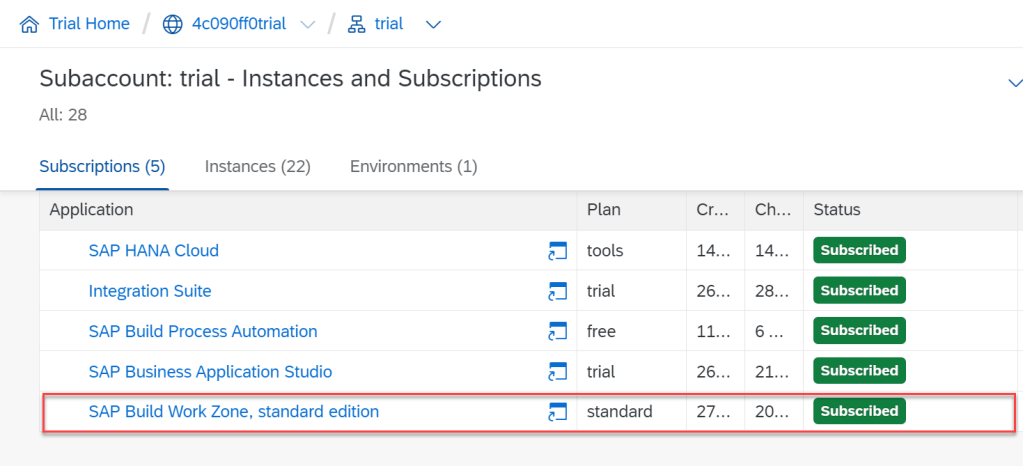
SUBSCRIPTION SAP WORK ZONE STANDARD EDITION
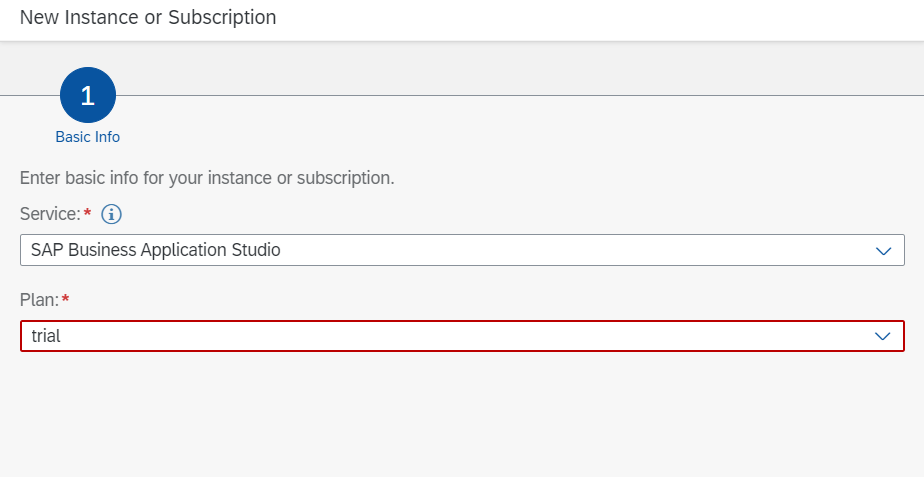
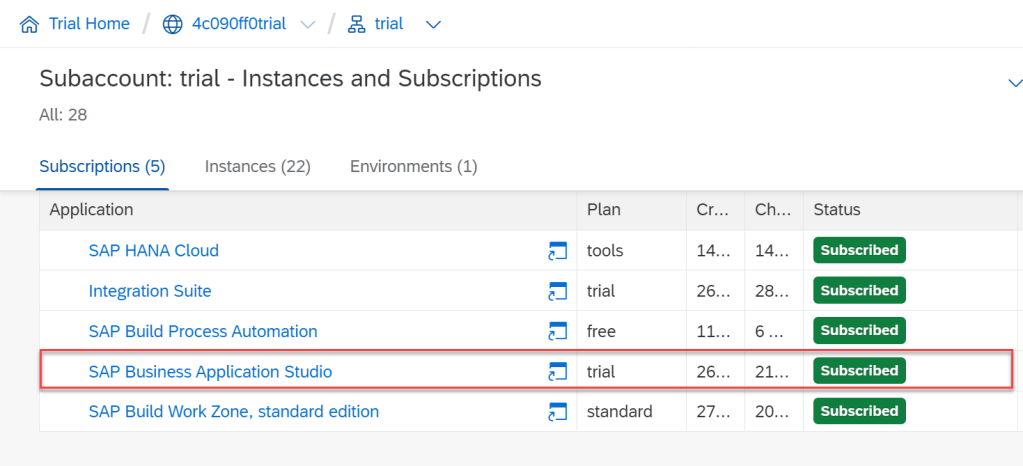
SUBSCRIPTION BUSINESS APPLICATION STUDIO (BAS)
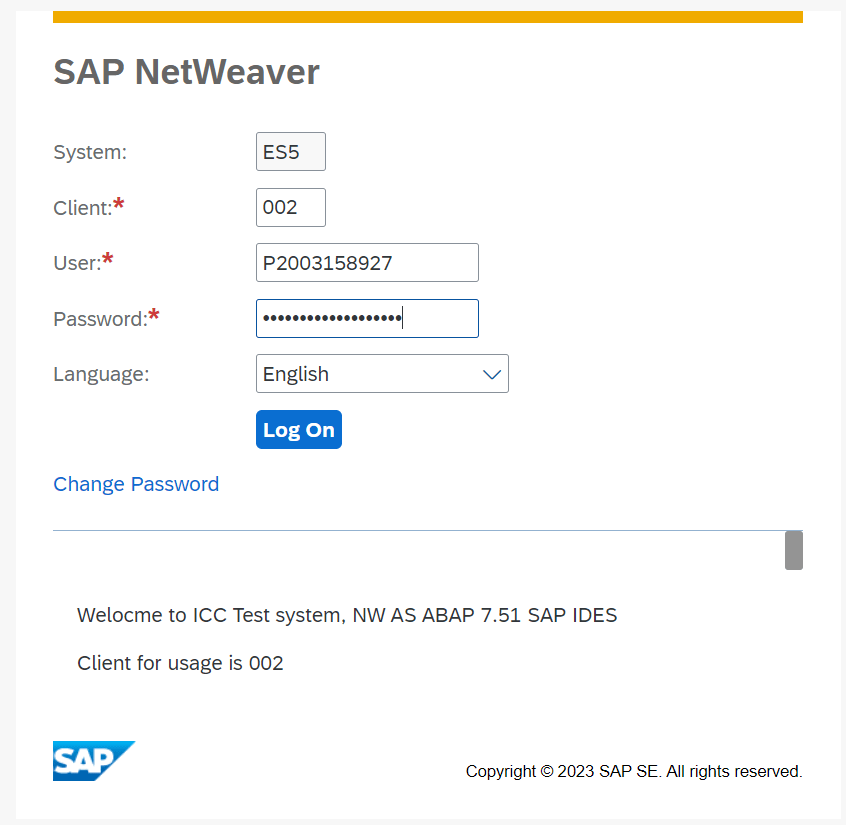
REGISTRY ACCOUNT IN ES5 DEMO
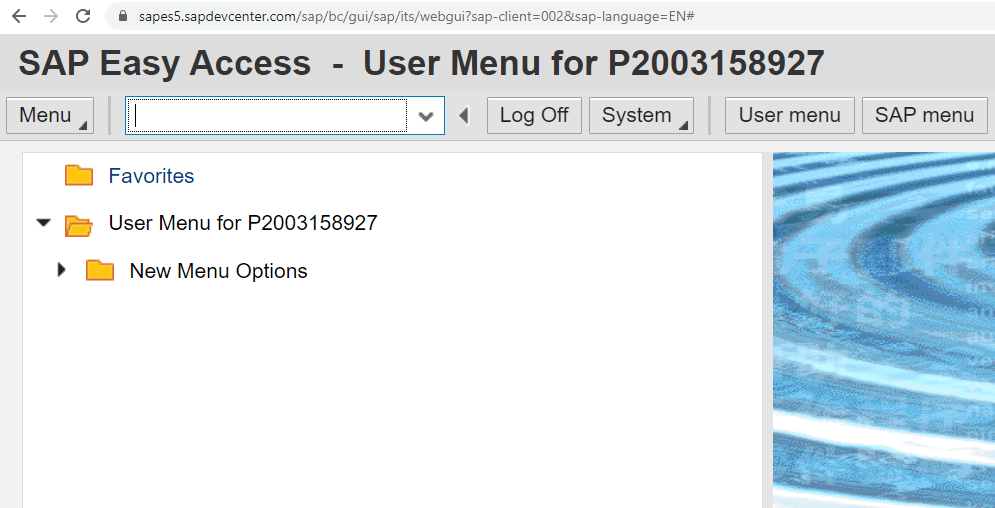
In this tutorial we will use
- FIORI UI5 App URL : https://sapui5.hana.ondemand.com/test-resources/sap/m/demokit/cart/webapp/index.html
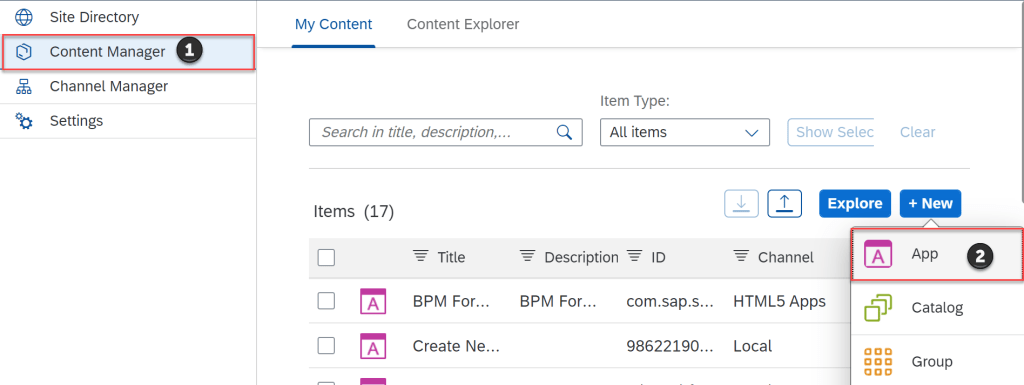
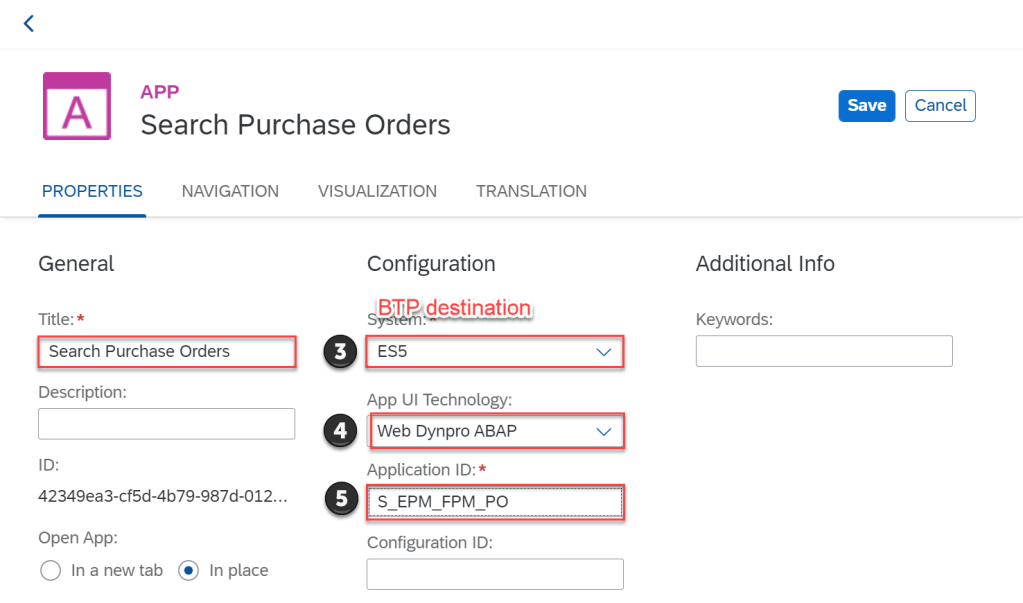
- WEB Dynpro ABAP App ID : S_EPM_FPM_PO
CONFIGURATION FOR TUTORIAL
CREATE NEW BUSINESS SITE IN SAP WORK ZONE
Login BTP Trial account
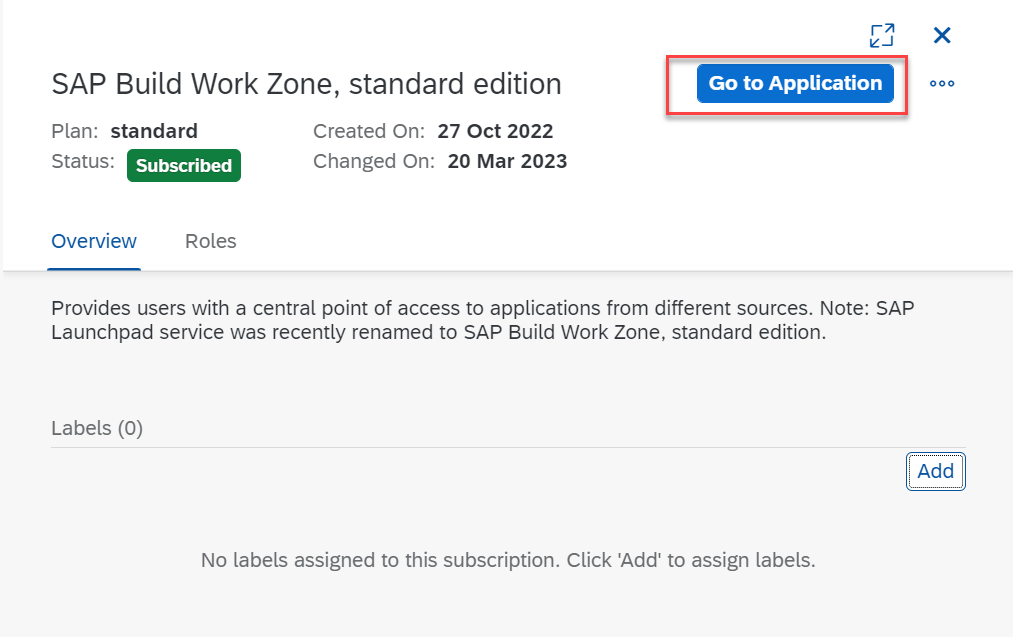
Go to application SAP Build Work Zone Standard Edition
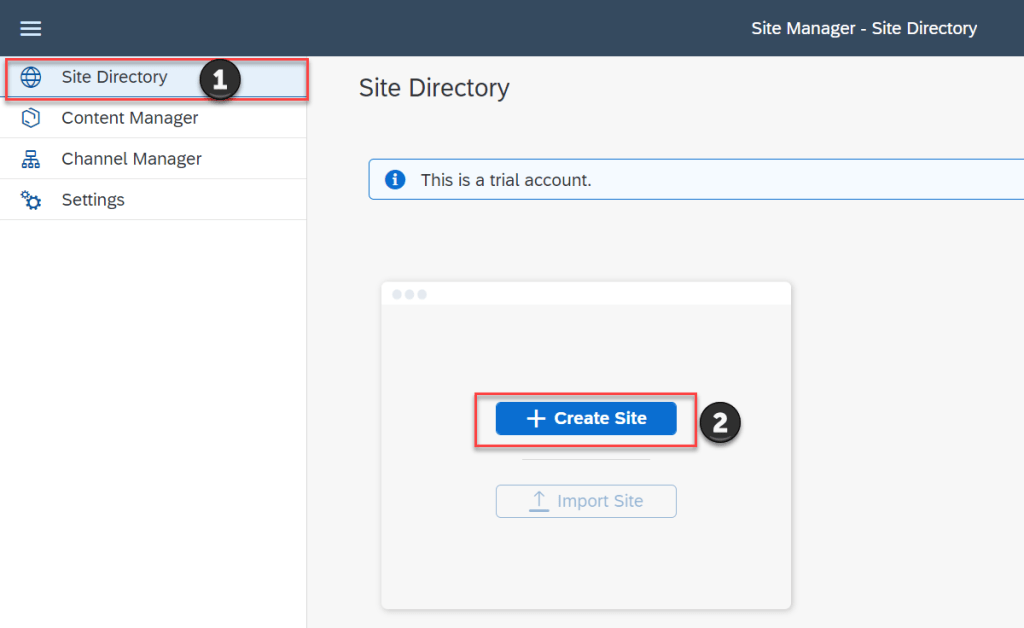
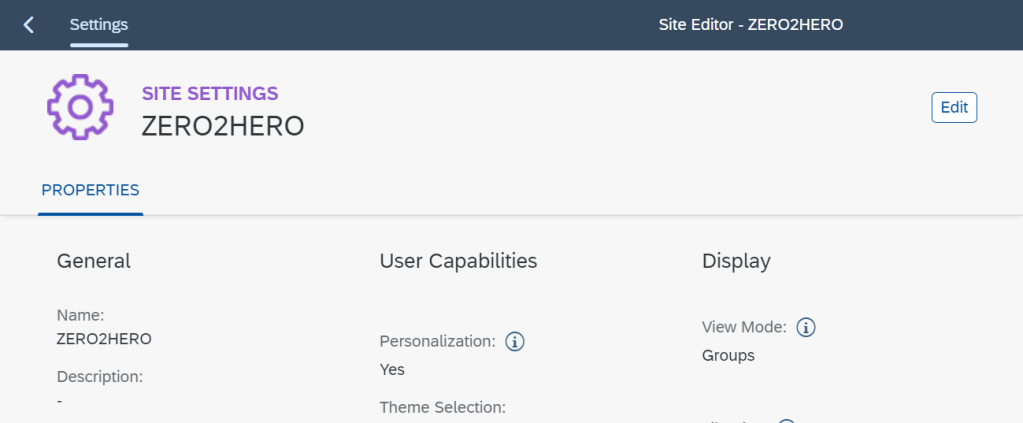
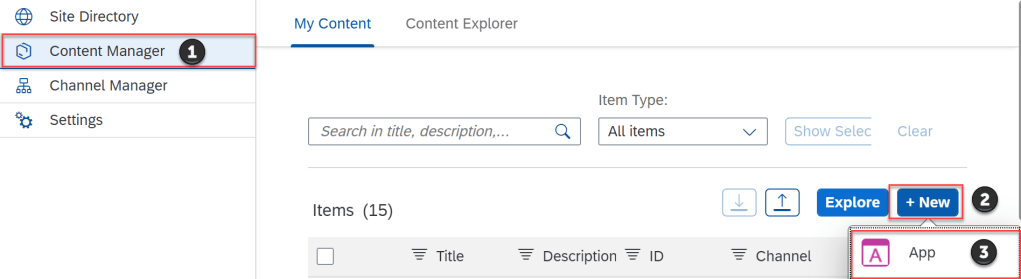
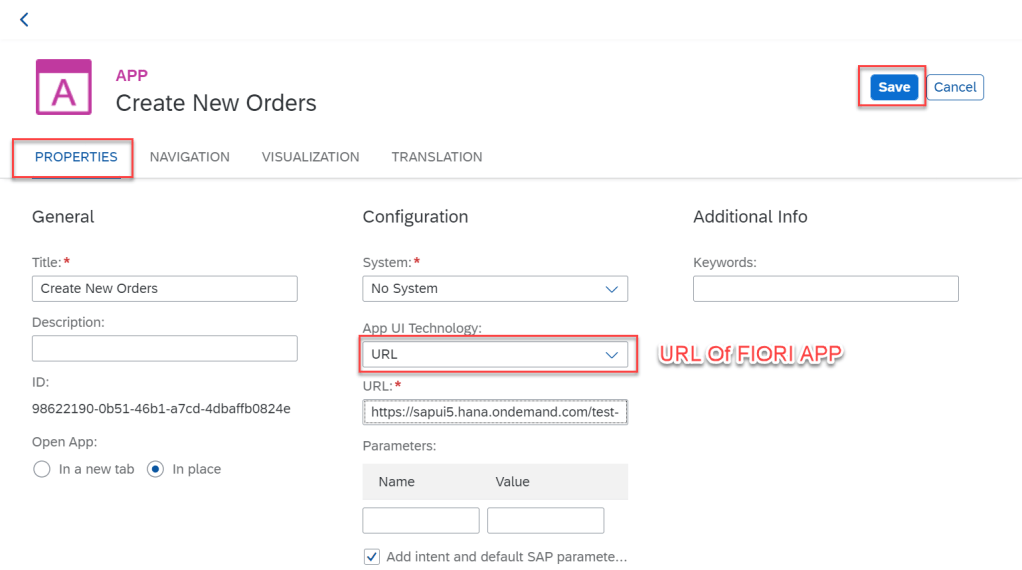
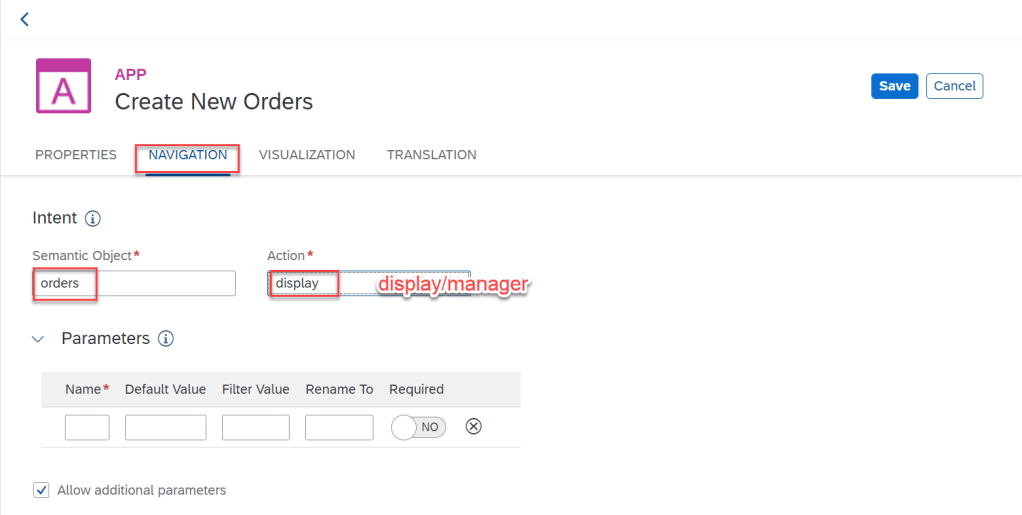
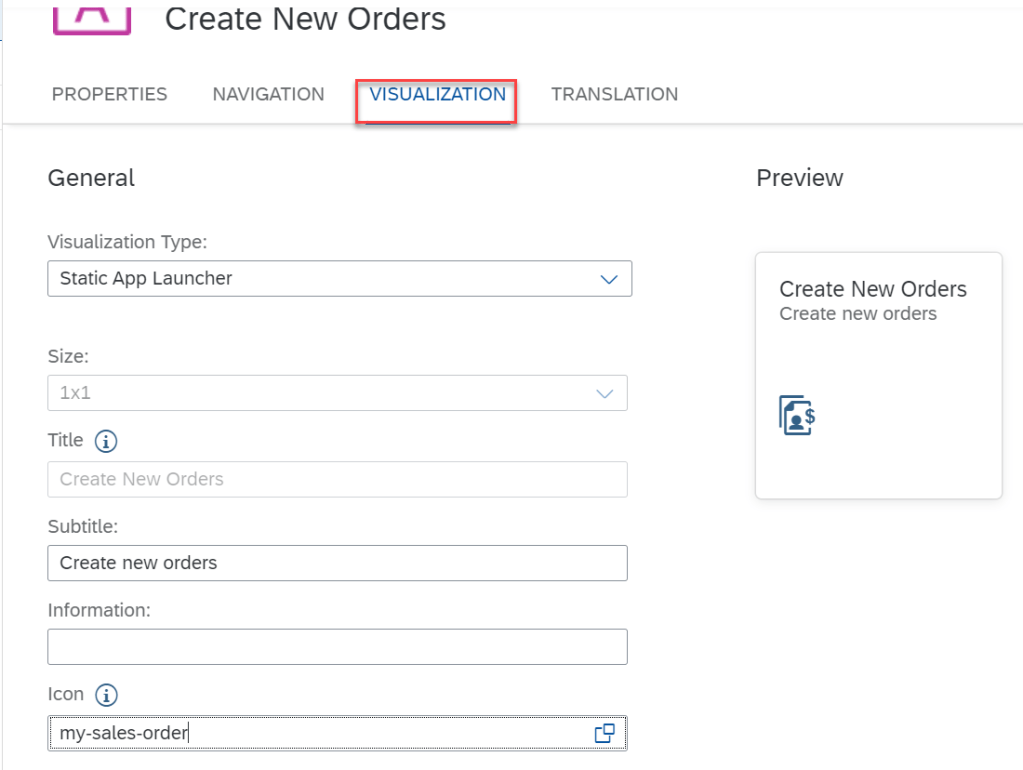
ADD SAP UI5 APP INTO SITE WITH URL
CREATE APP
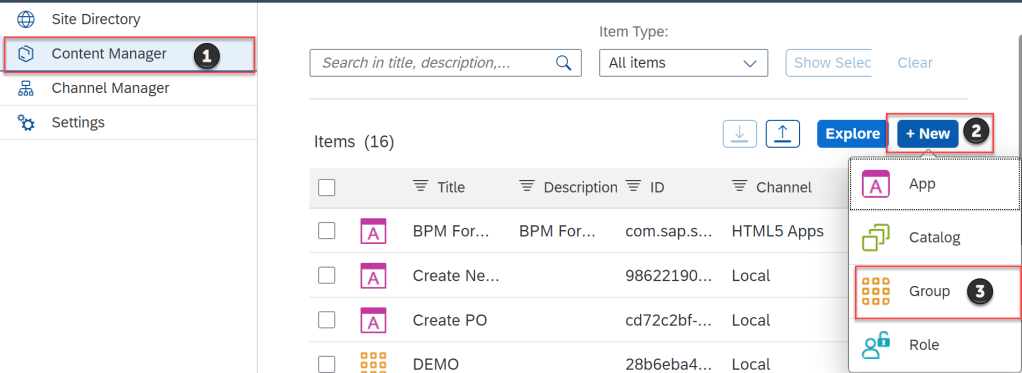
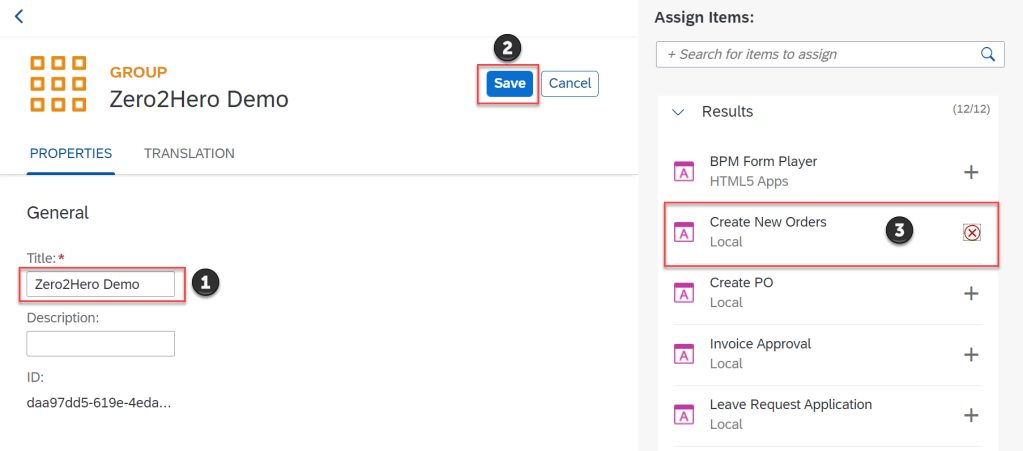
CREATE GROUP AND ASSIGN APP INTO GROUP
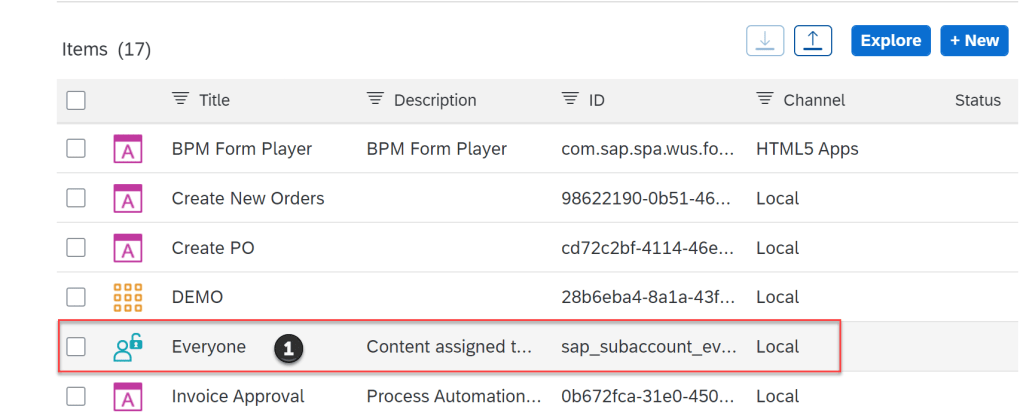
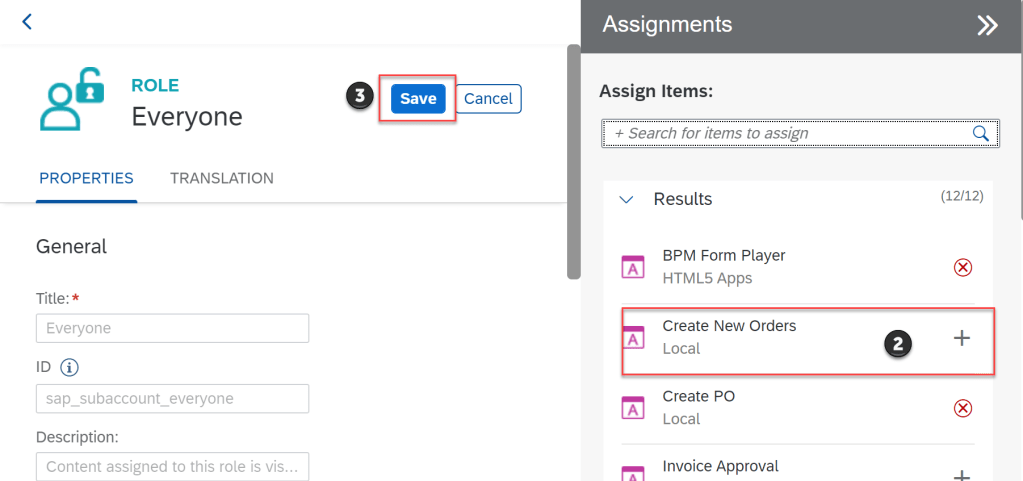
ASSIGN APP INTO ROLE
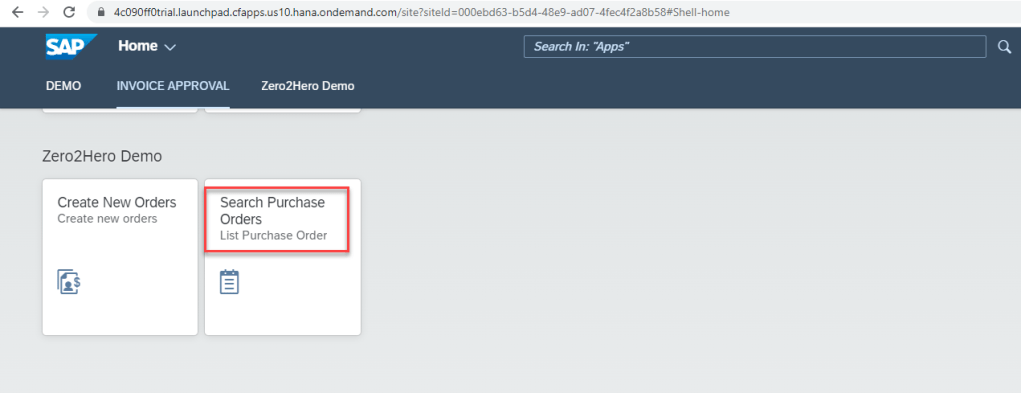
REVIEW SITE
ADD WEB DYNPRO ABAP APP INTO SITE
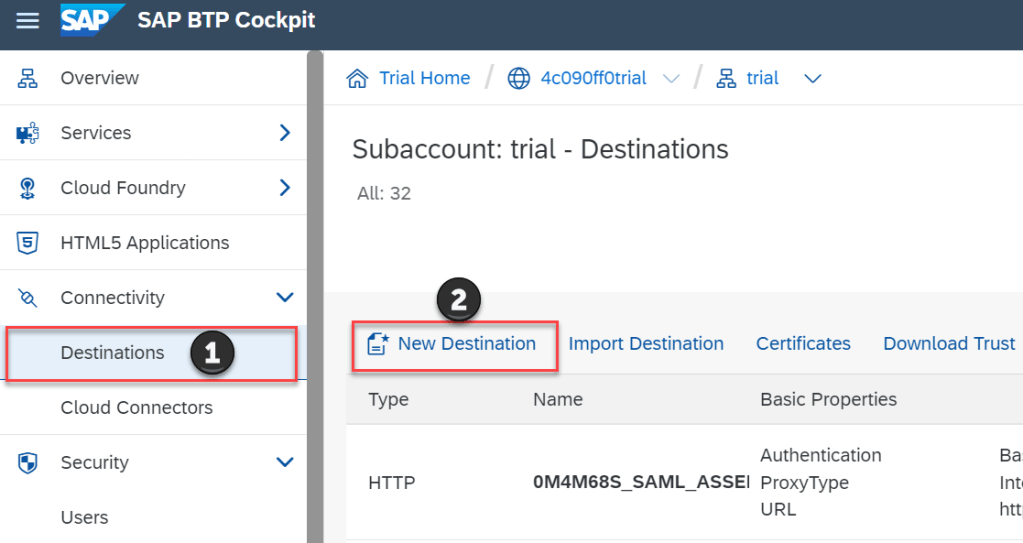
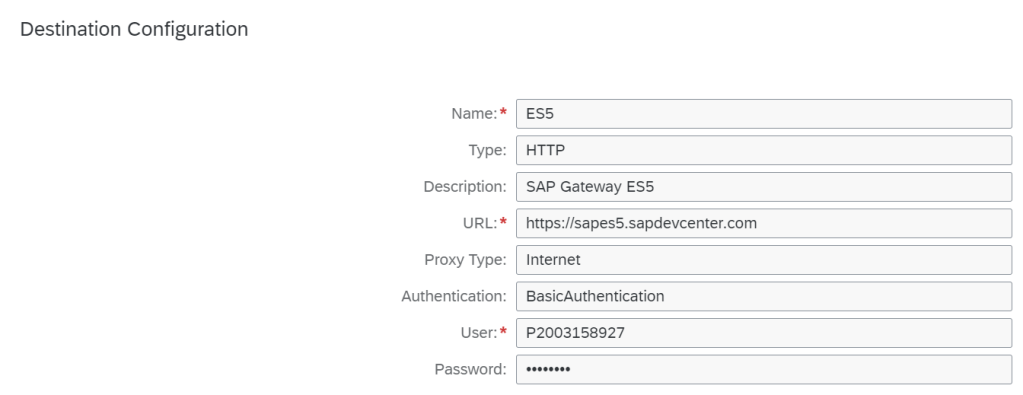
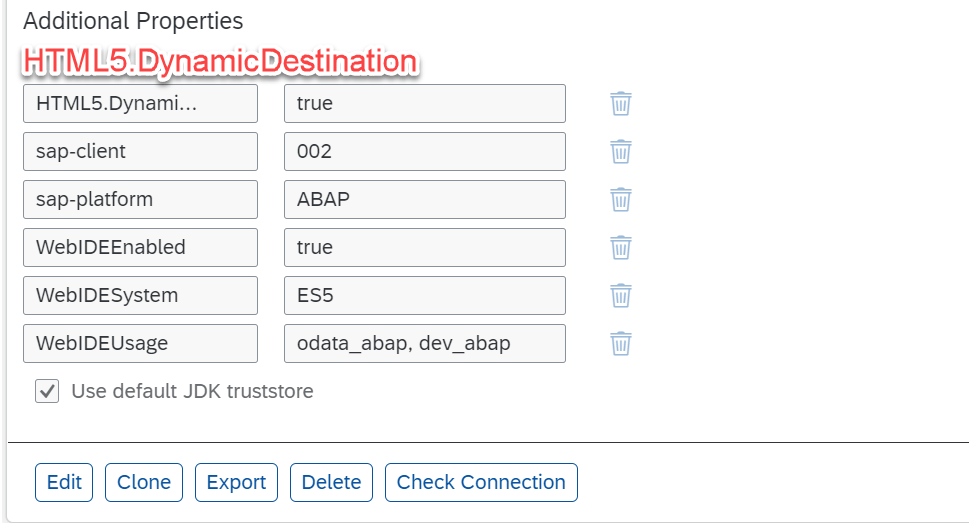
In this section, we will connect to ES5 SAP backend demo from BTP destination and get web dynpro application with ID S_EPM_FPM_PO into business site work zone. Let’s go
CREATE DESTINATION ES5
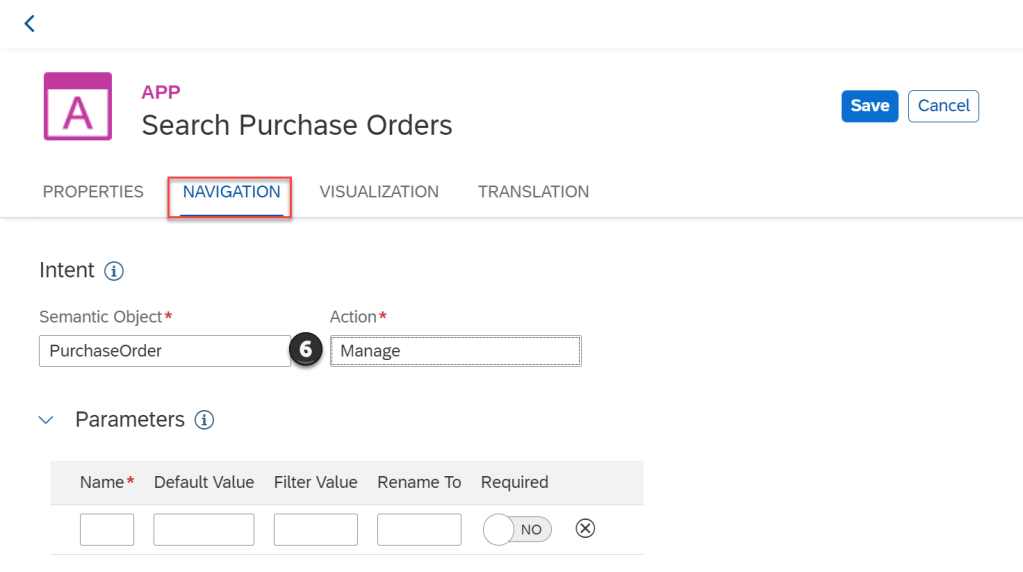
CREATE WEB DYNPRO APP
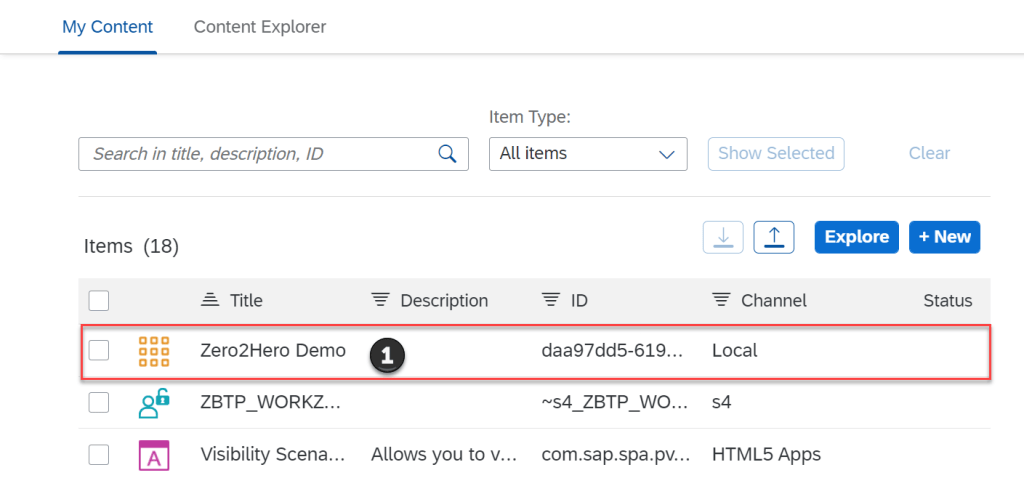
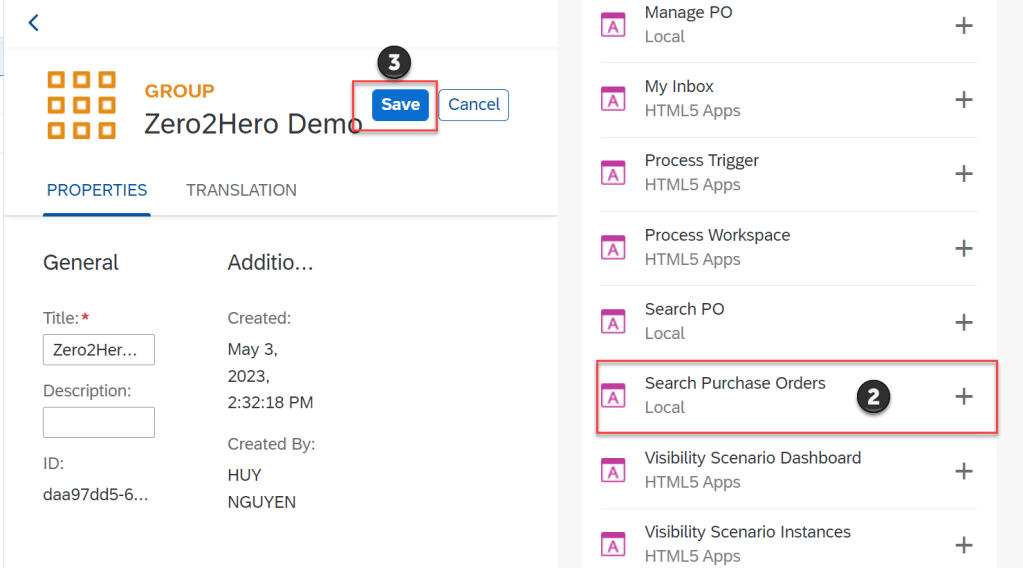
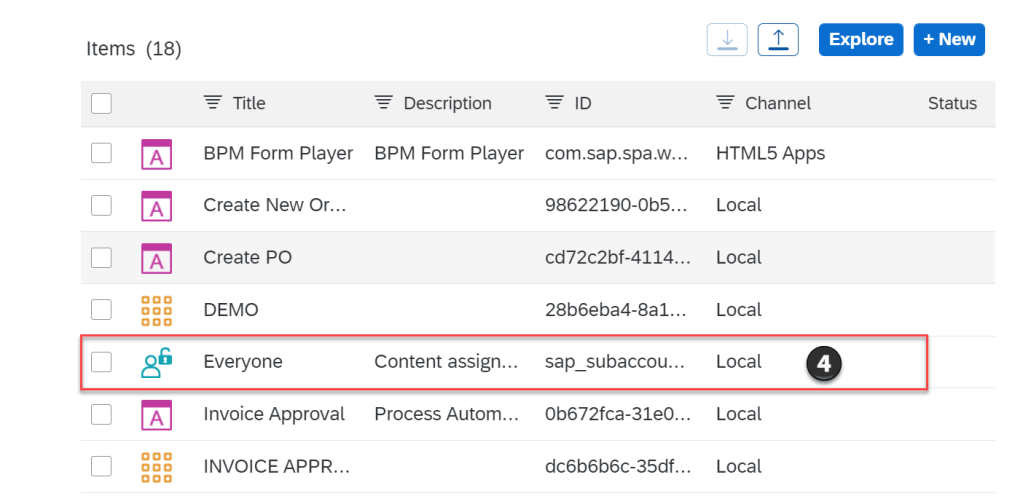
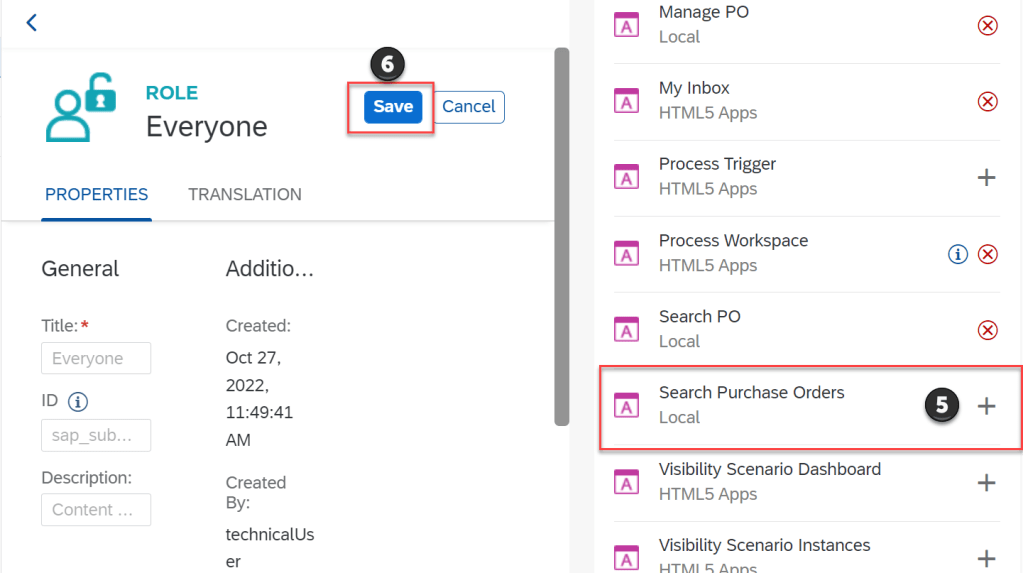
ADD APP INTO GROUP AND ROLE
VIEW SITE
ADD CUSTOM-DEVELOPED SAP UI5 FROM BAS INTO SITE WORK ZONE
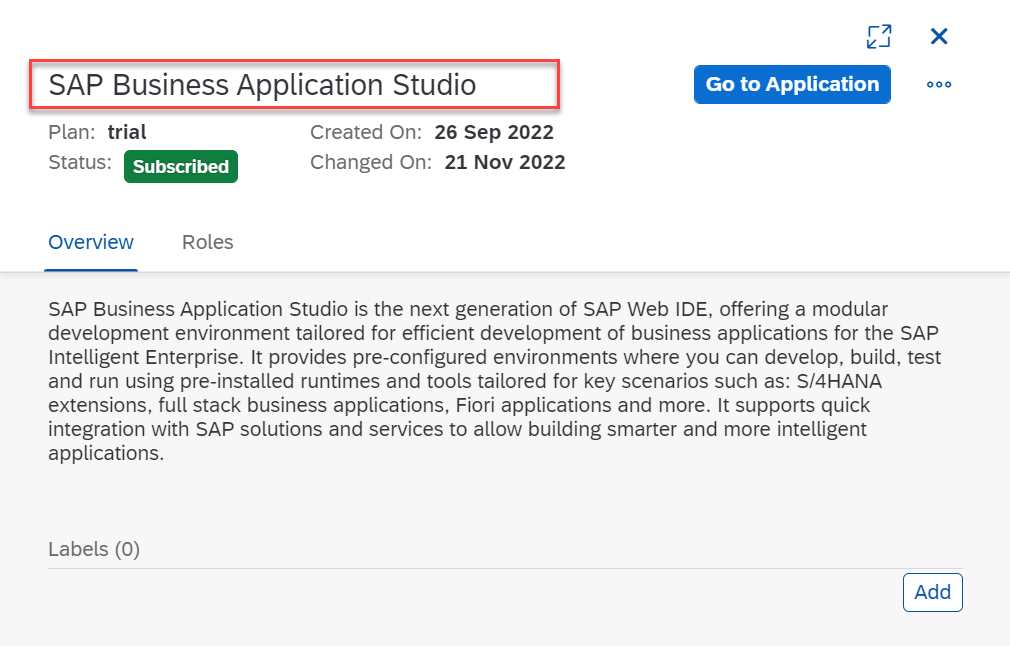
LOGIN BAS APPLICATION
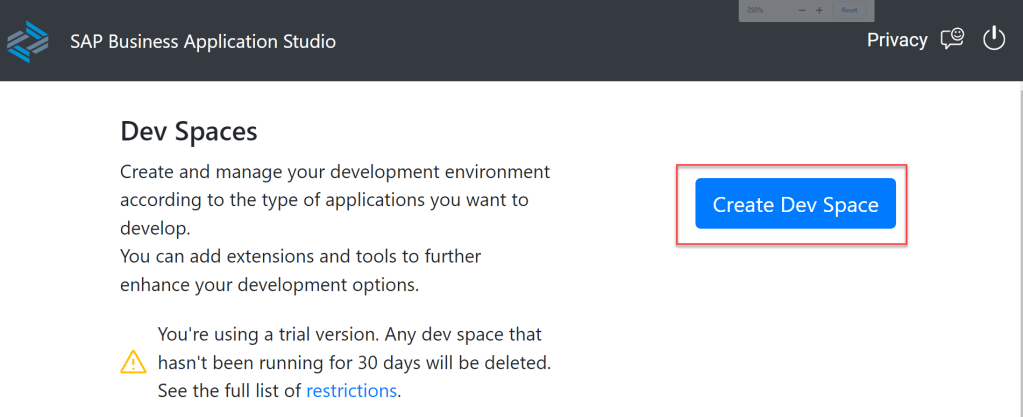
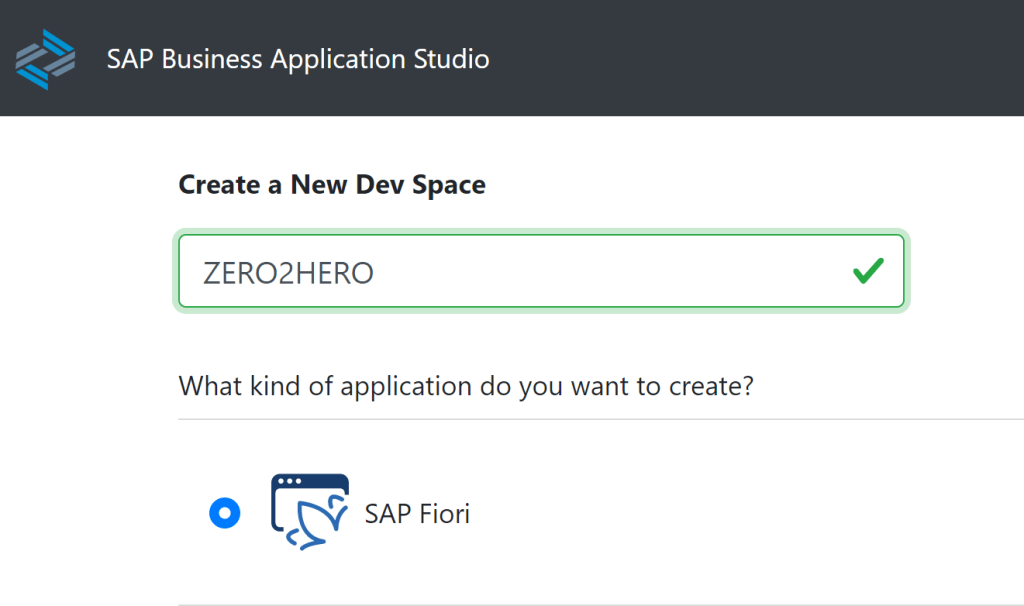
CREATE DEV SPACE
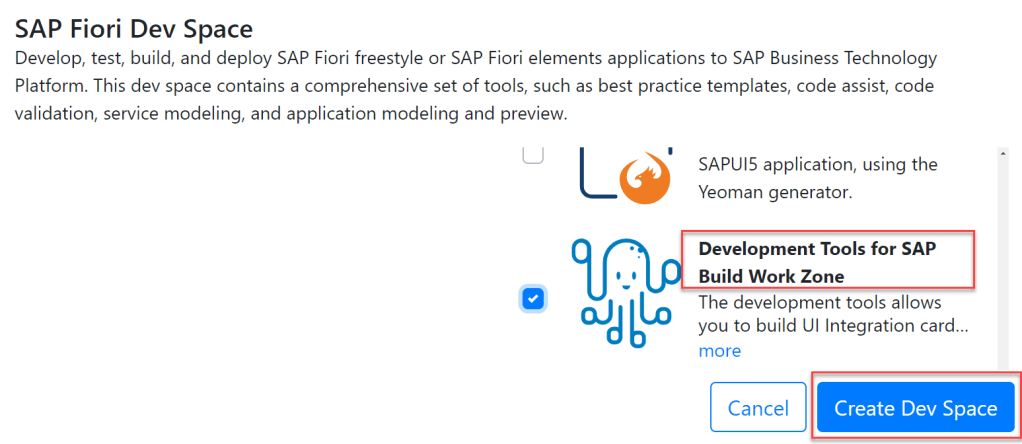
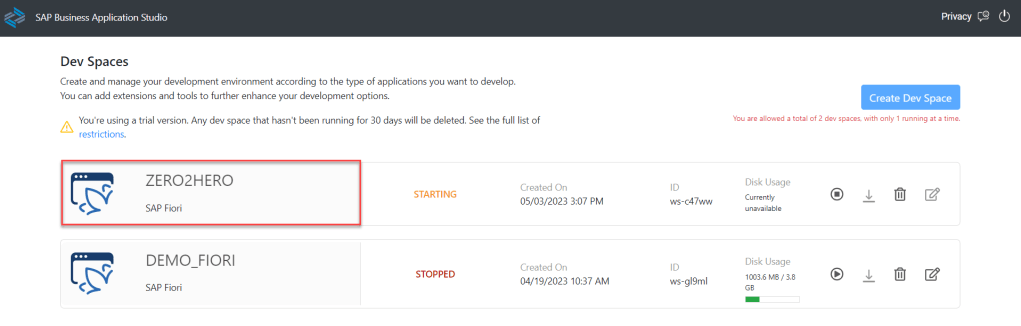
CREATE FIORI APP BY USING BAS
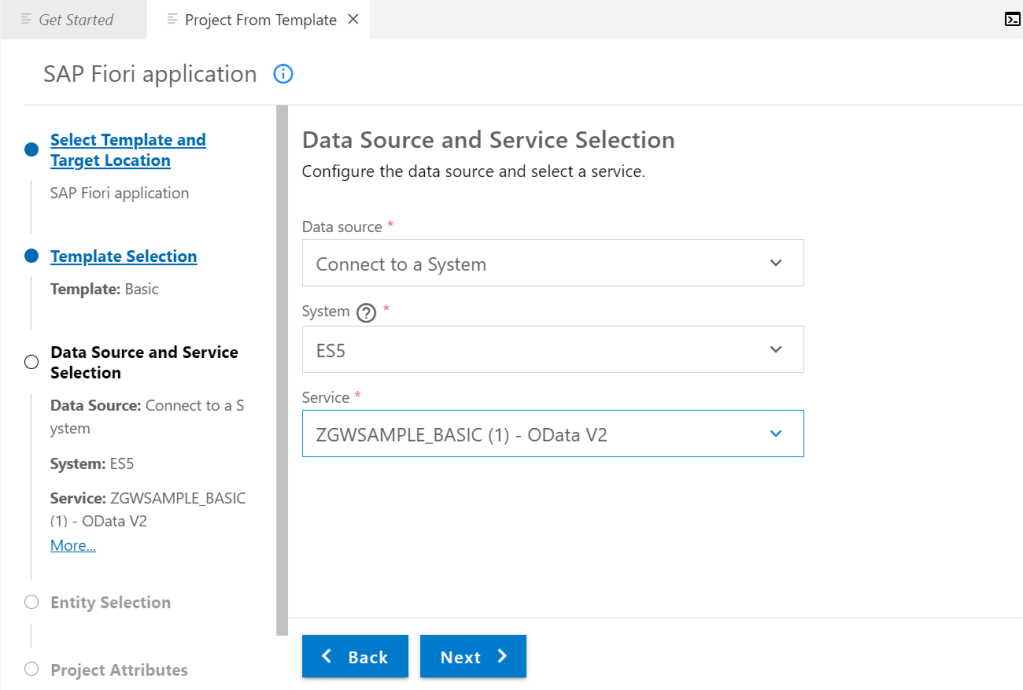
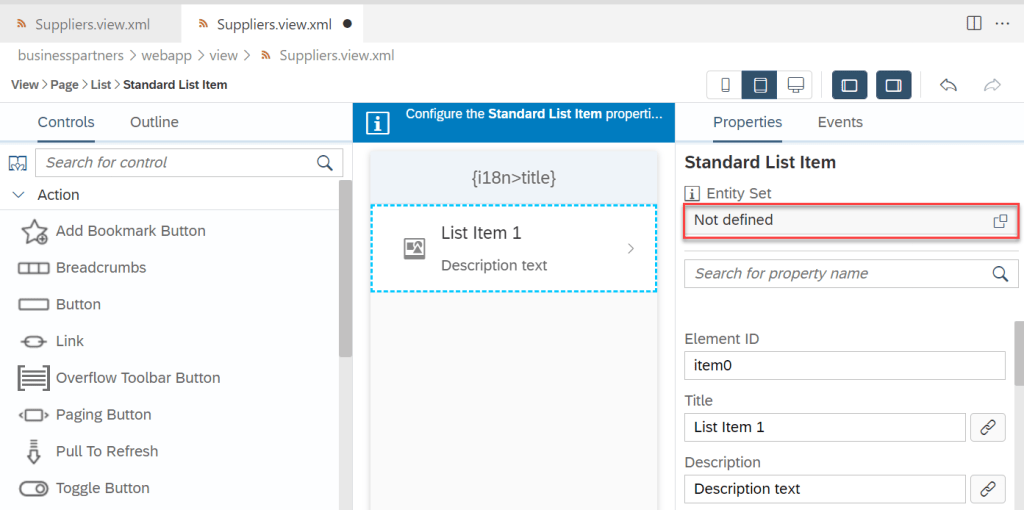
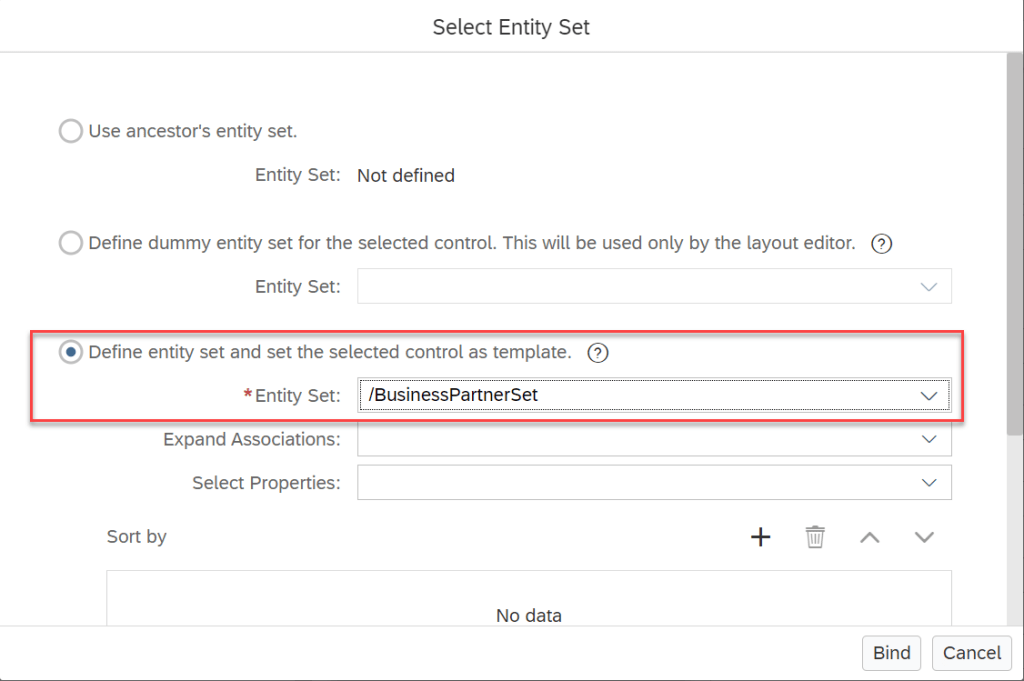
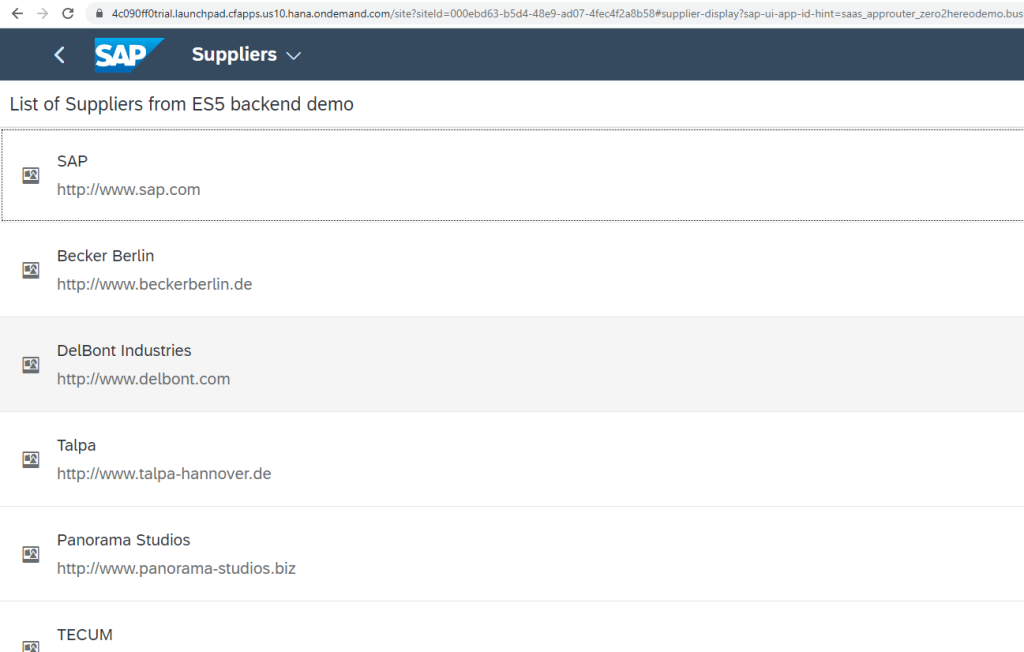
In this section, we will create FIORI UI5 App which display list of supplier from ES5 backed. By using entityset BusinessPartnerSet from ODATA service ZGWSAMPLE_BASIC
The flow consists of the following parts:
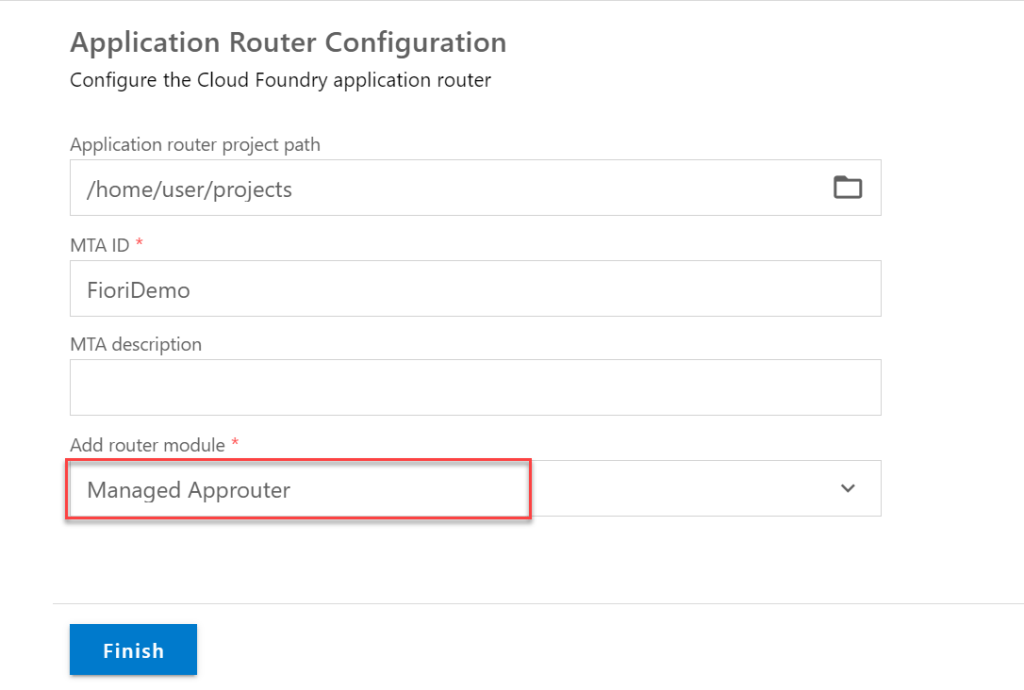
- Running a wizard that creates a multi-target application (MTA) project that is configured to use Managed Application Router. An MTA is required in order to create the deployment artifact for SAP BTP, Cloud Foundry environment. If you are not familiar with the MTA concepts, read this guide. A Managed Application Router is SAP’s best practice for applications that run on SAP BTP as well as required in order to include the app in SAP launchpad. To learn more on Managed Application Router refer to this guide.
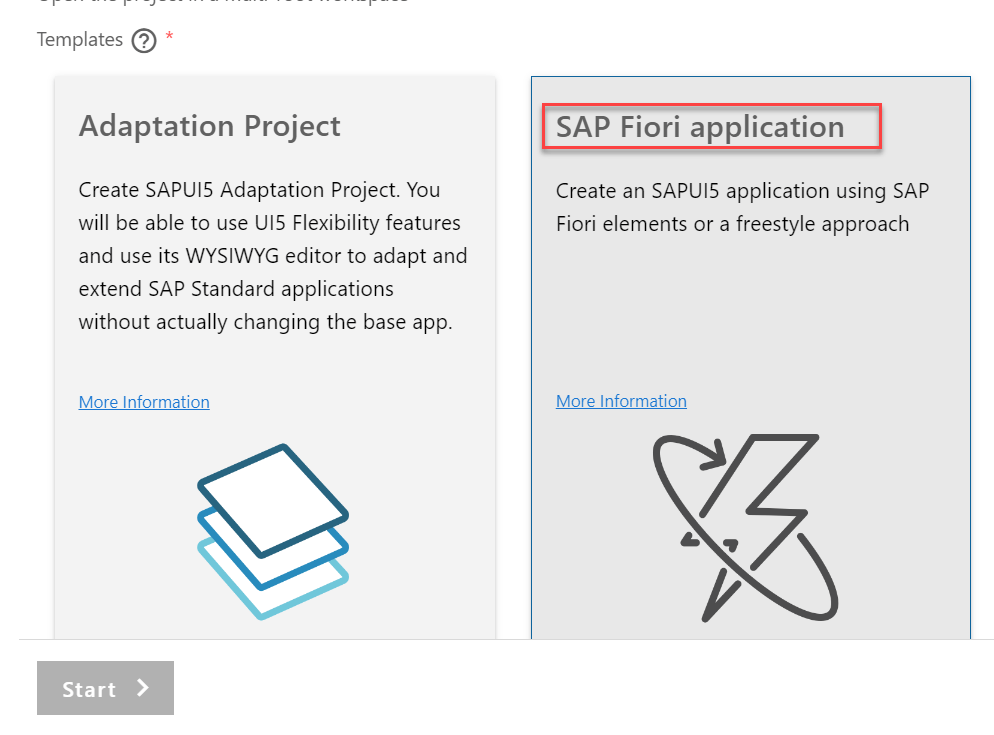
- Running a wizard that generates the app based on SAPUI5 Application template. The app is generated as an HTML5 module within the MTA.
- Enhancing the application by creating the UI and presenting data fetched from an SAP backend.
CREATE NEW MULTI TARGET APPLICATION (MTA) PROJECT
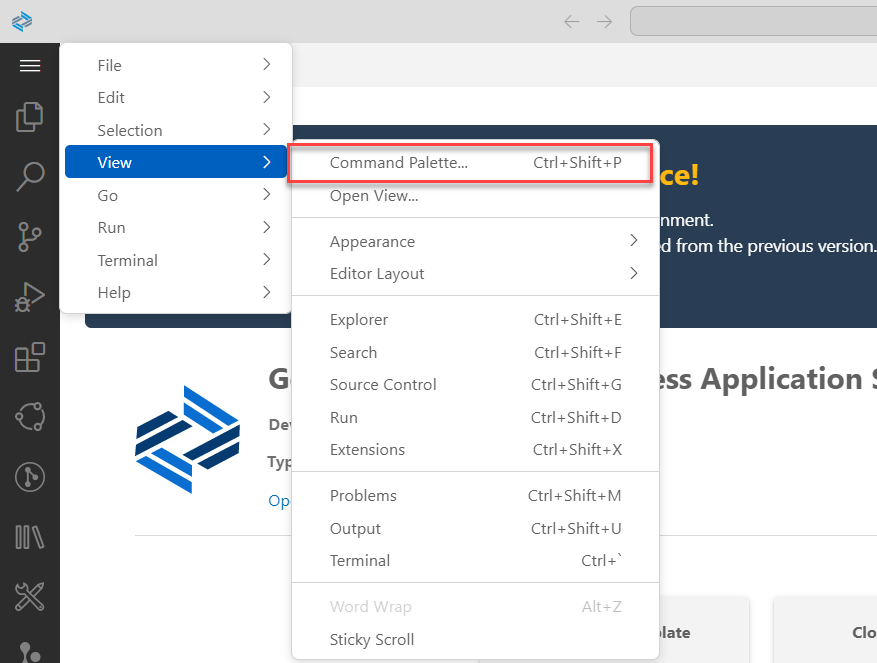
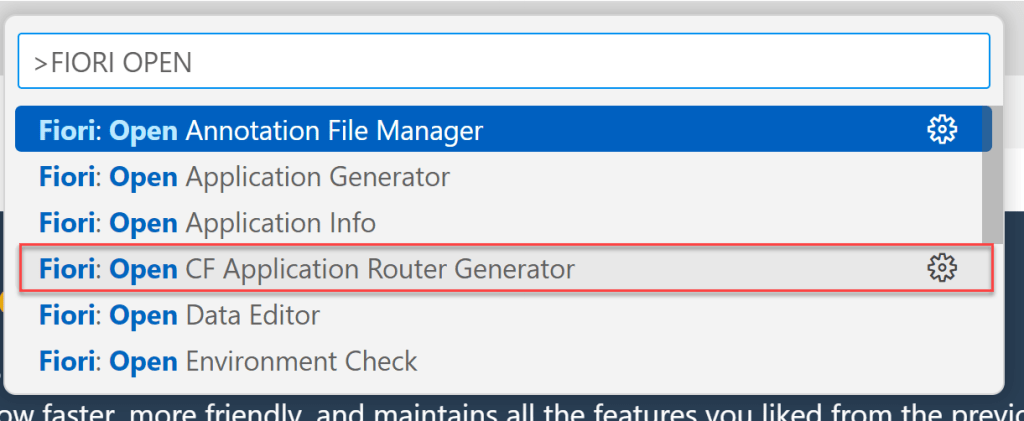
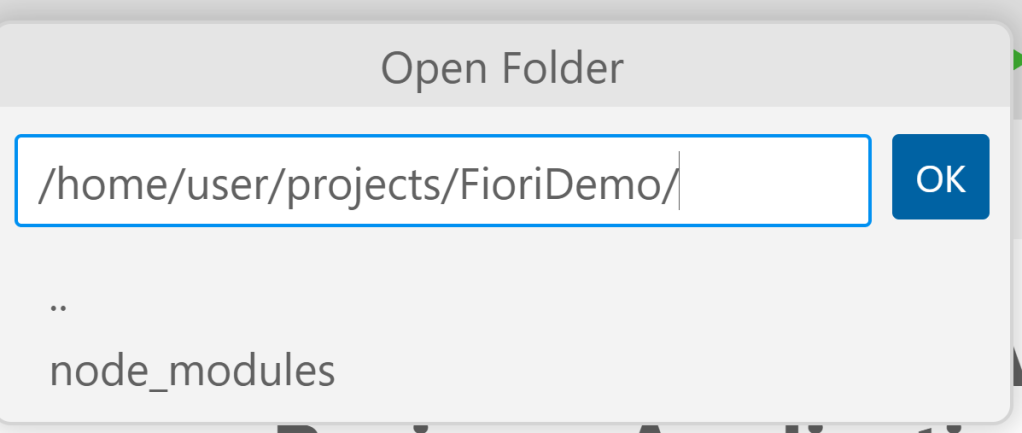
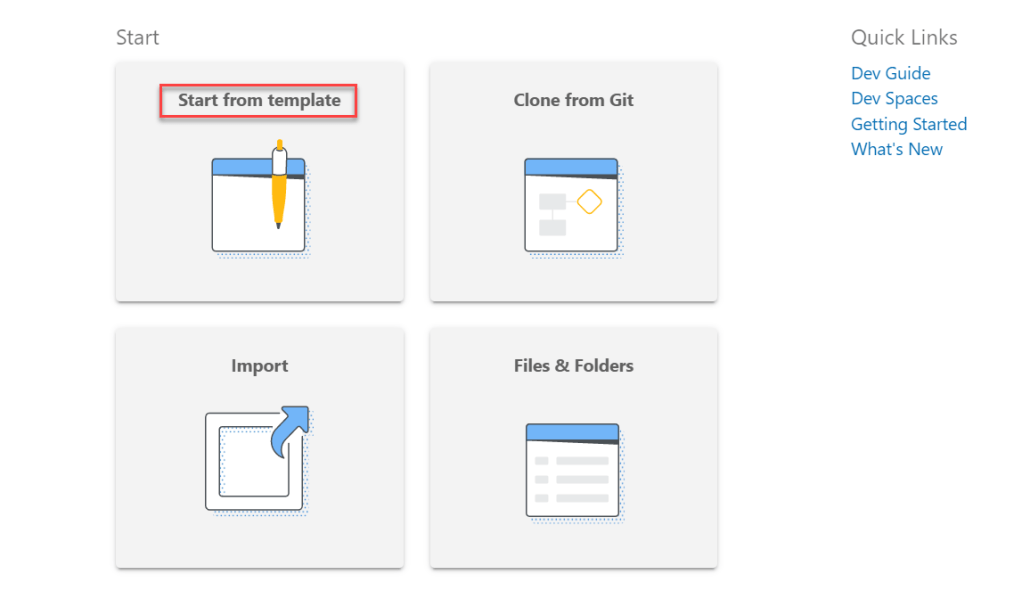
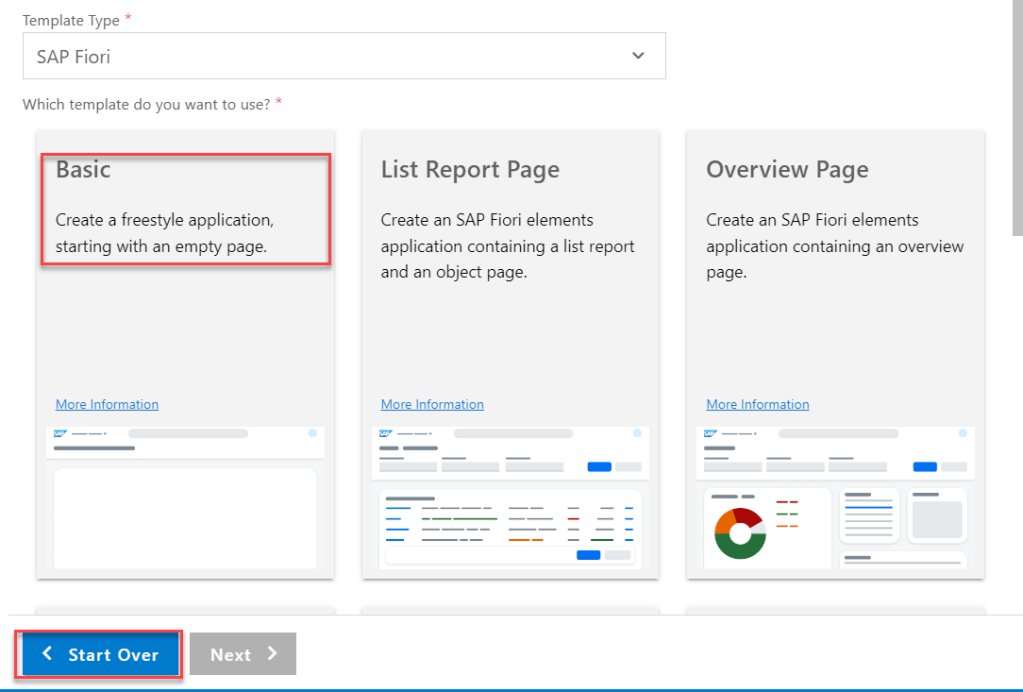
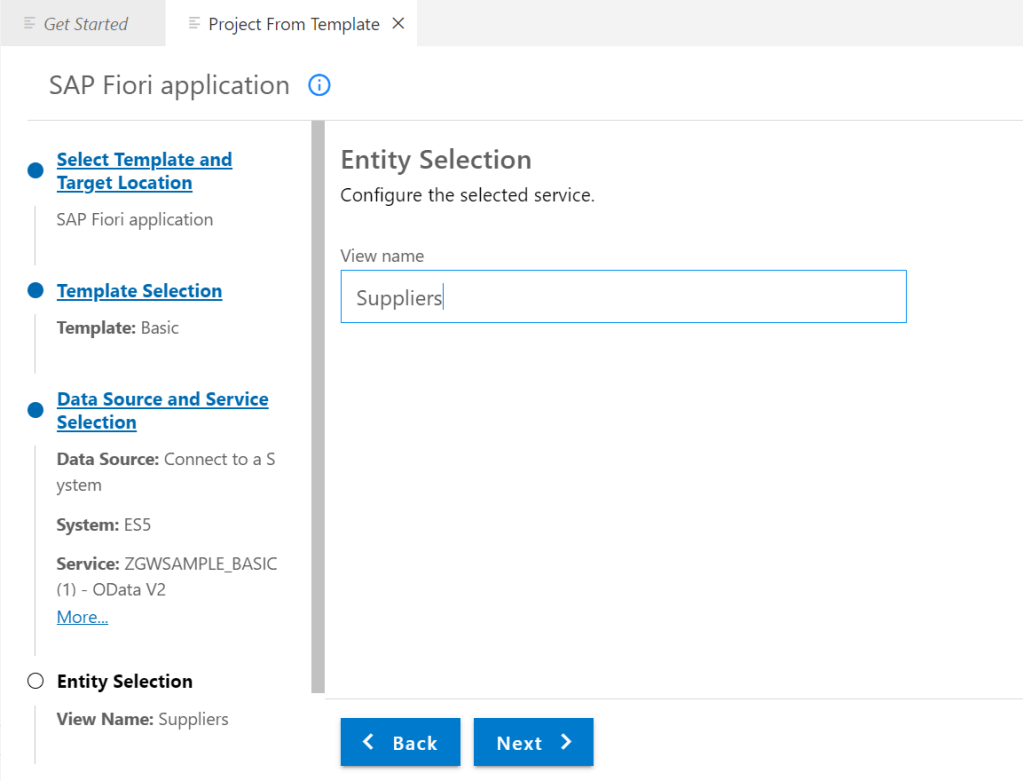
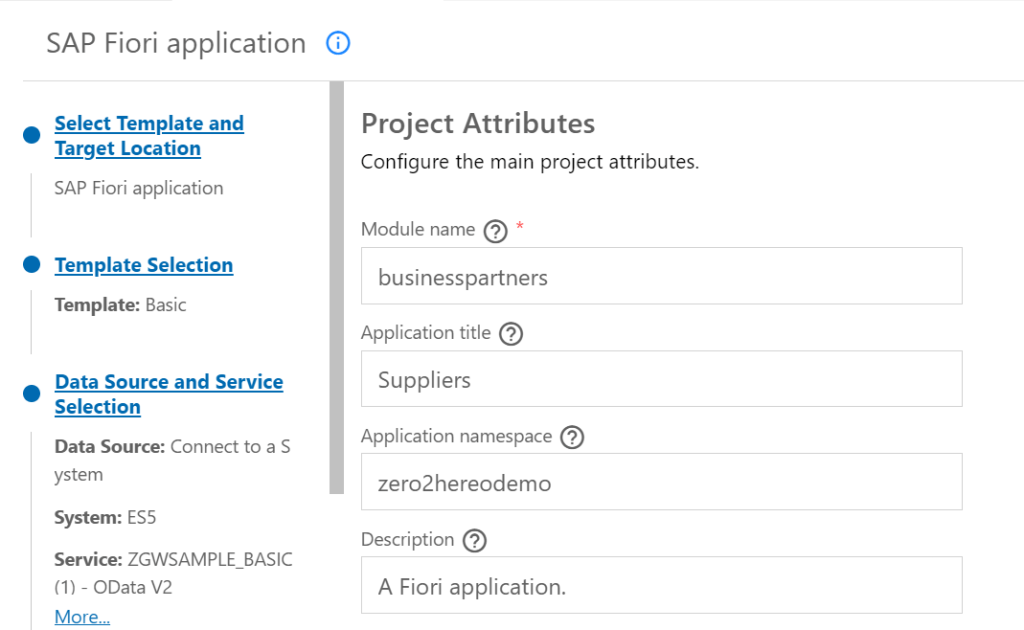
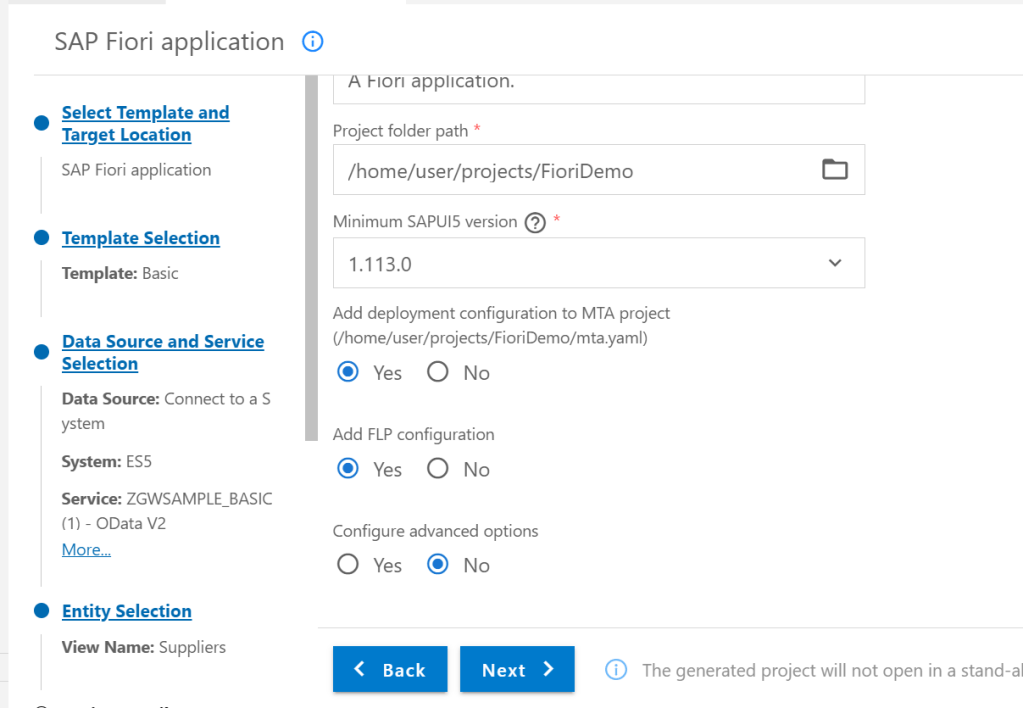
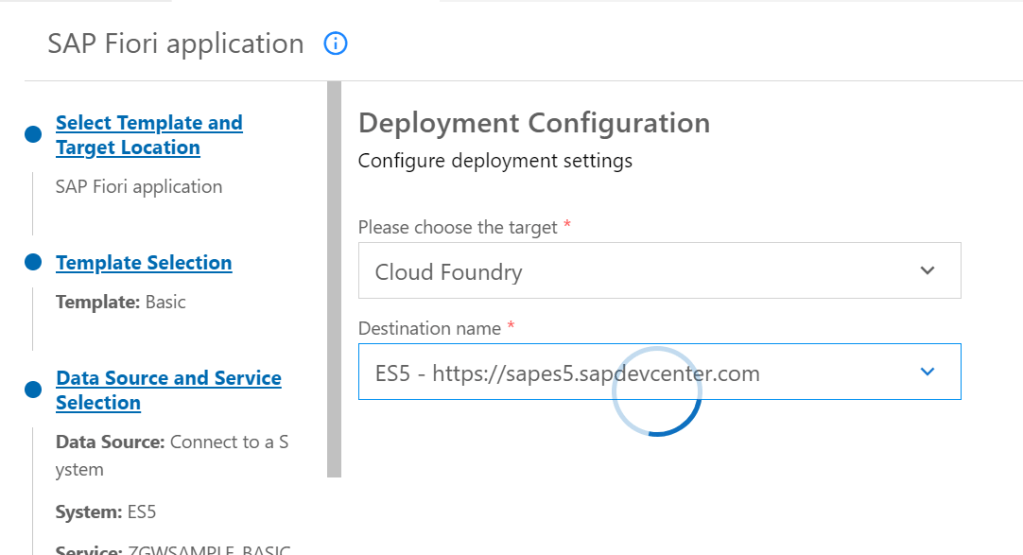
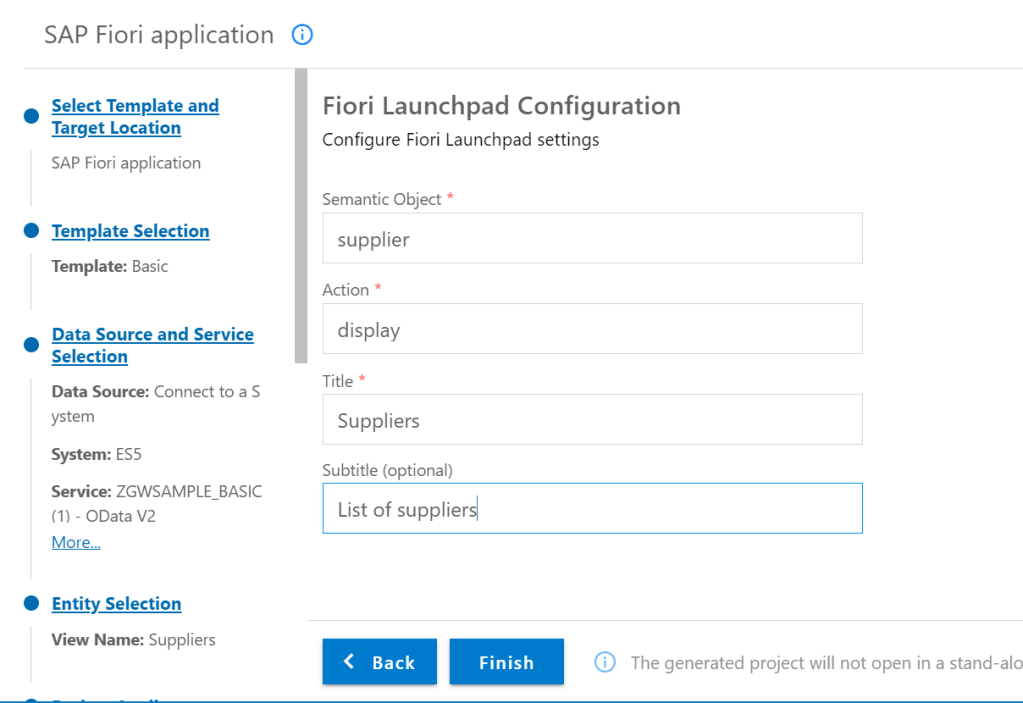
OPEN PROJECT AND CREATE FIORI APP FROM BASIC TEMPLATE
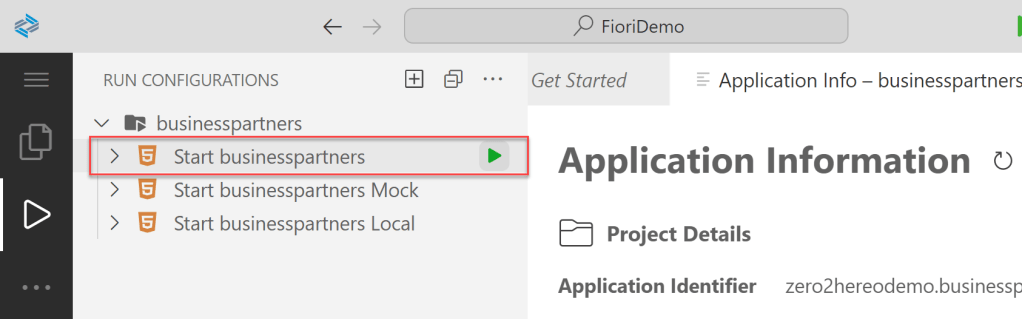
RUN TEST MODULE
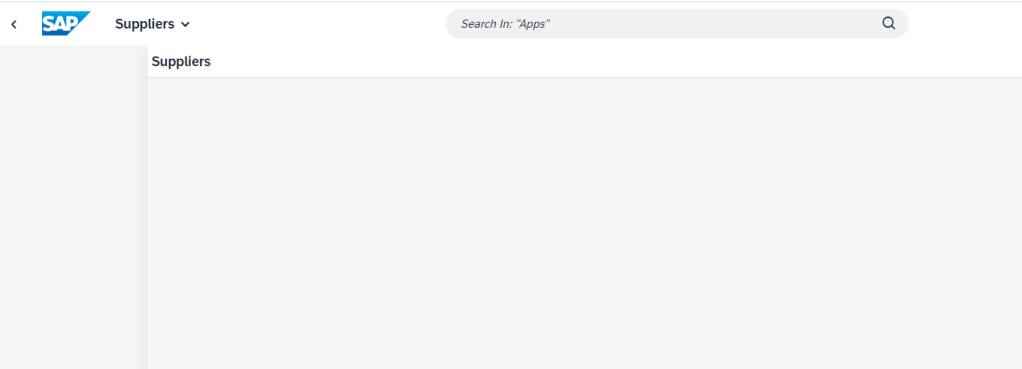
CHANGING UI TO DISPLAY GRID SUPPLIER
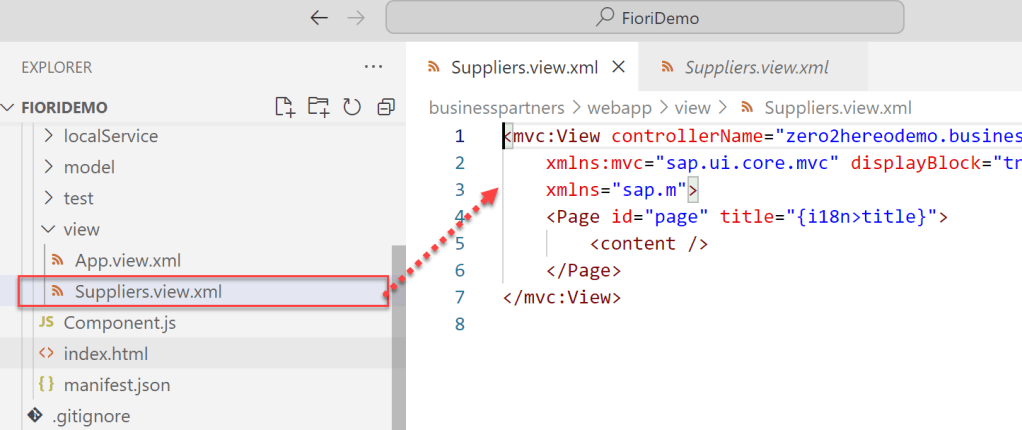
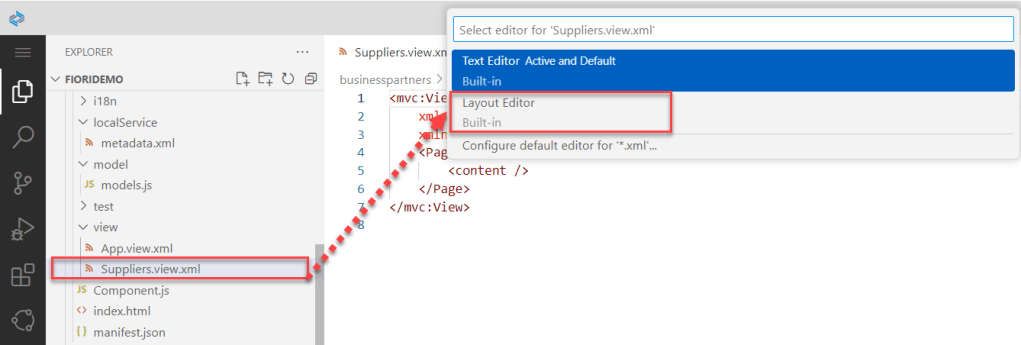
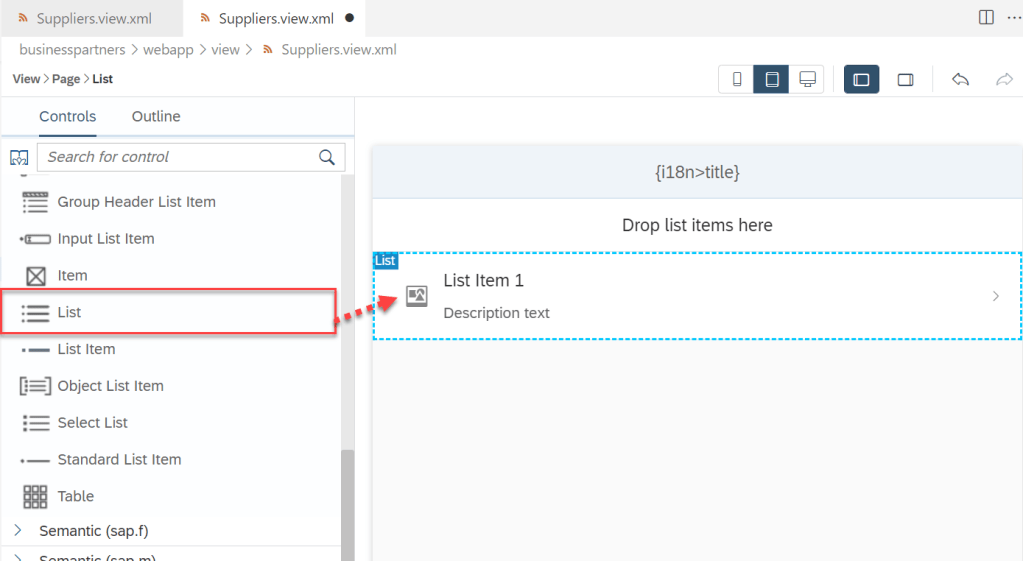
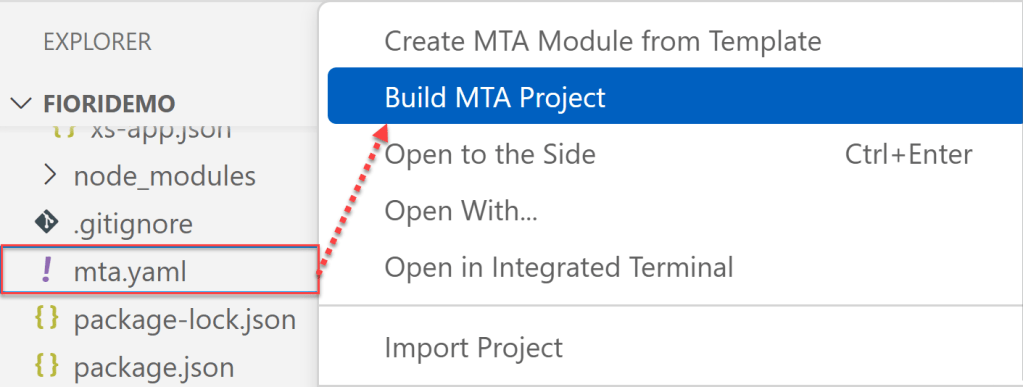
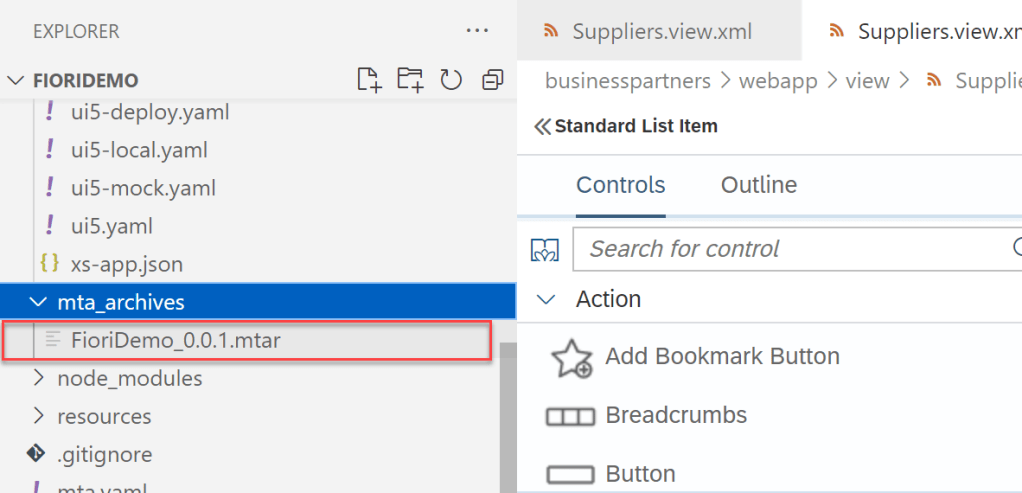
BUILD MTA PROJECT
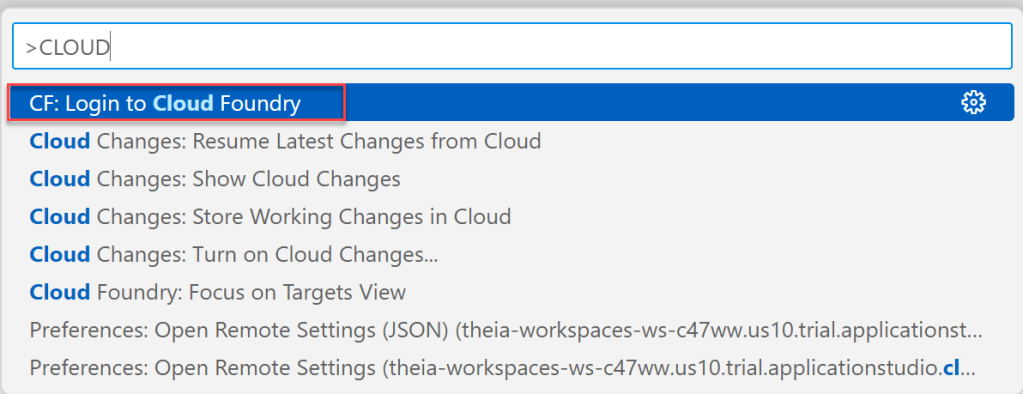
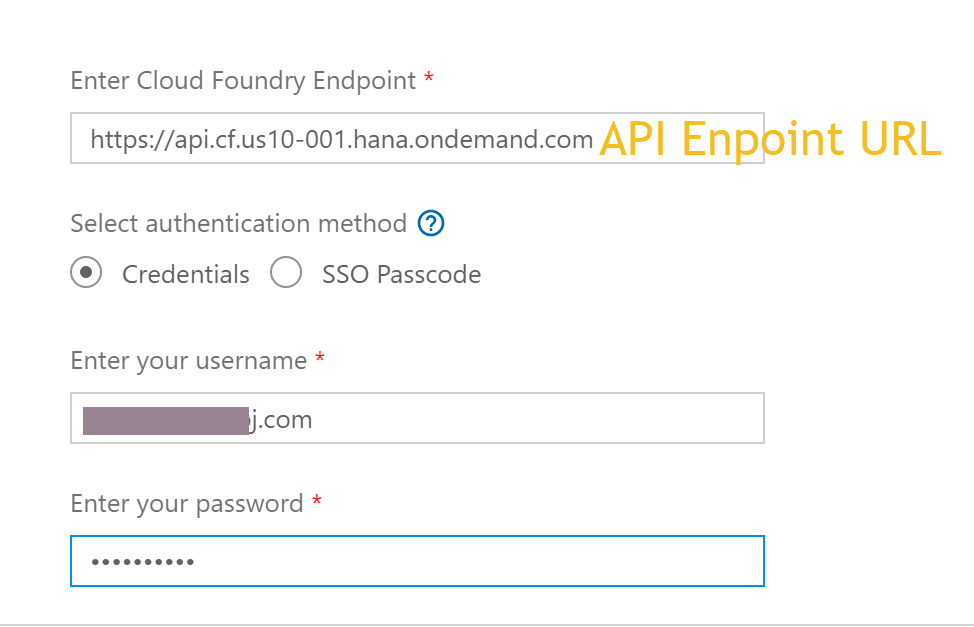
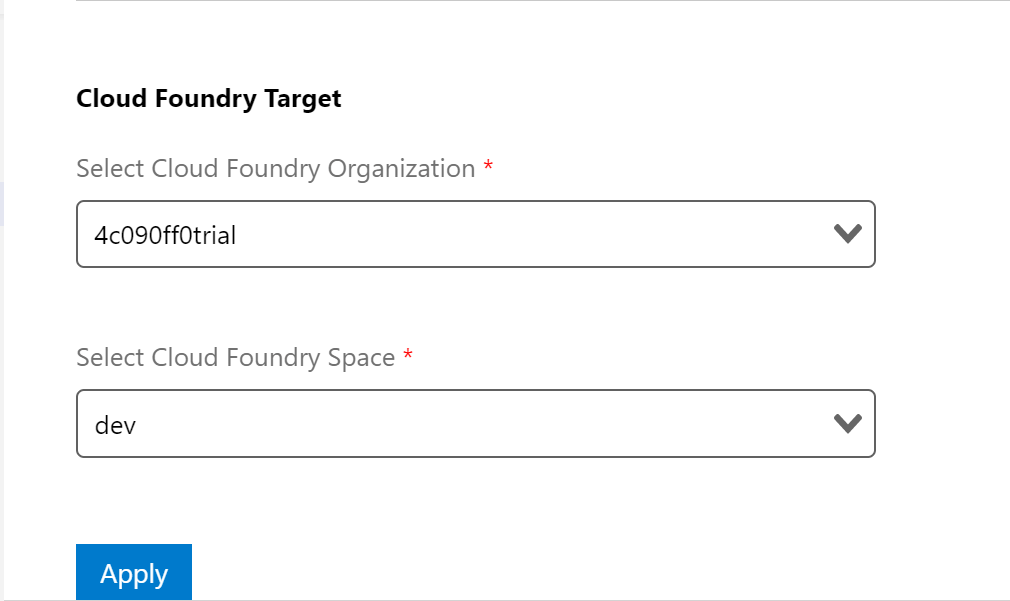
SET CLOUD FOUNDRY PREFERENCES
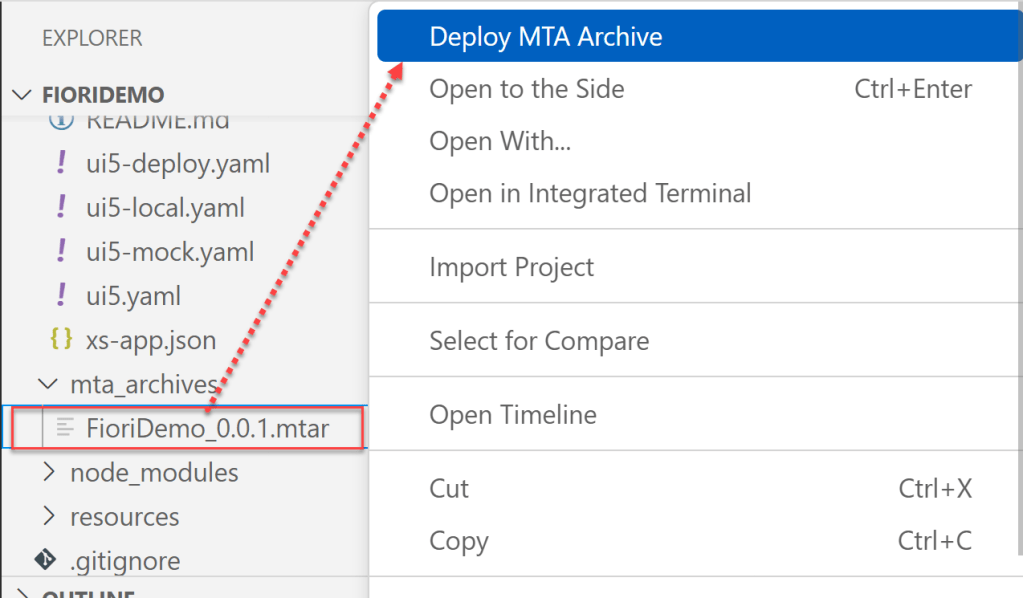
DEPLOY APPLICATION TO BTP
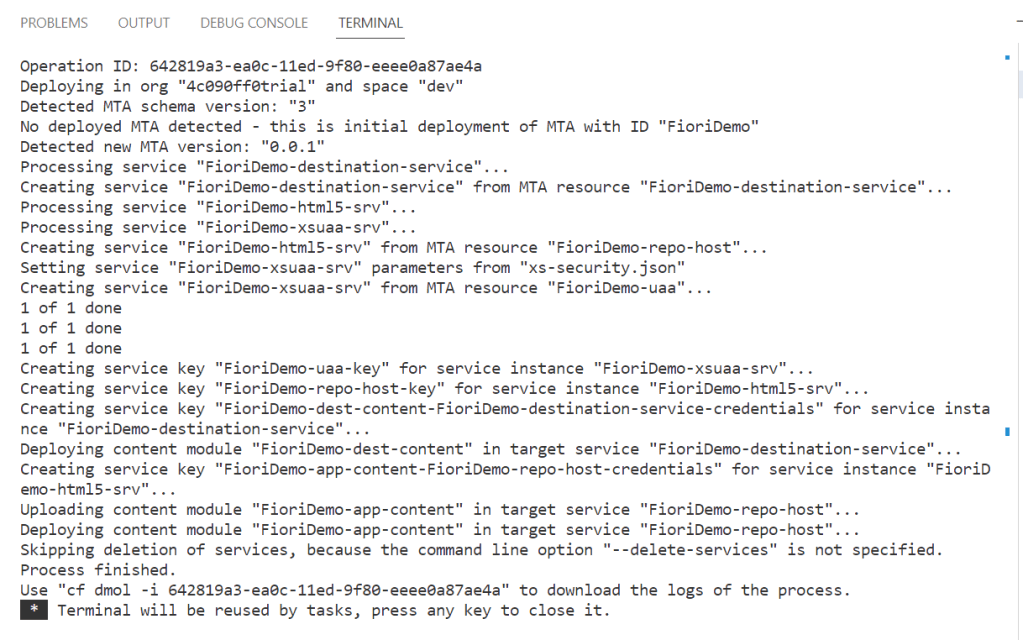
ACCESS APPLICATION ON BTP CLOUD FOUNDRY ENVIRONMENT
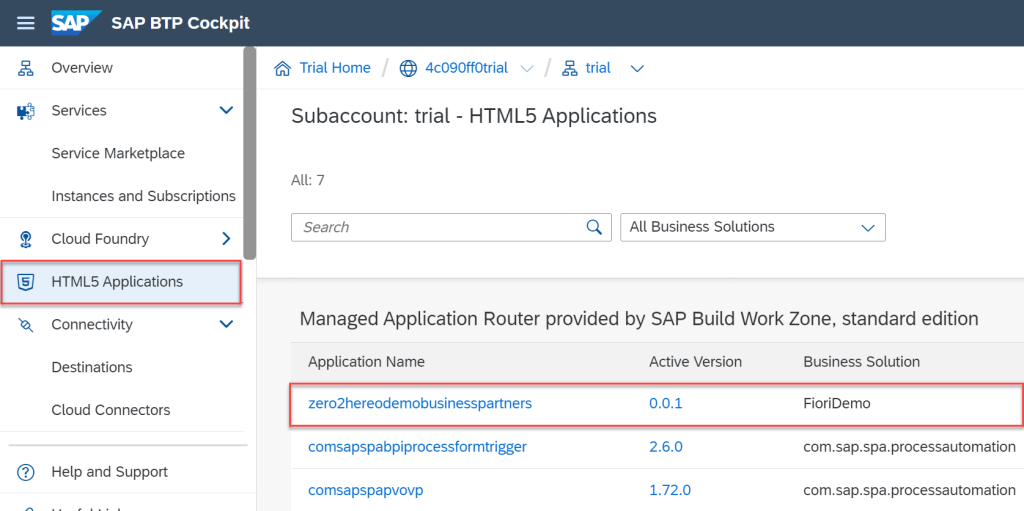
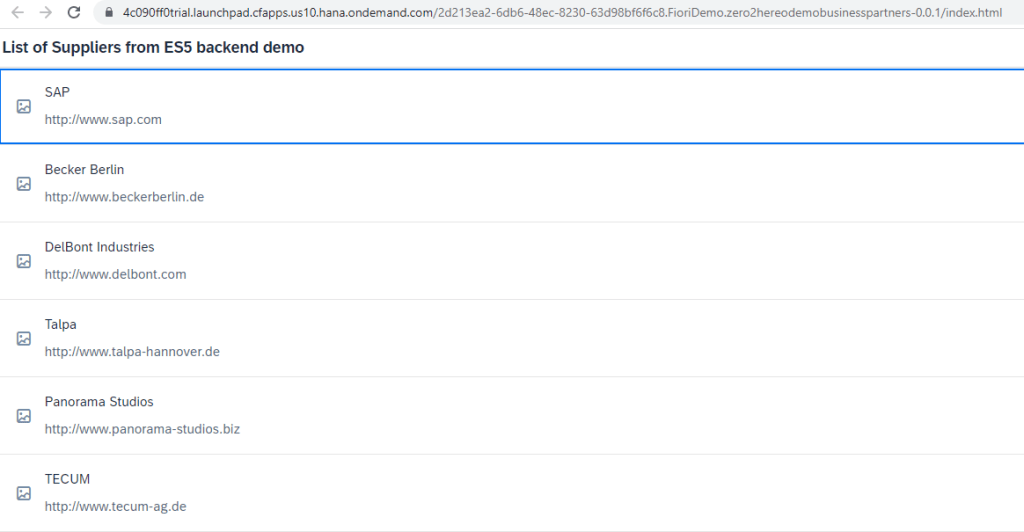
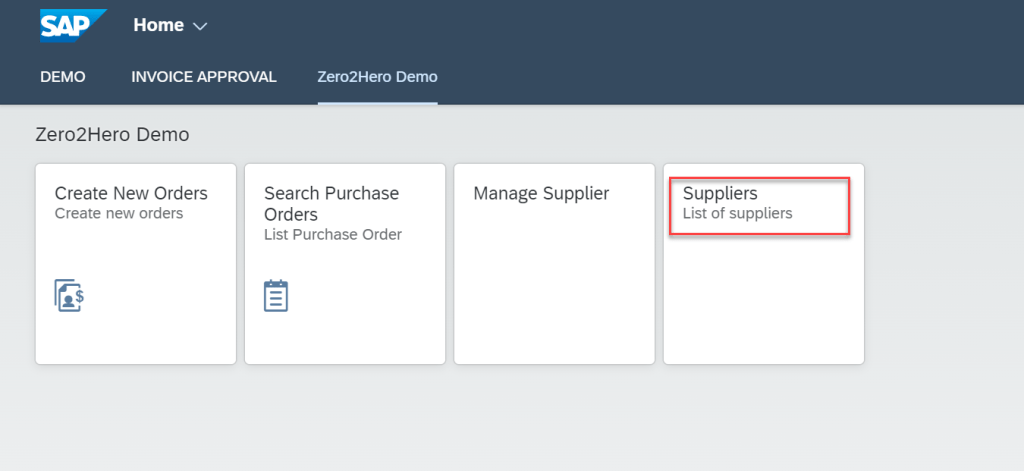
EMBED HTML 5 APPLICATION ON BTP INTO SAP BUILD WORK ZONE STANDARD EDITION
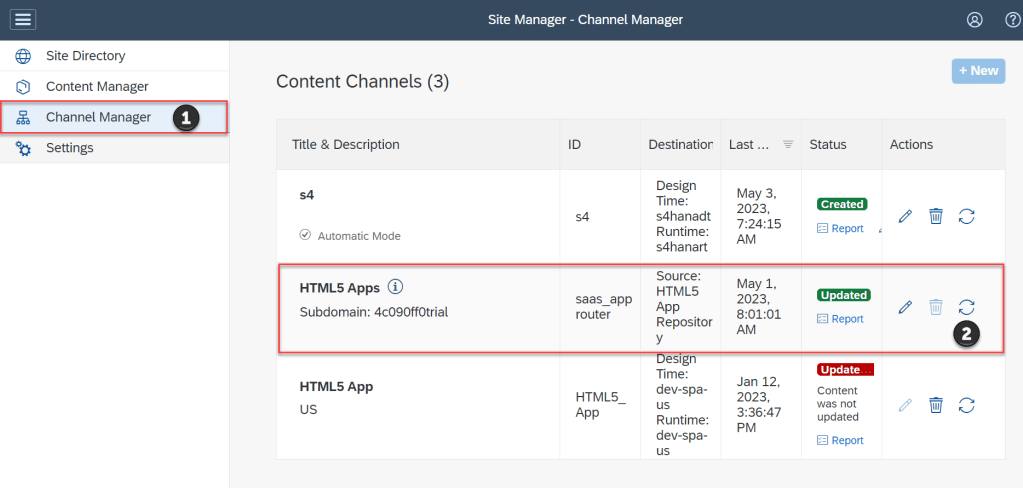
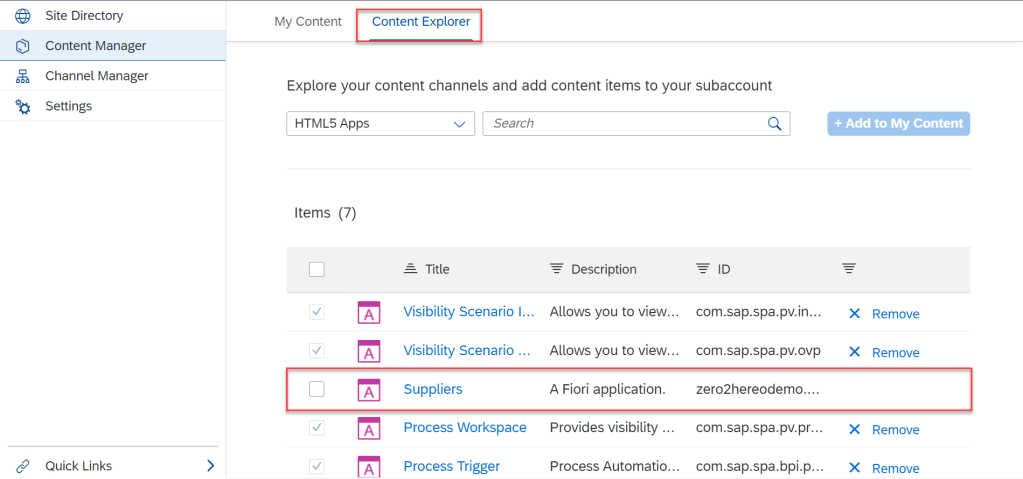
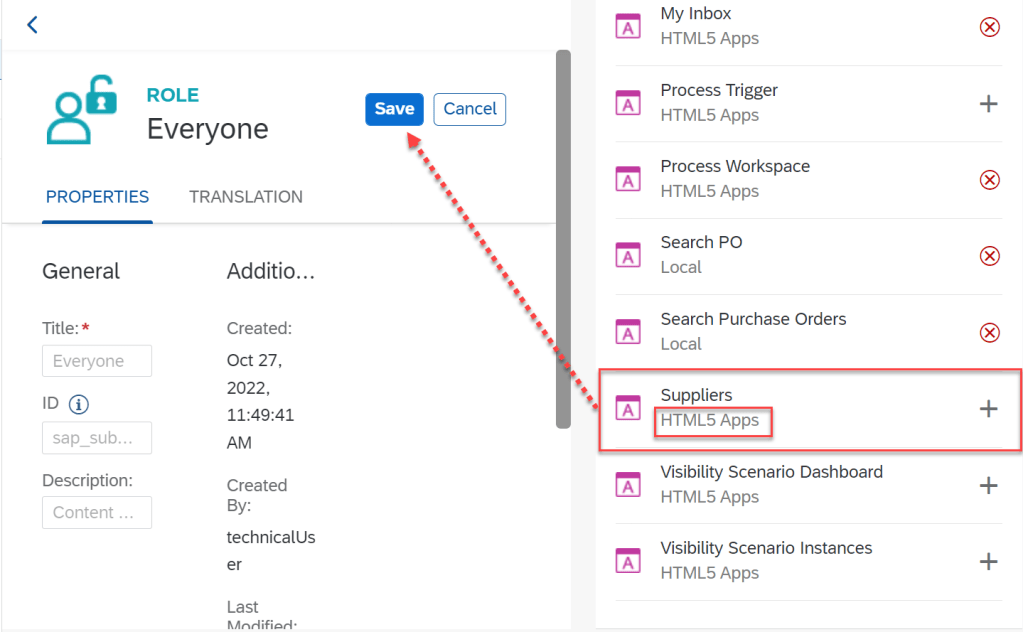
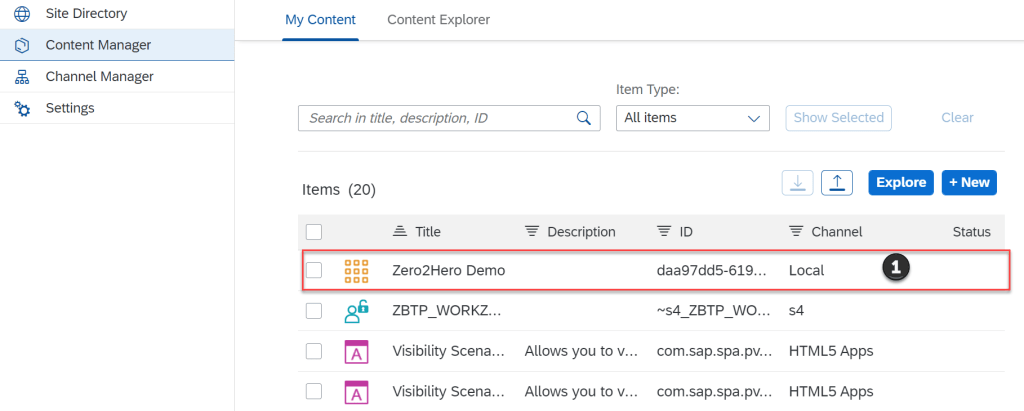
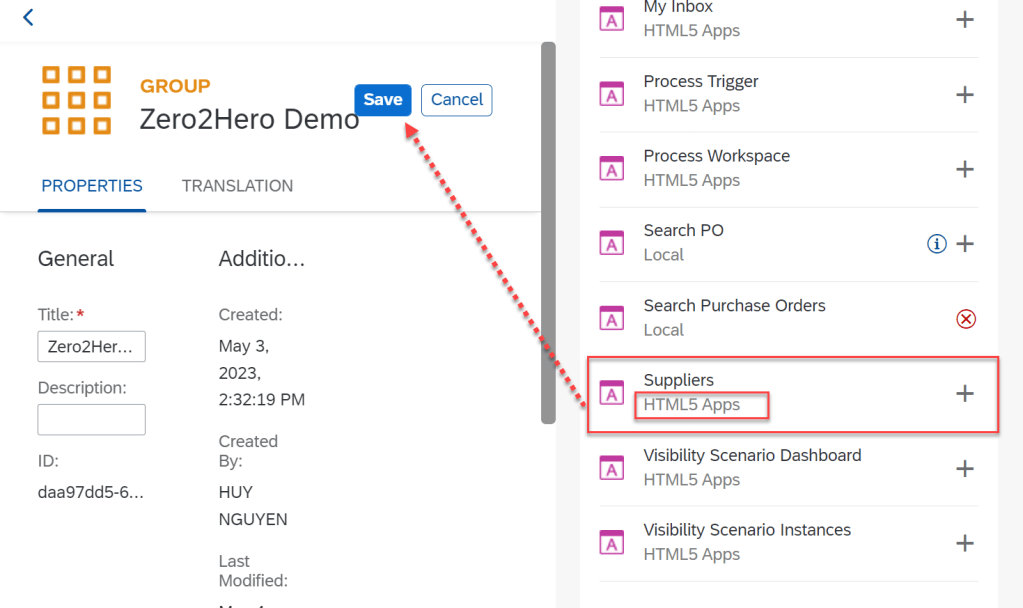
VIEW SITE
SUMMARY
In this article I shared one tutorial How to create business site with SAP Work Zone. This tutorial will be useful for collect all FIORI APP into one central area. You can do it by yourself by create trial BTP account and subscript SAP Build Work Zone standard edition and follow step by step in this tutorial. Thanks for for reading and any advise kindly leave your comment on this.
Thanks.
Joseph.

