Hi all,
In this topic, i will show you how to create sales data to SAP CAR DTA without integration.
NOTE: THE TESTING TOOL FOR IDOC PROCESSING IS ONLY ON THE DEVELOPMENT OR SANDBOX ENVIRONMENT. DO NOT USE IN PRODUCTION ENVIRONMENT
Some useful resources you can find on topics:
SAP CAR DTA Configuration steps
1/ SCENARIO
When implement SAP CAR DTA (Data Transfer and Audit) and Customizing POS Data Warehouse configured. Technical / Functional consultant needs to create sales inbound to SAP CAR DTA for configuration setup unit test.
SAP GUI already supports us function to do simulates data (TCode WE19 ). Here we can input data into IDOC structures and process send data to SAP CAR system the same ways with inbound sales integration.
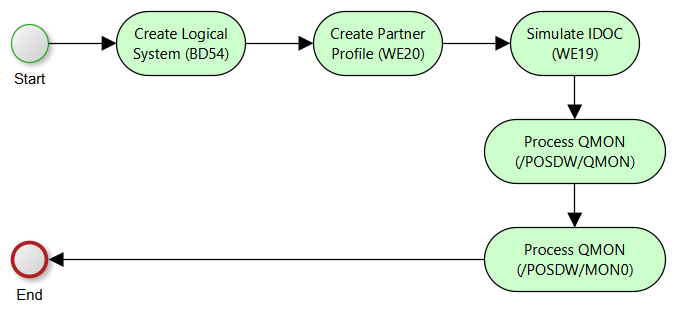
The configuration steps below will show you how to simulate inbound sales data.
2/ Create Logical System
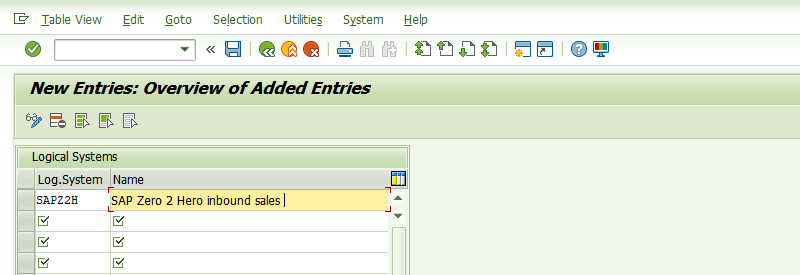
Add new logical system TCode: BD54
3/ Create Partner Profile
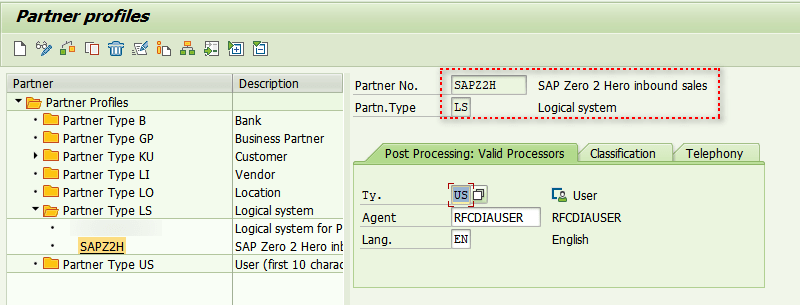
Create new partner profile with Logical System (LS) type
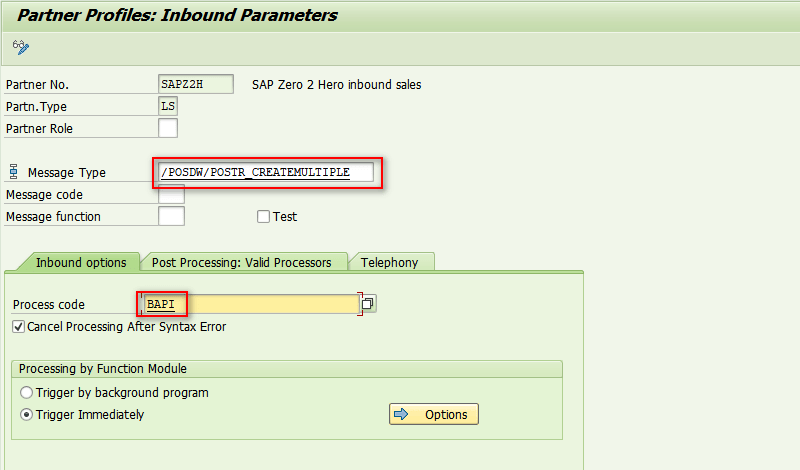
Add inbound message type to profile
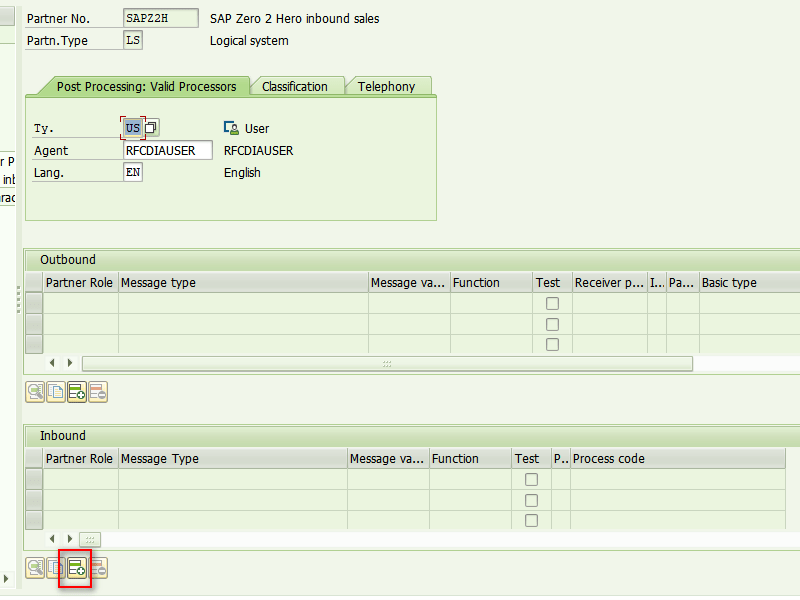
| Parameter Name | Parameter Value |
|---|---|
| Message Type | /POSDW/POSTR_CREATEMULTIPLE |
| Process Code | BAPI |
| Processing by Function Module | Trigger Immediately |
4/ Testing tool IDOC for Processing
| Object | Value |
|---|---|
| TCode | WE19 |
| Basic Type | /POSDW/POSTR_CREATEMULTIPLE06 |

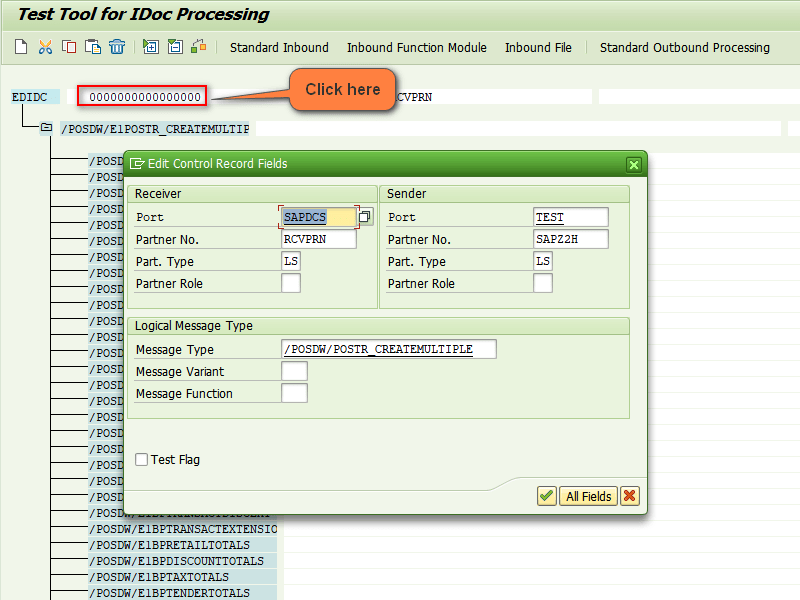
Enter IDOC Header information
| Parameter Name | Parameter Value | Example |
|---|---|---|
| Receiver Port | SAP + SYSTEM ID | SAPDCS |
| Receiver Partner No. | Any value | RCVPRN |
| Receiver Partner Role | Logical System Type | LS |
| Sender Port | Any value | TEST |
| Sender Partner No | Logical System, get from Step 2 | SAPZ2H |
| Sender Partner Type | Logical System Type | LS |
| Message Type | Inbound Sales Message Type | /POSDW/POSTR_CREATEMULTIPLE |
5/ Enter data to IDOC fields
For Sales inbound IDOC we need to focus to segments:
| Segment Name | Remarks |
|---|---|
| /POSDW/E1BPSOURCEDOCUMENTLI | This segment content receipt header information |
| /POSDW/E1BPRETAILLINEITEM | This segment content sale items in the receipt |
| /POSDW/E1BPLINEITEMDISCOUNT | This segment content discount information of item |
| /POSDW/E1BPTENDER | Payment information of receipt |
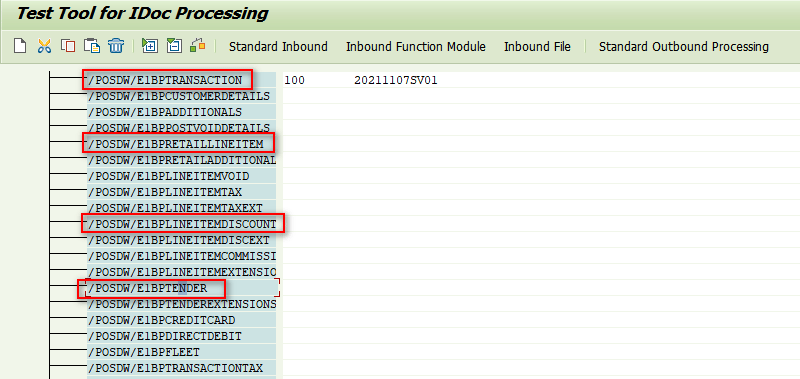
To input data to fields, just double-click to the segment
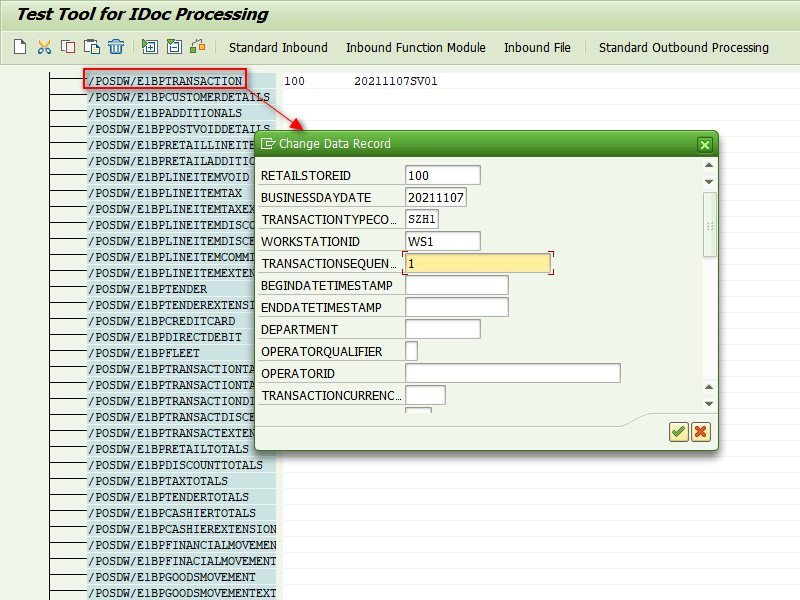
6/ Process IDOC
Process Inbound IDOC after fill data to segments
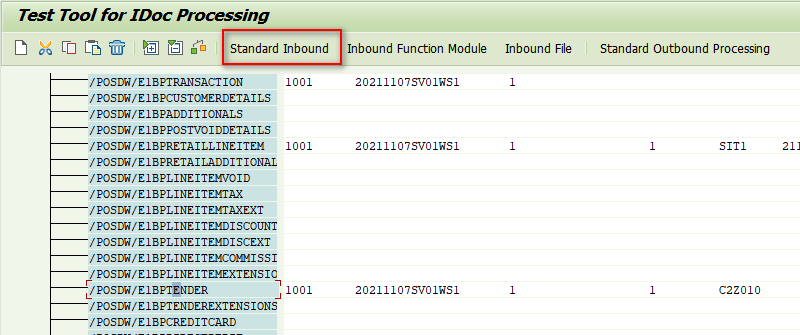
IDOC create success
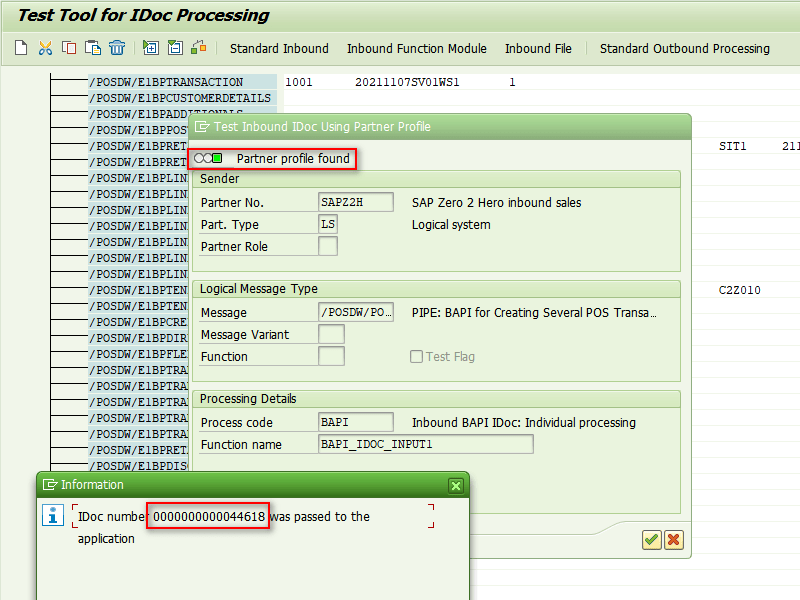
7/ Process Data from QMON
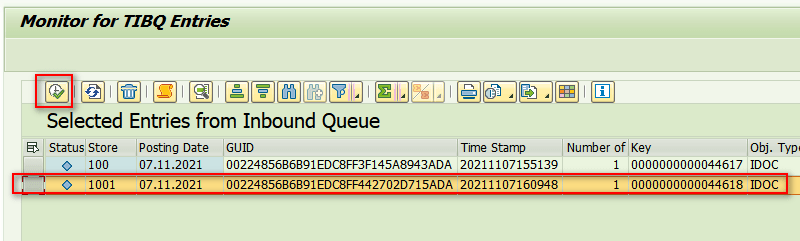
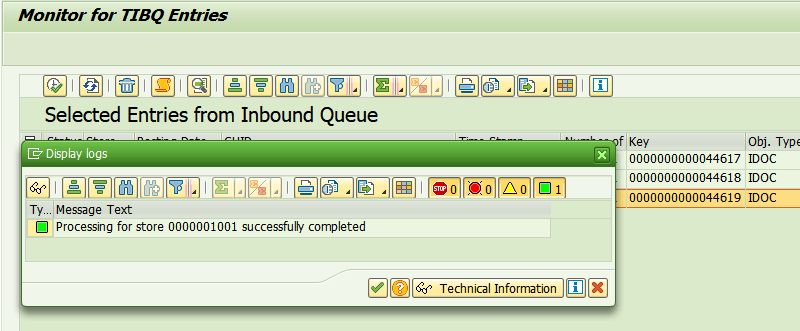
After IDOC is created in step 6, we need to process the inbound queue if the system is configured through Inbound Queue.
TCode: /POSDW/QMON
Data create in QMON with Key reference to IDOC created in step 6.
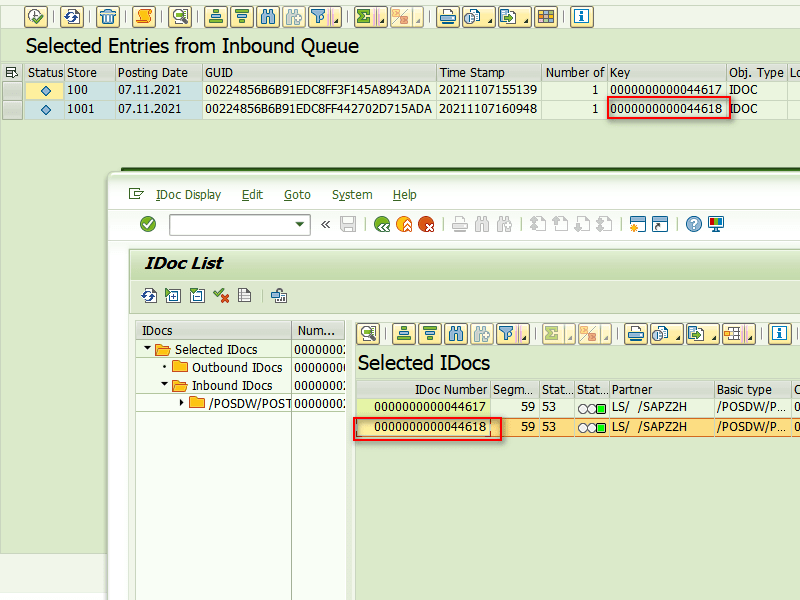
Select line and process data to POS Workbench
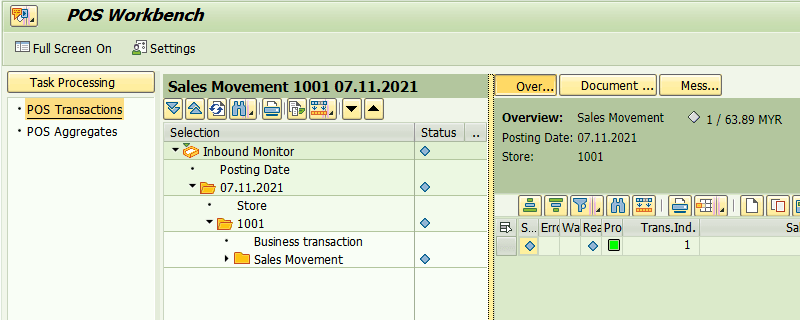
7/ Check data created in POS Workbench
Sale inbound created in POS Workbench (Tcode: /POSDW/MON0)
Thanks,
Cuong Dang (Cody)
 SAP Zero to Hero
Hi Cuong
Thanks for sharing this knowledge, it is very helpful.
I managed to post the IDOC in my CAR ( CARAB 5.0 – FPS04) test system.
However , I got the following error message :
“Sum of items does not equal the payment sum” ( Message number 10, Message class /POSDW/ACTIONS).
My Sales is $ 279900 inclusive tax of $27738 (10%)
Payment Sum is $ 279900 ( Thus Payment amount equals to sales amount)
In one of SAP blog says: Above error normally is caused by incorrect XI mapping. However we dont use XI at the moment, I created the Posting through WE19 ( manually created IDOC).
https://community.sap.com/t5/customer-relationship-management-blogs-by-members/basics-of-pipe-monitoring-part-i/ba-p/12894635.
Any input or advise on above issue ?
Really appreciate your inputs and thanks in advanced!.
Best Regards
Jimmy
[Fyi,We both worked under Ele**** on one Retail project (for V**Gr**p) in your home country , back on 2017. 🙂 ]
LikeLiked by 1 person
Hi Jimmy,
Nice to see you around 😘
LikeLike
For the issues, you can check tax include/exclude indicator in discount configuration if i am not wrong
LikeLike
Hi Cuong,
Thanks for your document. I have a query, for non decimal currencies (HUF, VND, KRW ) how it is to be handled in SAP CAR, any standard FM is available or we have to do custom code?
Same way how it to be propagate to BW, using same task of decimal currency or we need to define new task.
LikeLike