
Hi guys, next article in series SAP IDENTITY AUTHENTIATION SERVICE (IAS), in this article I want to share my understand about IDENTITY PROVISIONING SERVICE (IPS). What’s this ?
Identity Provisioning Service – IPS is a service in IAS.
Imagine below context
The process can be used for directory synchronization, provisioning, and user access control. The top–down user sync process begins by gathering user data from an external source and then mapping the data to the user directory. The mapped data is then used to create user accounts, update existing user accounts, and delete user accounts as needed. This process can be automated using SAP Identity Provisioning Service(IPS) or manual processes (not recommended).
The process is beneficial as it allows administrators to quickly and easily manage user access and user data across multiple platforms with complete automated way.
IPS can resolve 2 scenario
Scenario one – Sync user data from AD Azure into IAS
Scenario two – Distribute user from IAS into SAP Cloud application (BTP, S4HC, SF, SAC, …)

For tutorial simple and with demo purpose IAS/IPS, I just sync user from IAS into SAP BTP ABAP Environment.
My Scenario
On IAS, I create one group ABAP Developer, and add user into it. After that I will use this user logon to SAP BTP ABAP environment by ADT Eclipse.
Prerequisites
I finish this article, we need:
- SAP BTP Trial account
- SAP BTP ABAP Environment (FreeTier)
- SAP IAS Tenant
- Application Development Tool – ADT Eclipse
Step by step
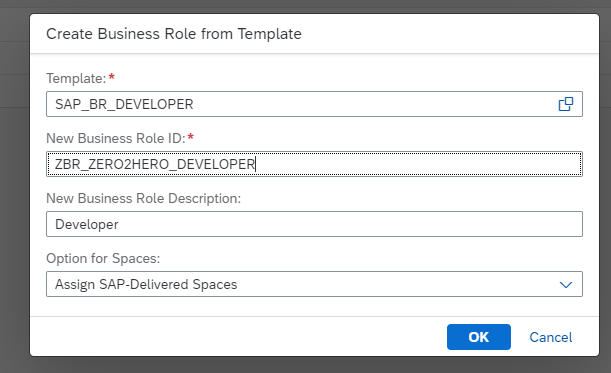
Create Business Role on SAP BTP ABAP Environment

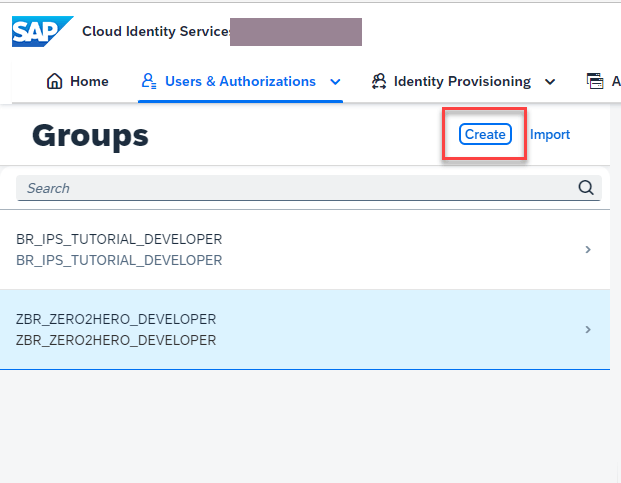
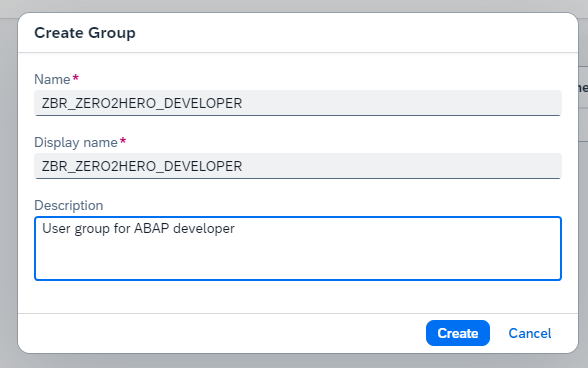
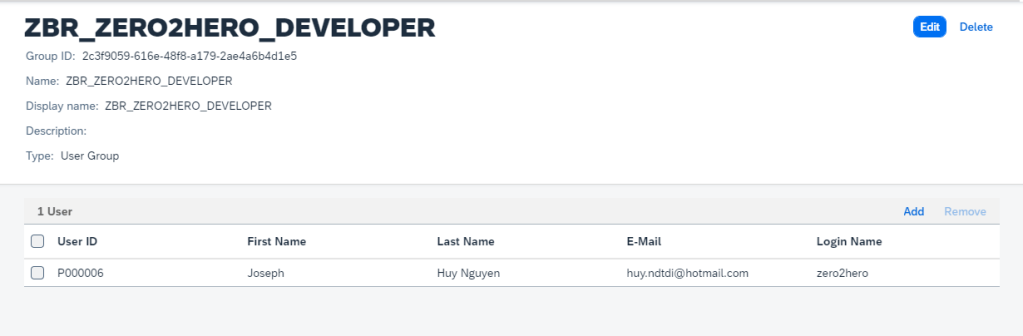
Create User group on IAS
NOTE
User group on IAS must have name the same with Business Role on SAP Application cloud. Example SAP BTP ABAP ENV
Create user on IAS


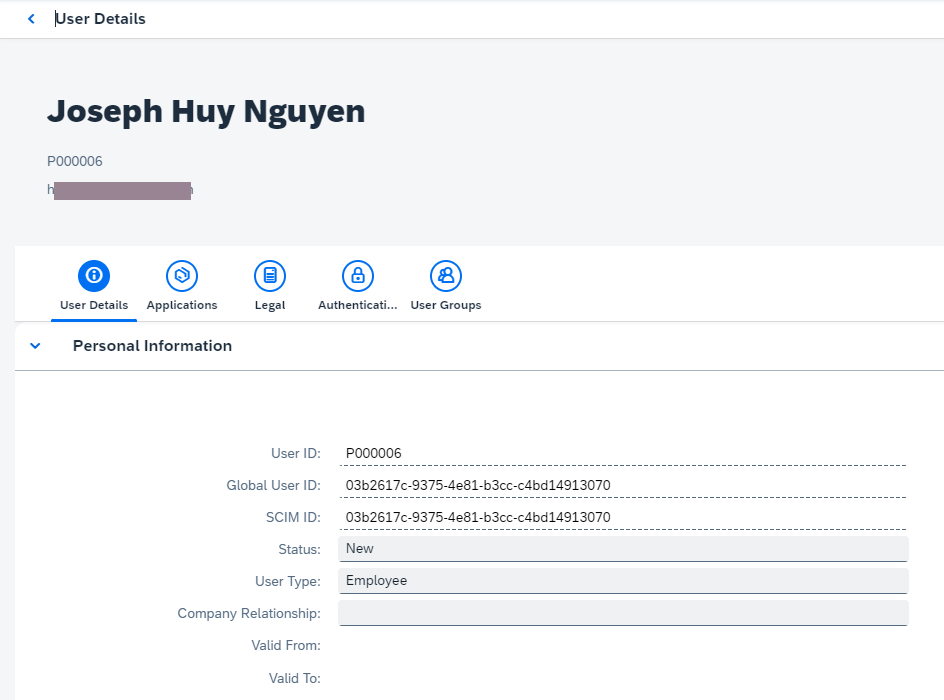
Add user into user group in IAS
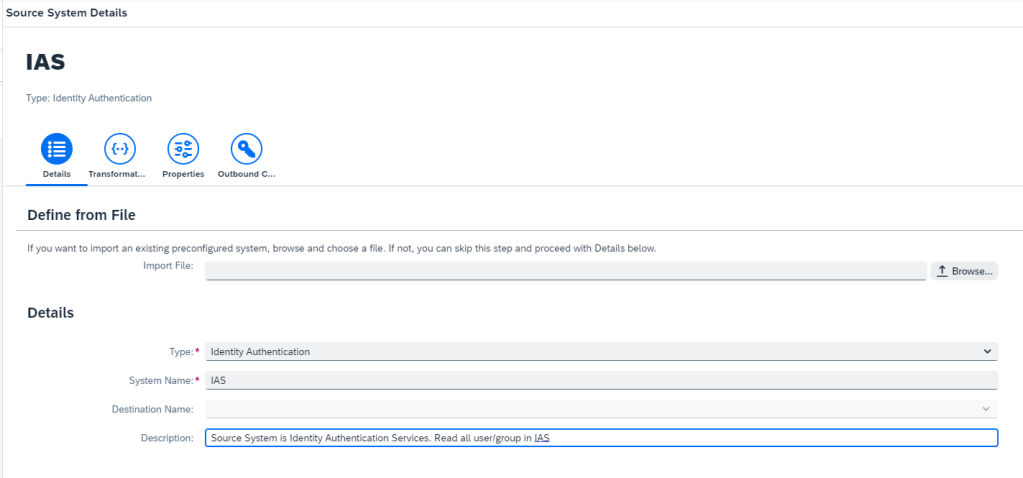
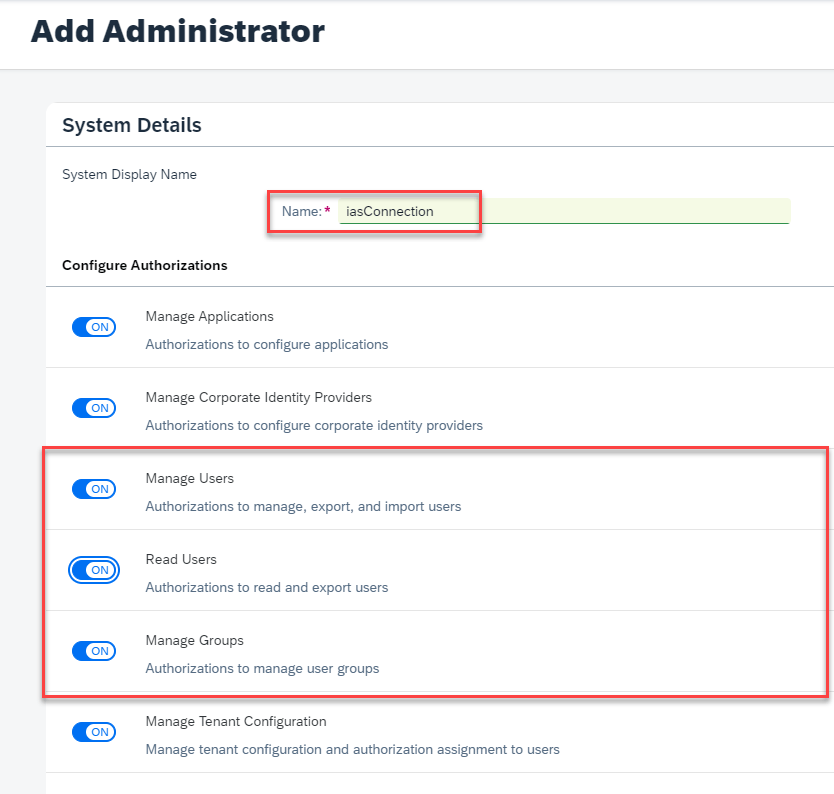
Create source system (IAS) by IPS
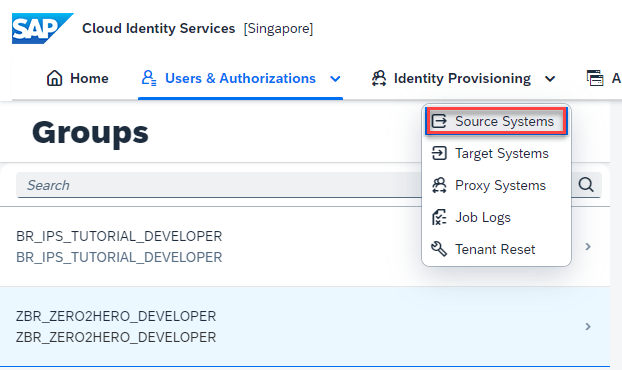
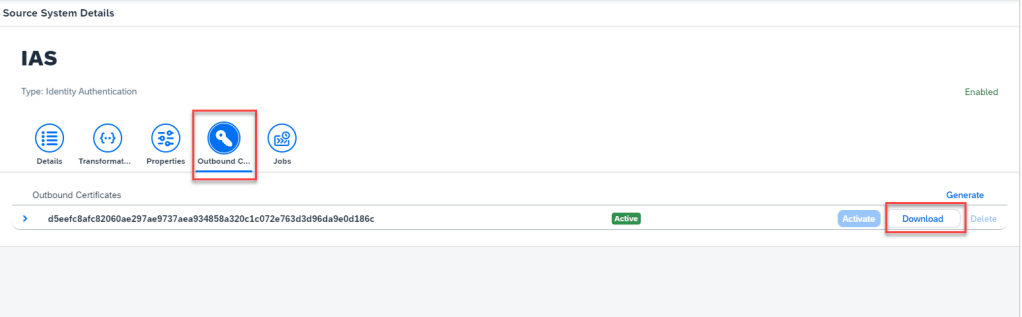
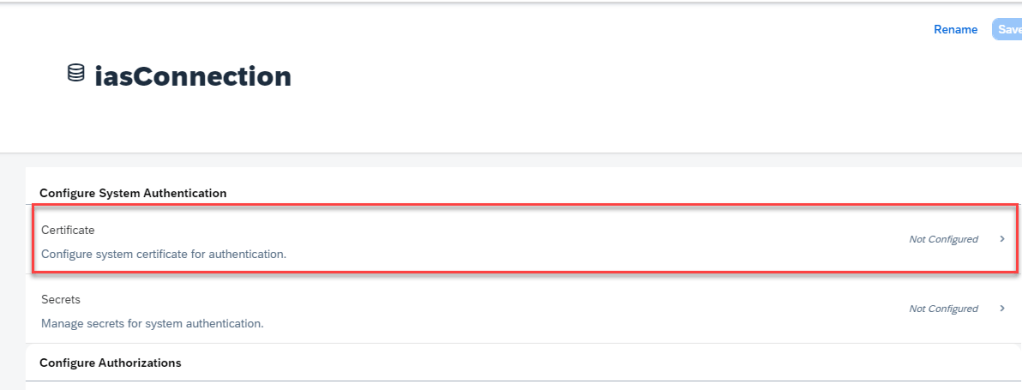
Download certification outbound of source and inport into user system of IAS



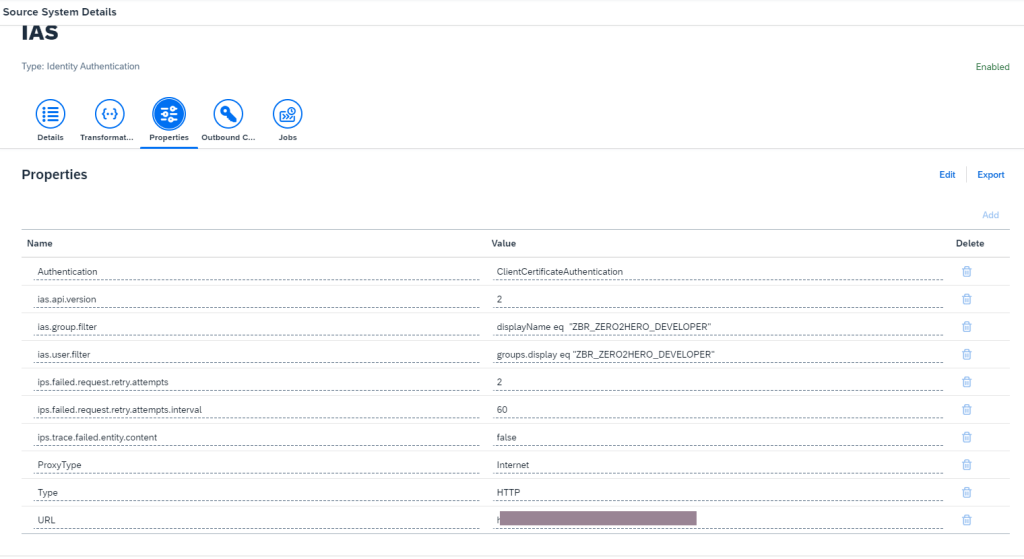
Configuration properties for source system
This step, we can reference on SAP help to know what value to configure. This is my cofiguration
Create target system (SAP BTP ABAP Environment) on IPS


Download certificate outbound of target system
This step, we have to download certificate of outbound to configure communication user in SAP BTP ABAP Environment. It’s mean create connection from IAS to SAP BTP ABAP also
Download outbound certificate

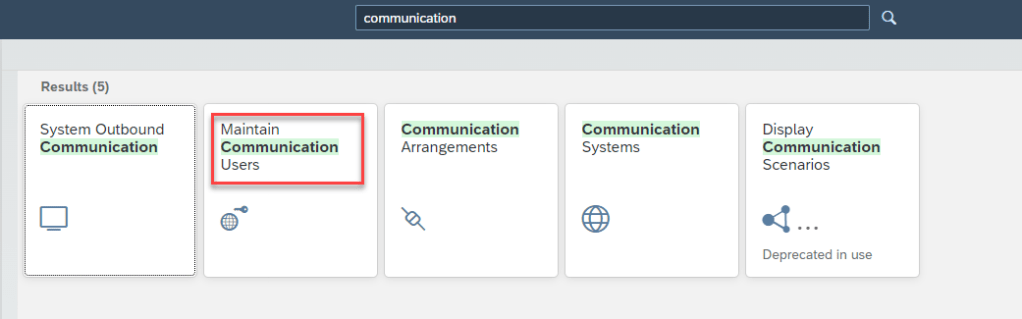
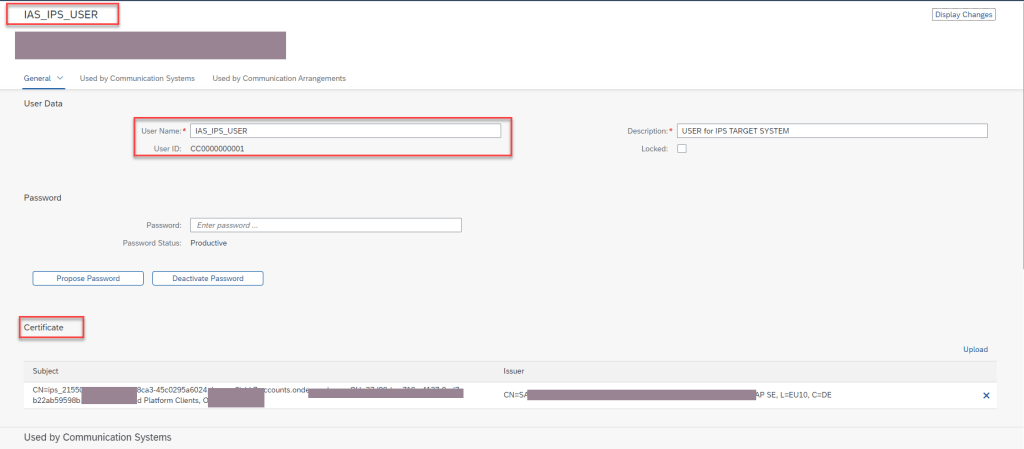
Go to SAP BTP ABAP Environment and create communication user, import certificate also
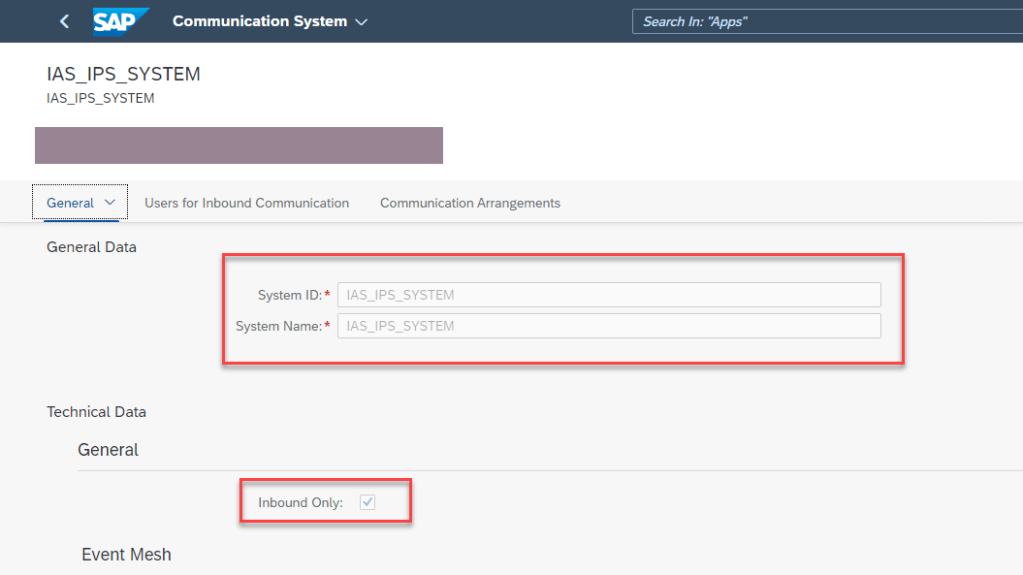
Create communication system on SAP BTP ABAP
This step we will create communication system on SAP BTP with inbound connection from IAS to SAP BTP. We also import user on above step as inbound user


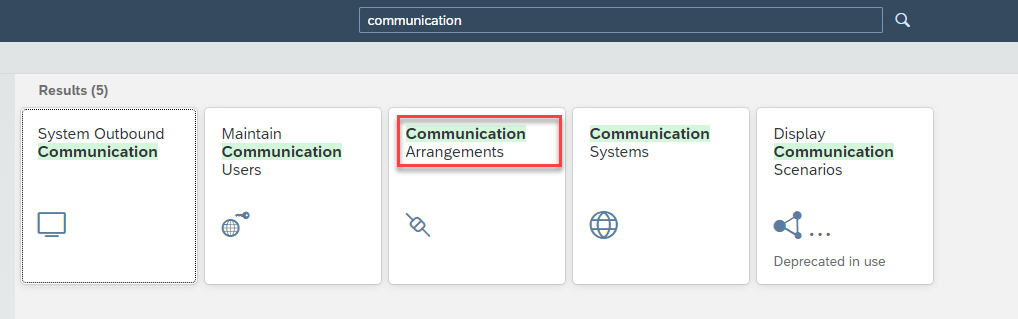
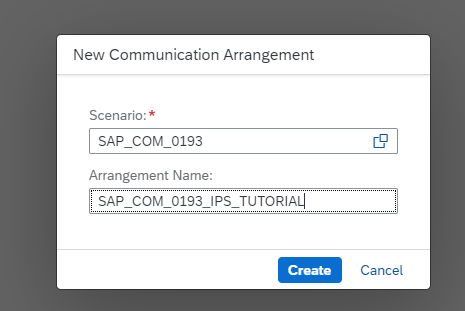
Create communication Arrangement with scenario SAP_COM_0193
This step, we will create communication aarangments with scenario SAP_COM_0193. We also add system and user above in this configure.
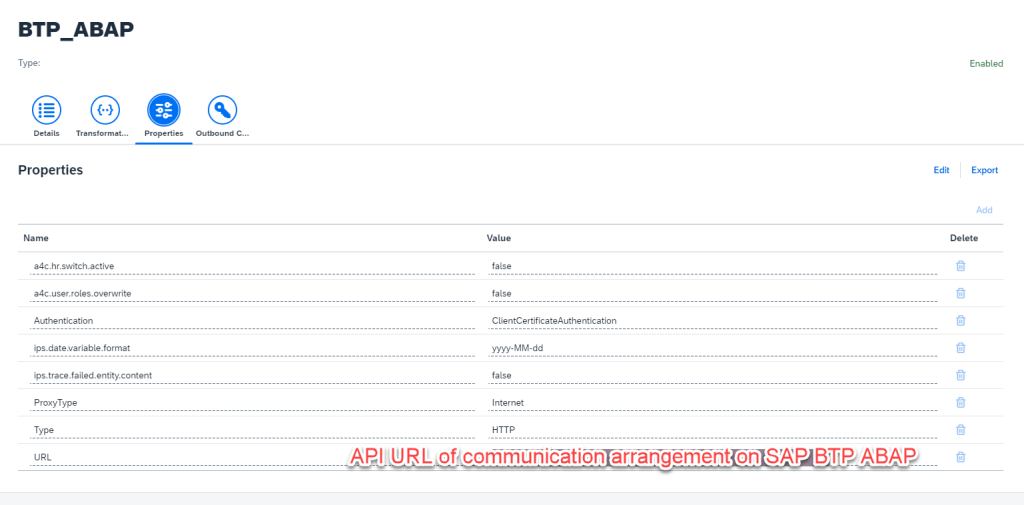
We also get API URL of this communication arrangement to configure in properties of target system in IAS.


Configuration properties for target system on IAS
This step we have to configure properties for target system on IAS. This step we can reference on SAP help for more details.
OK well done. Next we will test this scenario by run job and check log.
Run Job from source system to sync user from IAS to SAP BTP ABAP
Run Job

Check job log
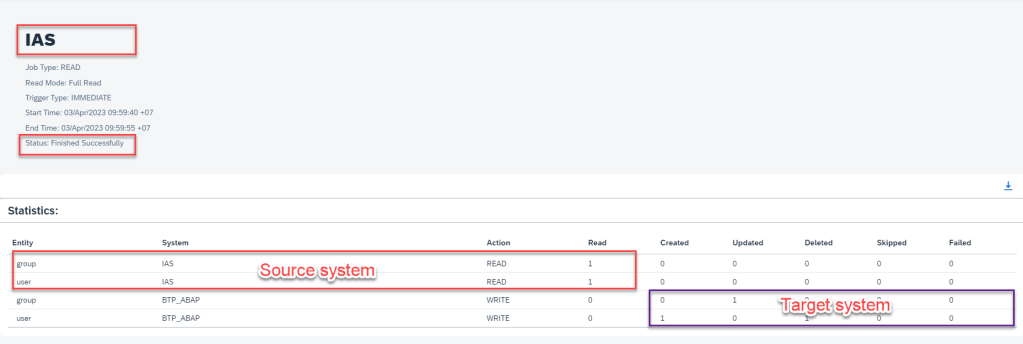
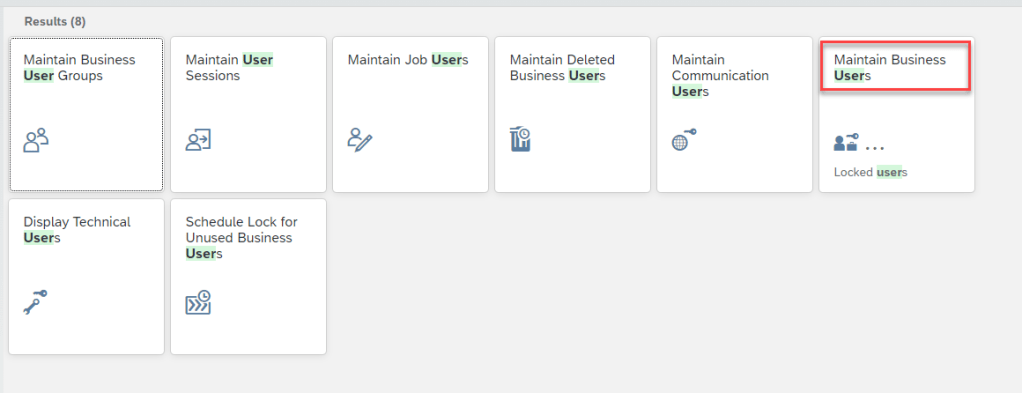
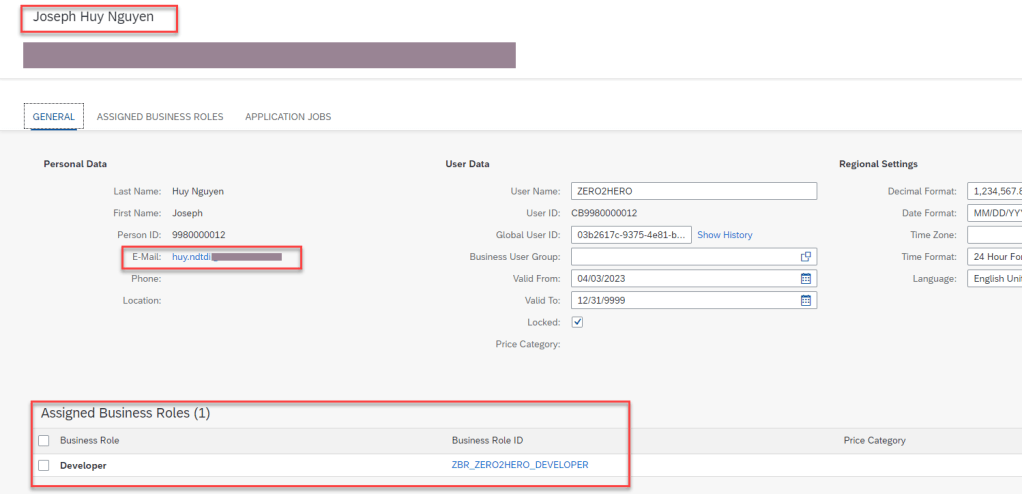
Check on SAP BTP ABAP Environment
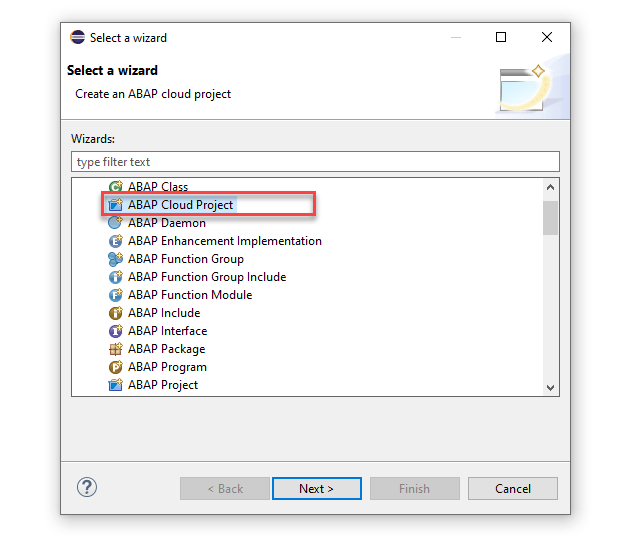
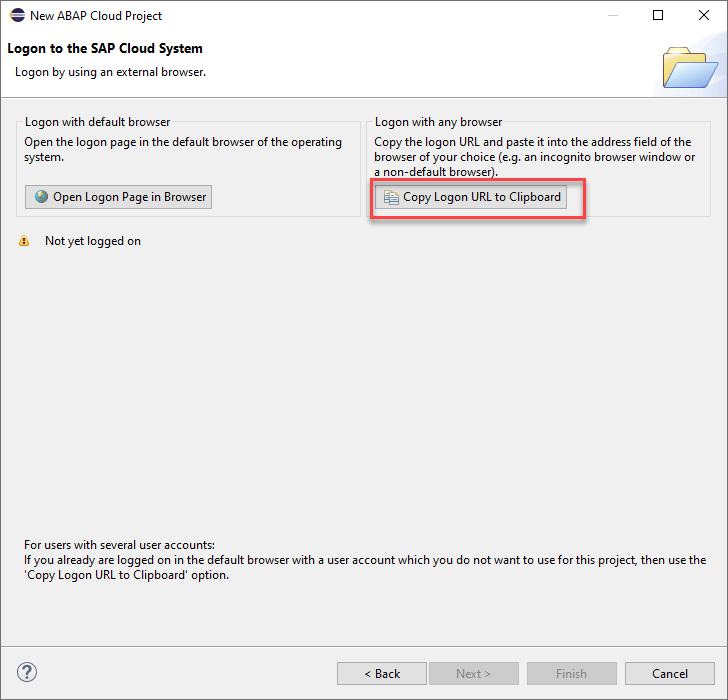
Connect ADT with this user




SUMMARY
Ok well done, so long but just screen capture :). In this article I shared my understand how to provision user from IAS into SAP BTP ABAP Environment and login user in IAS into SAP BTP ABAP by ADT eclipse. Thanks for your reading, any advise kindly leave your comment on this.
Thanks
Joseph Huy Nguyen
 SAP Zero to Hero
Hello Joseph,
Many Tanks for this blog.
Can I also use sap BTP via IAS and Azure AD and Active Directory (without ADFS)?
What advantages does Azure AD have over on-premise AD?
Is it possible to connect IAS directly to Microsoft Directory (without ADFS) and what are the disadvantages?
Do I have to manually maintain the users everywhere, i.e. Azure AD and IAS?
Many thanks
Best Regards
luc
LikeLike
Hi Luc
In case we have many Identity provider in our landscape, and we just us only one account to login all (Single Sign On) we will use this to configure. No need manage user everywhere.
Thanks.
LikeLike
Hello Joseph,
Thank you for this blog !!!!
I don’t understand the following.
these source systems are permitted for SAP IPS:
SAP ABAP Application Server
SAP S/4HANA
SAP LDAP
SAP Active Directory
For example, if I replicate a user “smith” from SAP S/4HANA to SAC, are all authorizations from user “smith” also replicated to SAC? For example, if user “smith” has SAP_ALL authorization, will SAP_ALL be synchronized to SAC?
second thing i don’t understand is this:
For example, in S/4HANA on premise or in Active Directory on premise, the authorizations are different (or have different names) than in IAS or e.g. SAC. How are the authorizations then replicated and still understood by IAS and SAC.
I would be very grateful for an answer.
Thanks very much
Best Regards
Mike
LikeLike
Hi Mike,
Sory for late reply. With IPS and IAS, we just authication user. Example, User smith created in AD, and we want to use this user login to S/4HANA, we will configure Indentity provider of AD as Coporate Provider in IAS of S/4 HANA. After authen user is done, next step we will grant permission for user throuhg group according.
LikeLike
Hello Experts;
We are currently in the process of implementing SAP IAS with Azure (with Azure groups). In this context, we have some questions regarding the best approach.
One option we are considering is to synchronize the Azure groups with SAP IAS and then synchronize all groups (both IAS and Azure groups) to SAP BTP using IPS (Identity Provisioning Service). This way, we could manage permissions in SAP BTP.
However, is that the best practices to efficiently and securely integrate Azure and SAP IAS ?
We would greatly appreciate your experiences or recommendations on this matter.
Thank you in advance for your assistance
Best Regards
LikeLike
Hi blog,
Do users from Azure need to exist in the IAS user store ? Many Thanks
LikeLike
Hello,
Many Thanks for this very good blog/explanation.
What are the advantages and disadvantages of these two scenarios?
Scenario one – Sync user data from AD Azure into IAS
Scenario two – Distribute user from IAS into SAP Cloud application (BTP, S4HC, SF, SAC, …)
Many Thanks
Best Regards
LikeLike