Hi guys, in this article I talk about SAP Business Application Studio and how to create project in there
Prerequisites
SAP BTP account. (Trial Or Production)
SAP HANA Database instances.
Reference Here to view How to create SAP HANA Database Instances.
Step 1 : Create development space
- Go to SAP Business Application Studio

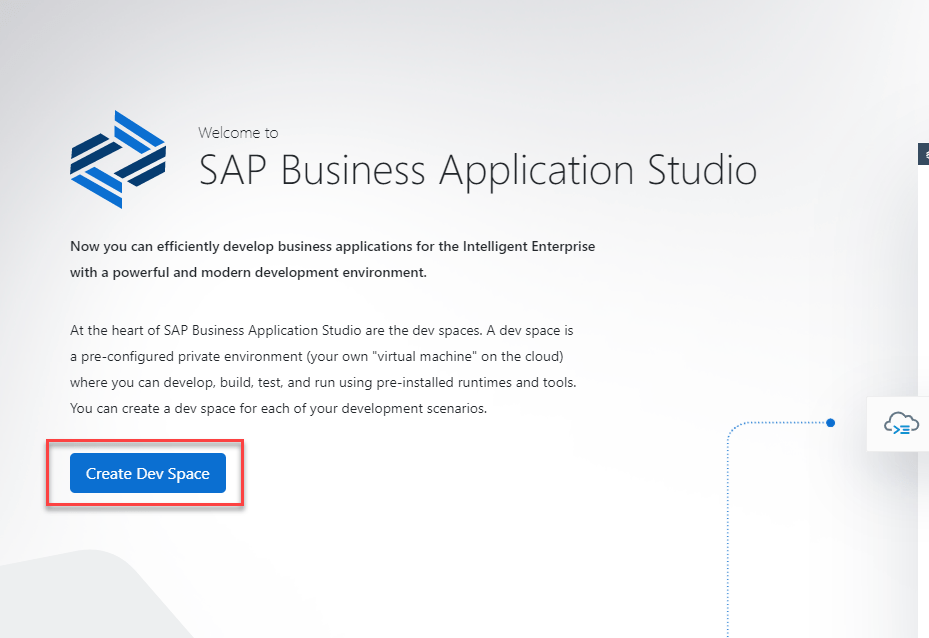
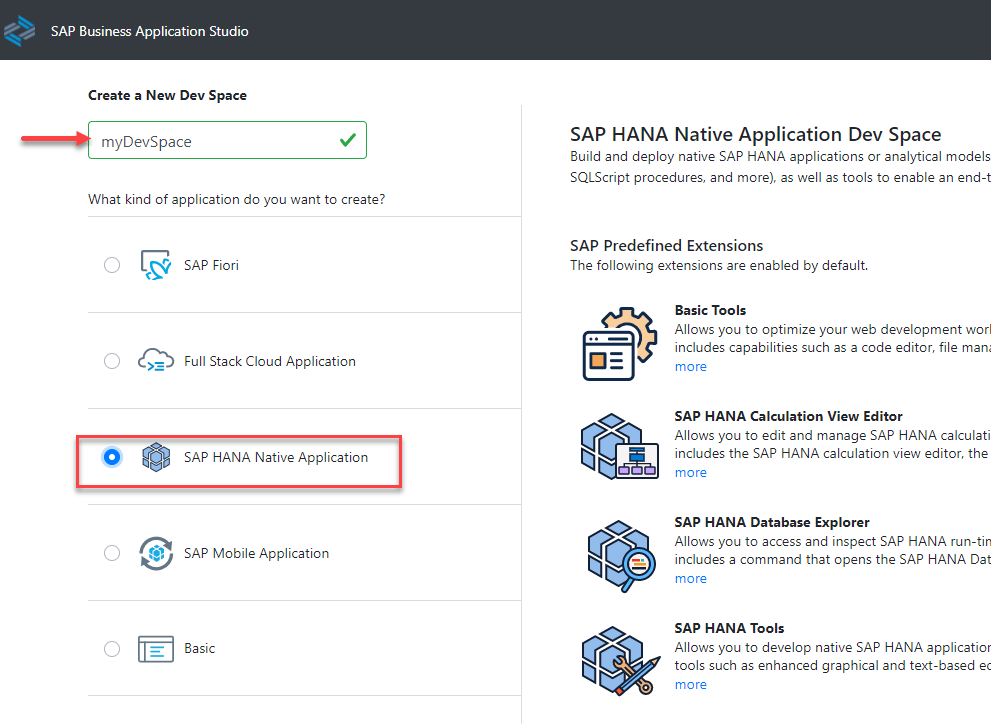
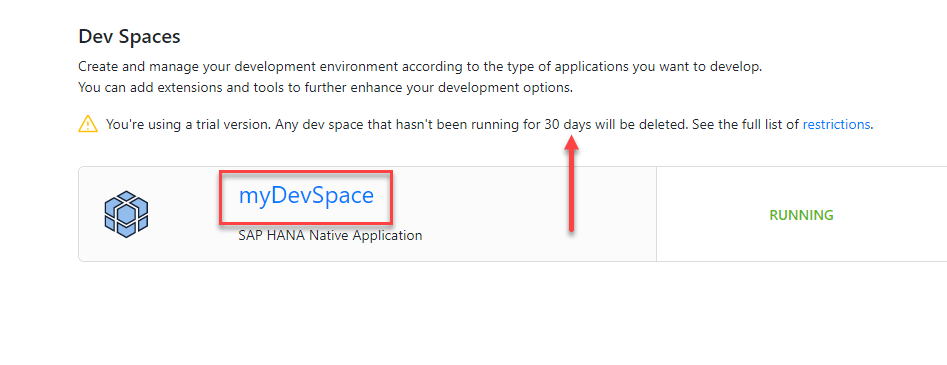
Take a note that dev space just exist 30 days. After this period, dev space will deleted.
Step 2 : Create development project
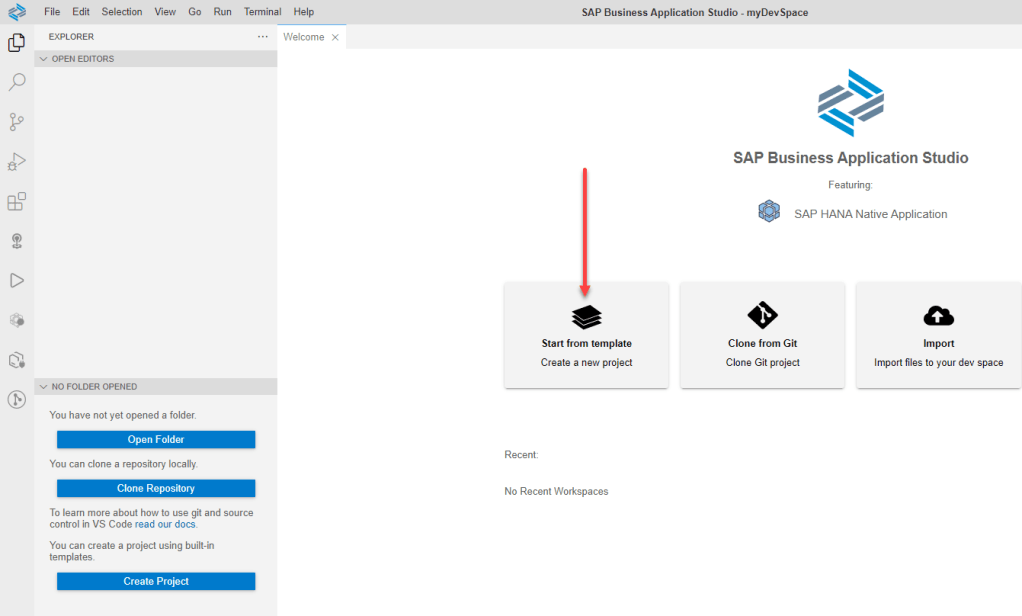
- Click SAP HANA Database Project and click Start
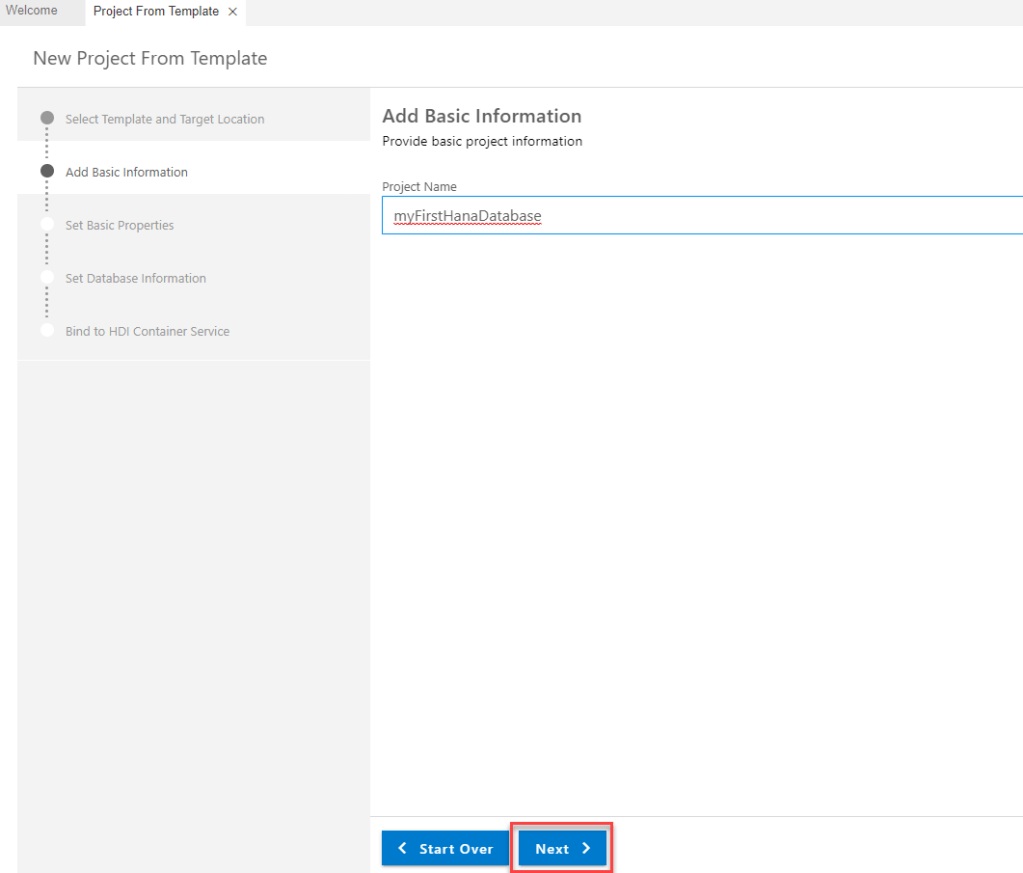
- Leave with default module name and Next

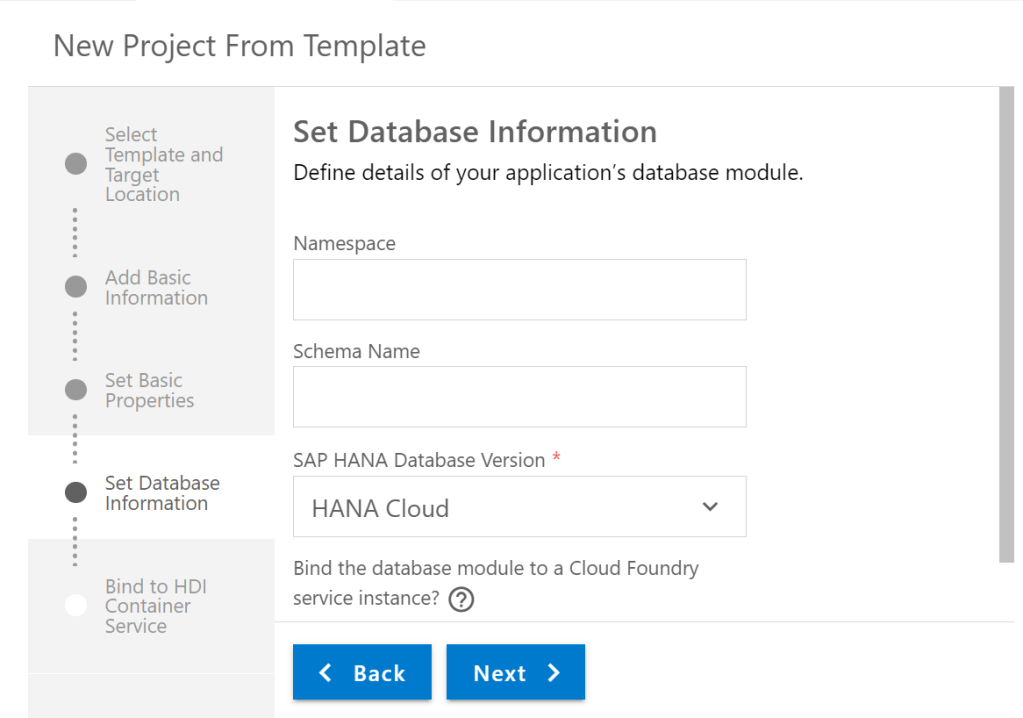
- Leave with empty for field Namespace and Schema Name. Click Next
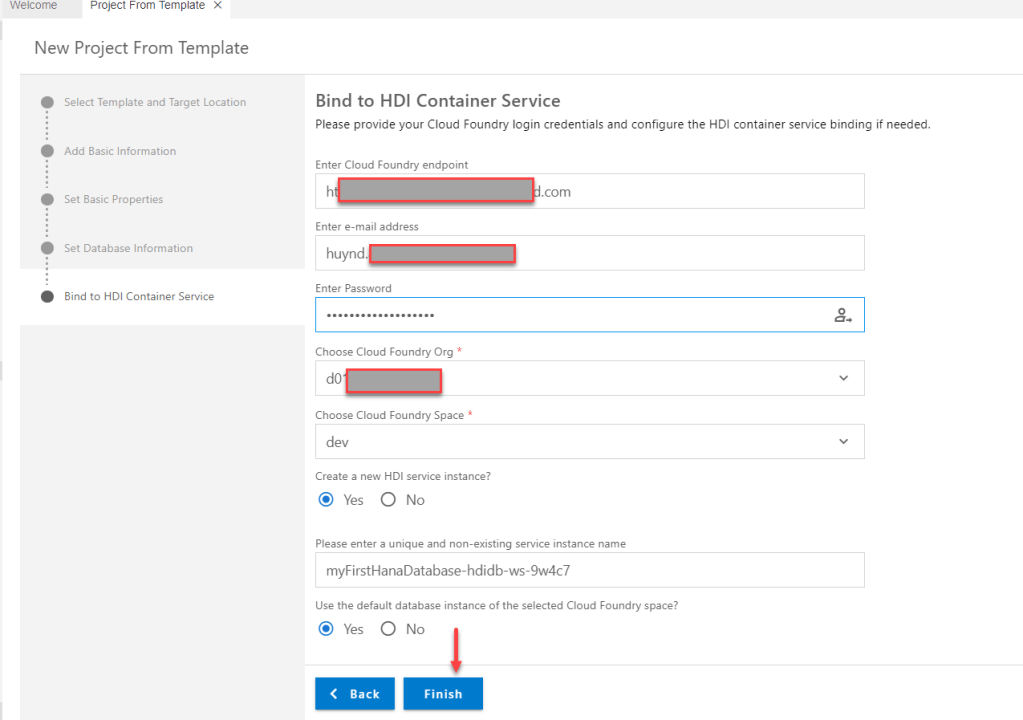
- Fill information account and click finish
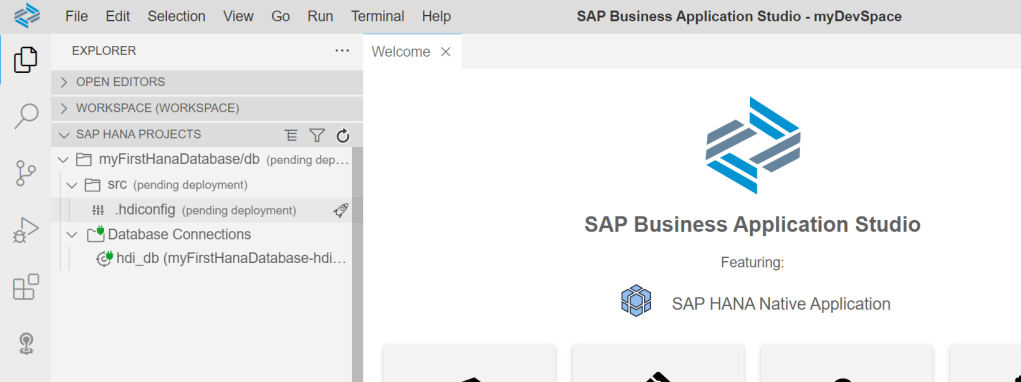
This is results
Step 3 : Create user-provided service
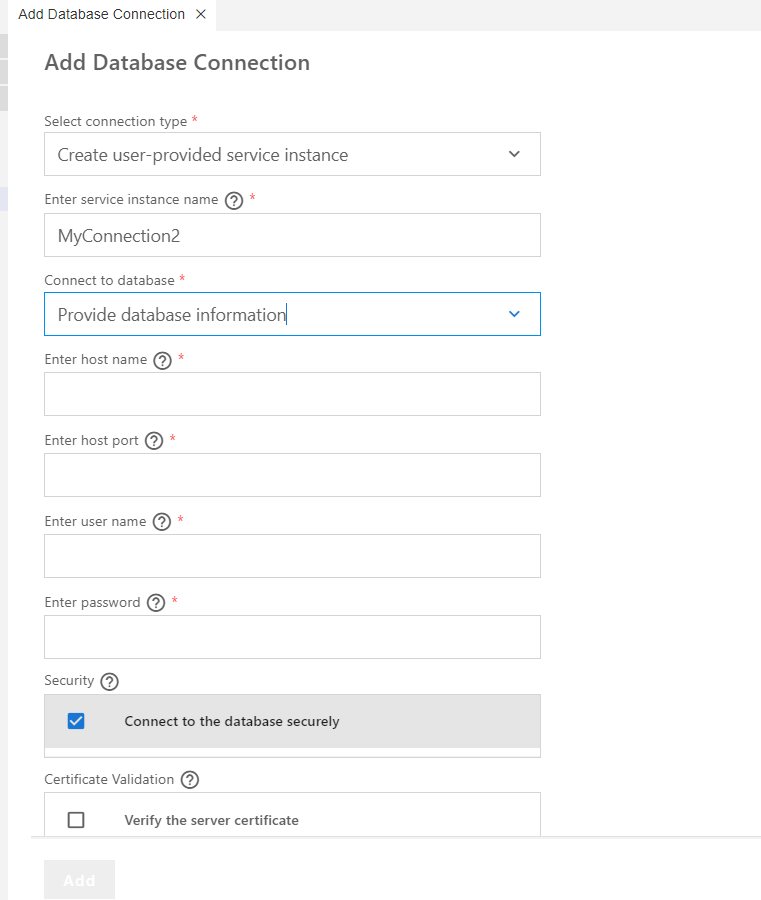
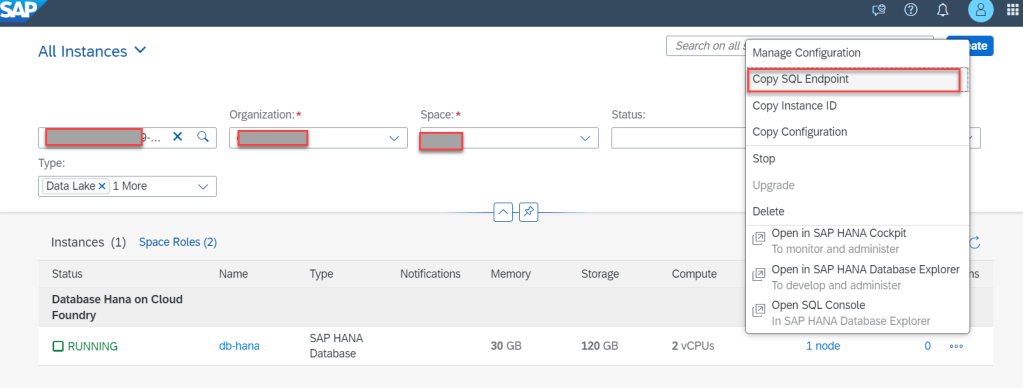
Take information of HANA Database by
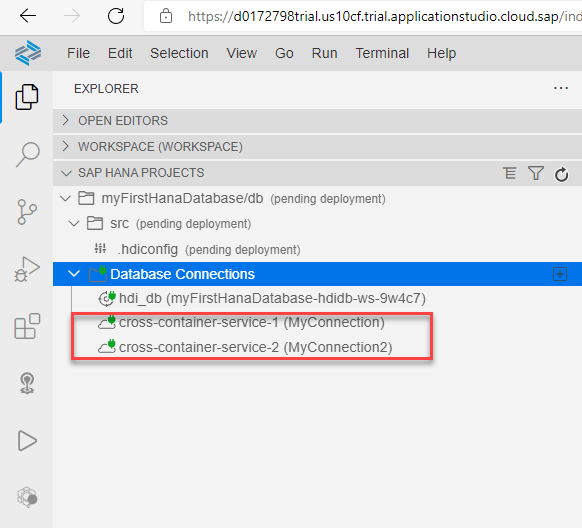
Step 4 : Create user and Role in database
- Create Role : genericRole00, genericRoleAP
- Grant 2 role for SFLIGHT schema
- Create user UPS_GRANTOR with pass DnATBG!1

Step 5 : Create hdbgrants File
- Logon SAP Business Application Studio
- Go to menu View
- Find : Create SAP HANA Database Artifact
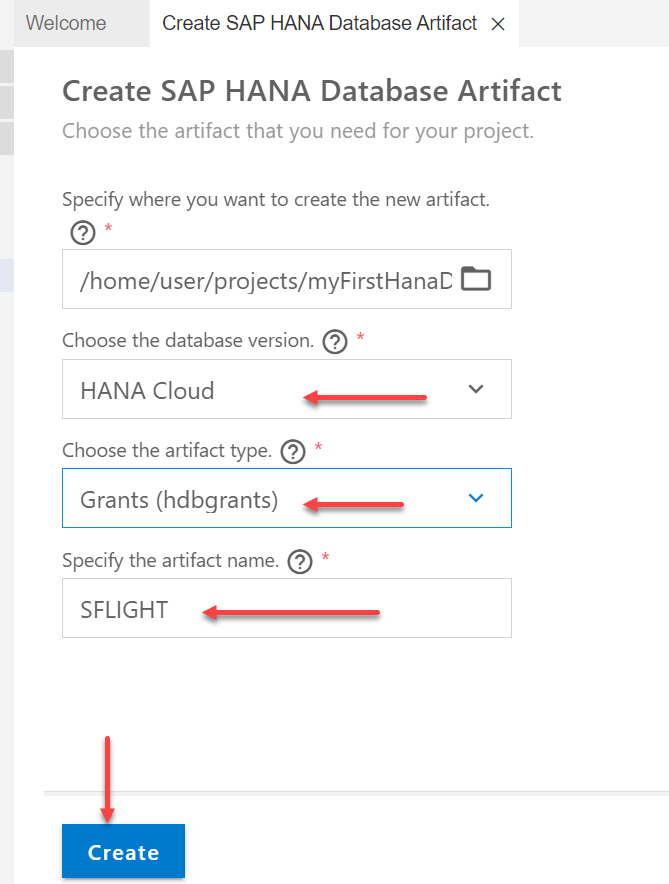
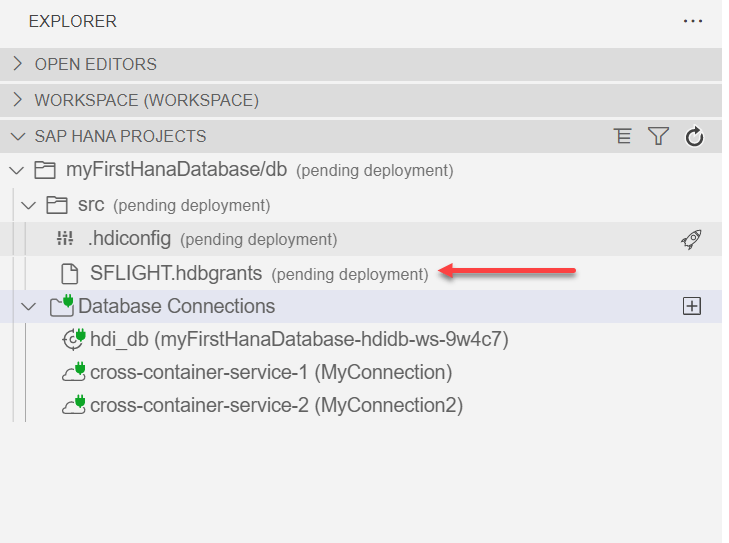
After done, we have
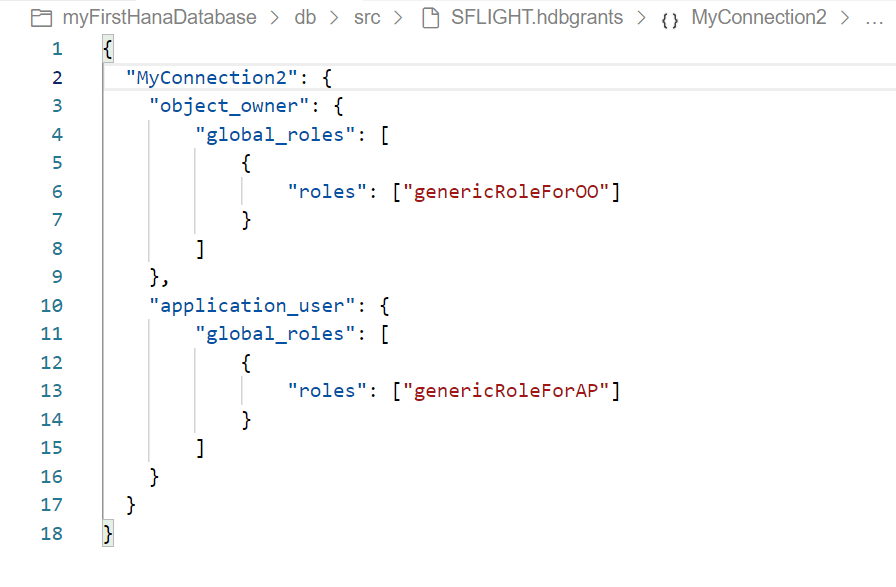
Edit file hdbgrant file. Just Grant for Role which create in step 4
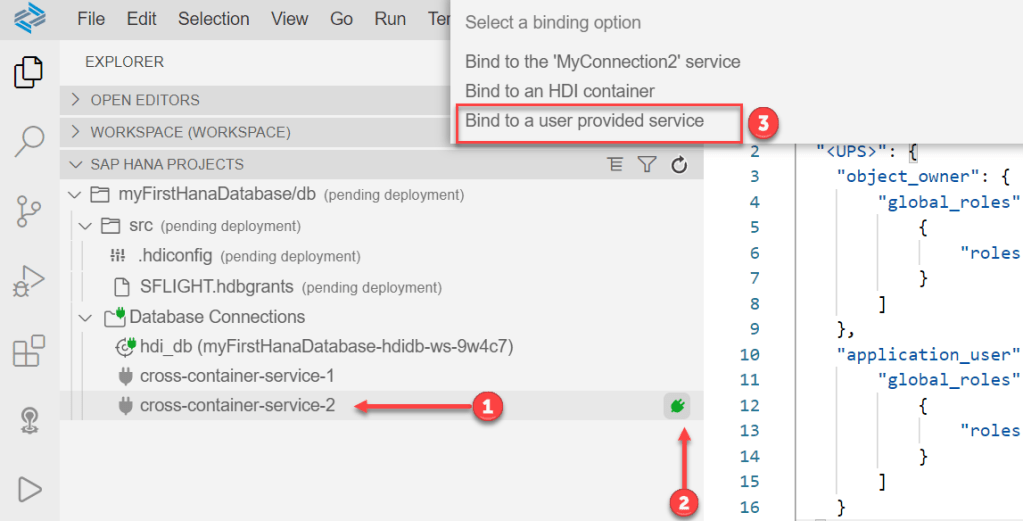
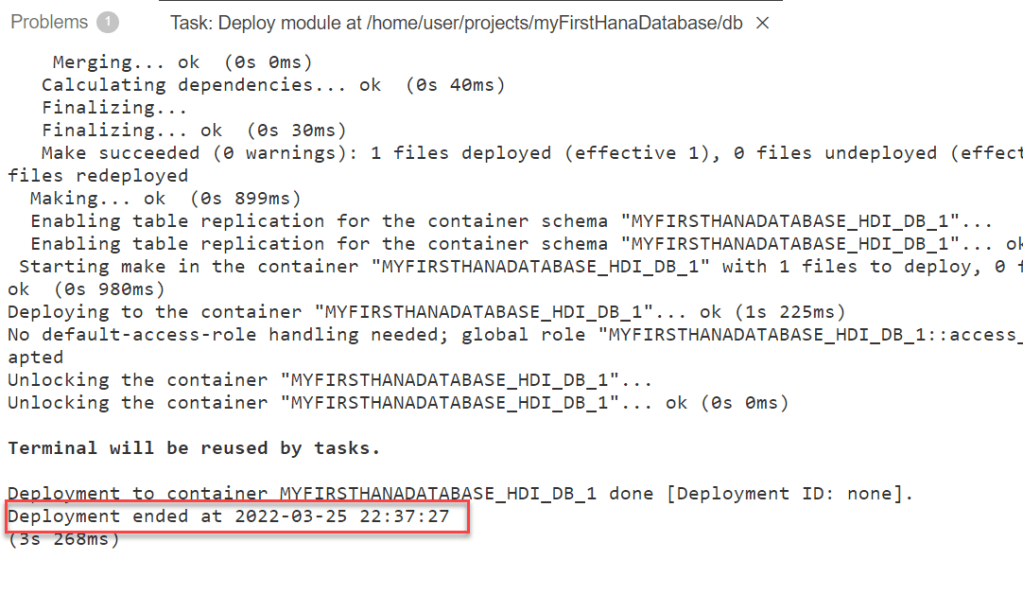
Step 6 : Deploy project
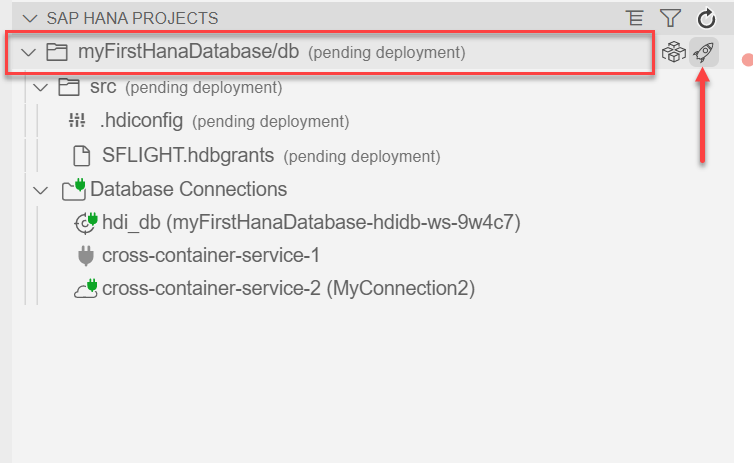
After done, go to project and deploy it.
Summary
In this article, I shared How to create new project in SAP Business Application Studio. I also talk about How to create user, role in HANA database and created hdbgrant file in project. Thanks for your reading and any question, kindly leave your comment on below this.
Thanks.
Joseph.
 SAP Zero to Hero
Hello sapzero,
Many thanks for this blog. Can SAP Business Application Studio be activated for free only in one subaccount?
When does it make sense to create three subaccounts (DEV, TEST, PROD) for SAP BAS, and does it even make sense to do so if I can only activate SAP BAS once without license fees?
Many Thanks
LikeLike
Hi Mike,
– This is dependent your purpose. Because of BAS subscripted in sub-account, if you just use only one, you need to create connectivity from sub account dev to production environment.
– You can use BAS free tier for 3 months. After that, You should use standard edition with 9GB storages
LikeLike