Hi guys,
When you do integration with SAP ERP or SAP CAR etc.. via SAP Abap proxy, we need perform steps as below.

1. Create technical user on SAP PO in NWA


With roles:

2. SLD Display data configuration
On SAP ERP, run TCode: sldapicust

Run TCode : SLDCHECK

3. Create HTTP RFC
Connection Type: H (HTTP Connection to External Server)
Path Prefix: /XISOAPAdapter/MessageServlet?ximessage=true

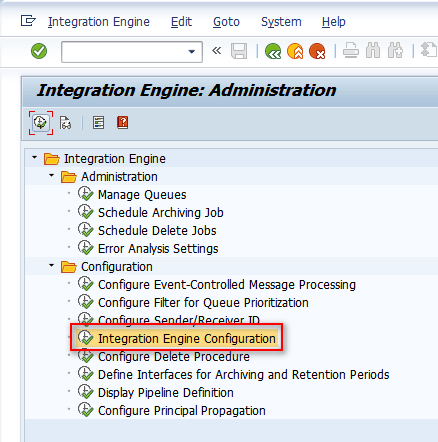
4. Integration Engine Configuration
TCode: SXMB_ADM


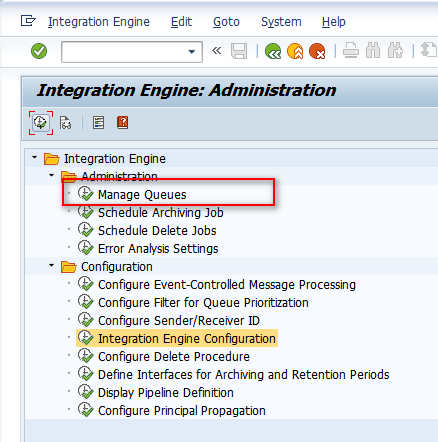
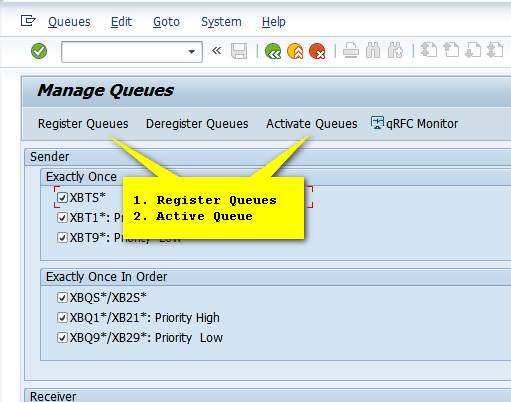
5. Register and Active Queues
TCode: SXMB_ADM
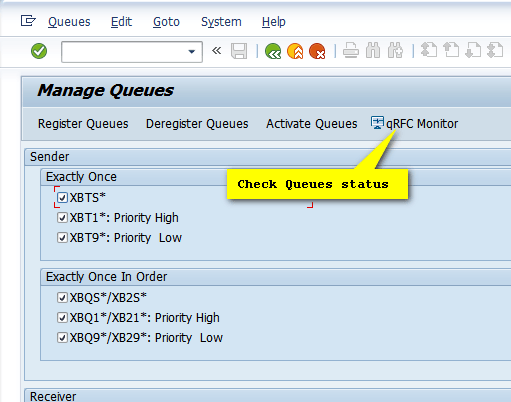
Check Queues
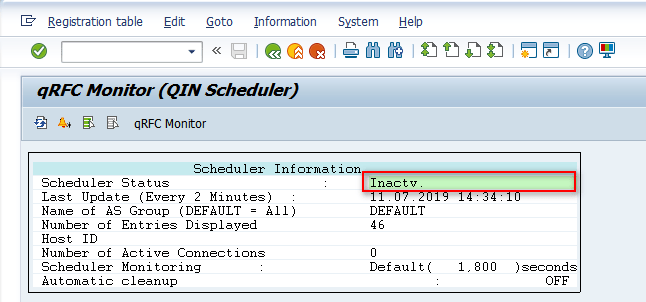
6. Abap proxy message monitoring
TCode: SXMB_MONI


7. IF THE STEPS ABOVE ARE NOT FIX YOUR PROXY
Run Program: SPROX_CHECK_IFR_RESPONSE


Create RFC account:

Thank you and hopefully useful for you guys.
Cuong Dang
 SAP Zero to Hero
Amazing step by step process explained…thank you
LikeLike
Thanks for your interesting
LikeLike
How to setup if testing is needed only from one box.
e.g. I have a enterprise service in SAP S4(new box) and just want to test it without integrating to other system. What are the steps required to enable the standard proxy provided by SAP to generate XML message in S4 box.
LikeLike